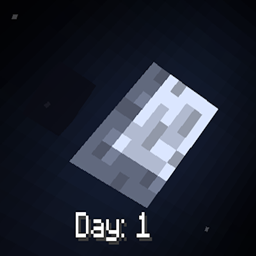
Day Display
Simple Minecraft day counter that you can adjust its location. Great for 100 days content creators!
截图

介绍

Day Display is a lightweight, customizable mod designed for those who want to track their journey in Minecraft day by day. Perfect for “100 Days” survival challenges, hardcore adventures, or just keeping tabs on your world’s progression, Day display is the ultimate tool for content creators and survival enthusiasts alike.
Key Features
-
Always Displayed: The day counter is always on-screen, making it easy to glance at the day count at any time without interruptions or toggling.
-
Fully Configurable Location: Customize the counter’s position to fit perfectly with your HUD. Whether you prefer it in the top corner, center, or bottom, Day Display gives you the flexibility to make it your own.
-
Accurate Start Anytime: Just added the mod to an existing world? No problem! Day Display will automatically calculate the correct day, so you’re never out of sync, no matter when you install it.
Perfect for Content Creators
Day Display is designed with 100 Days content creators in mind. The mod makes it easy for viewers to follow along and for you to keep track of progress at a glance. Whether you’re starting from Day 1 or jumping in on Day 57, the counter is always accurate and ready to go.
Configuration
Day Counter comes with a simple configuration option to customize the position of the day tracker on the screen. Adjust the X and Y coordinates to find the ideal spot on your HUD for a clutter-free experience.
How to Use
- Install the Mod: Simply add Day Display to your mods folder and load up your world.
- Configure the Location (Optional): Use the configuration options to set the day counter’s position on your screen.
- Enjoy Accurate Tracking: Whether you’re starting fresh or adding Day Display to an ongoing save, it’ll display the correct day count right from the start.
常见问题
Day Display 支持哪些 Minecraft 版本?
Day Display 支持 Minecraft Java 版 1.20.1–1.21.3,共 8 个版本,可用的加载器:Fabric / Forge / NeoForge。下载时注意选择和你游戏版本一致的文件。
Day Display 怎么安装?
先用 PCL2 或 HMCL 启动器安装对应版本的 Fabric / Forge / NeoForge,再把下载的 .jar 文件放进游戏目录的 mods 文件夹,重新启动游戏即可。开启了版本隔离的,mods 文件夹在 versions/版本名 下面。
Bandit_Bytes 的其他作品
查看全部 →
Reskillable Reimagined
RPG升级模组,默认包含8种技能,还可配置最多8种自定义技能!

Epic Paladins
新增带自定义3D模型的强力盔甲和工具、Boss等更多内容……
Zelda: Hyrule Terrors
受《塞尔达传说》启发,加入《旷野之息》和《王国之泪》中的盔甲、武器、生物及经典装备!

Gears Of Valor
史诗级护甲套装,搭配独特武器!
评论
登录后评论和评分