
截图

介绍
What is this mod?
This mod adds useful tweaks for datapack creators. You can read more about all the included features below.
Tweaks
In-game Datapack Editor
A fully functional in-game datapack function editor! Available since version 1.1.0.
Supports creating functions, editing, comments, suggestions, and even folders!
In-game editor showcase
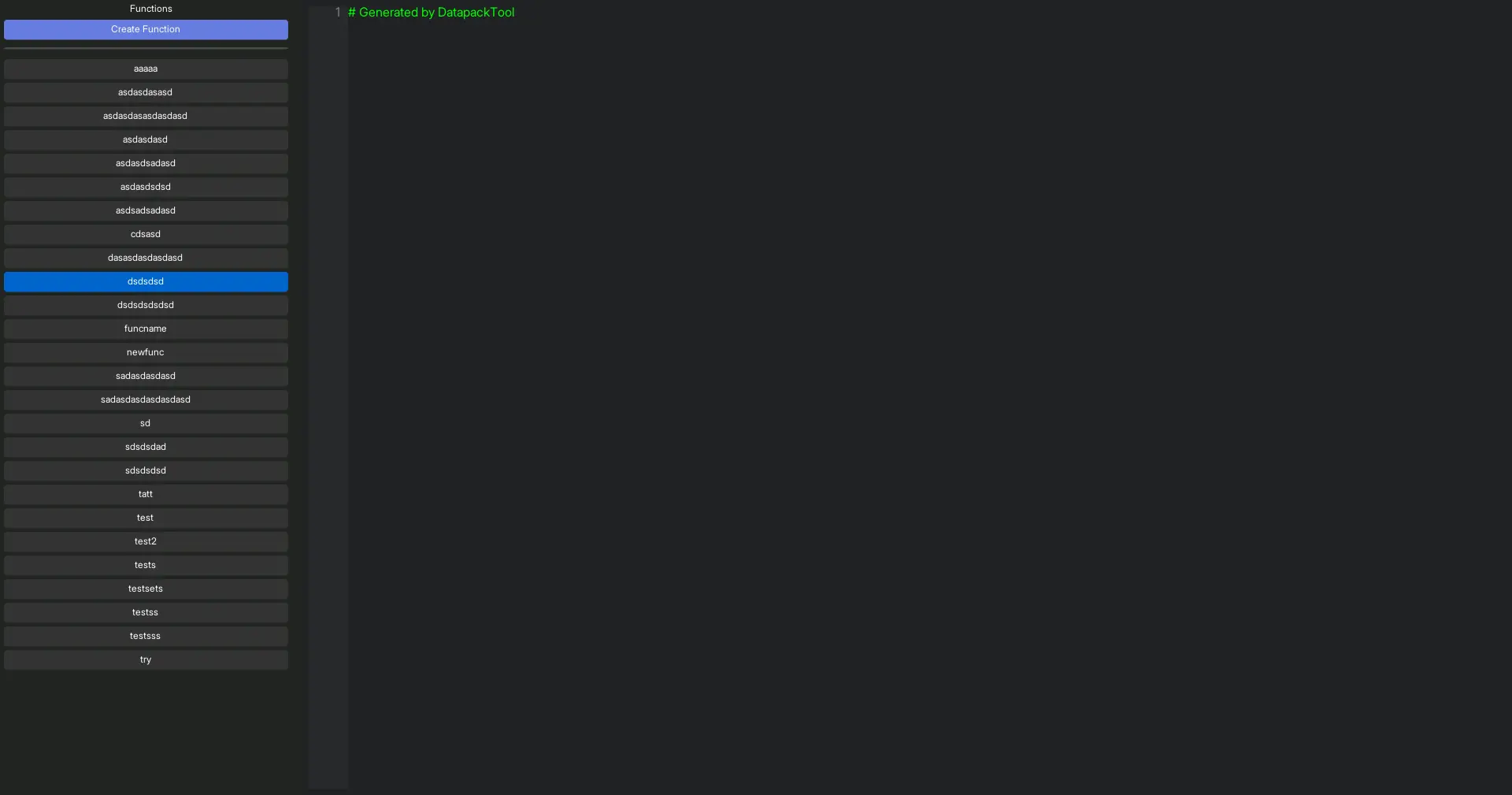

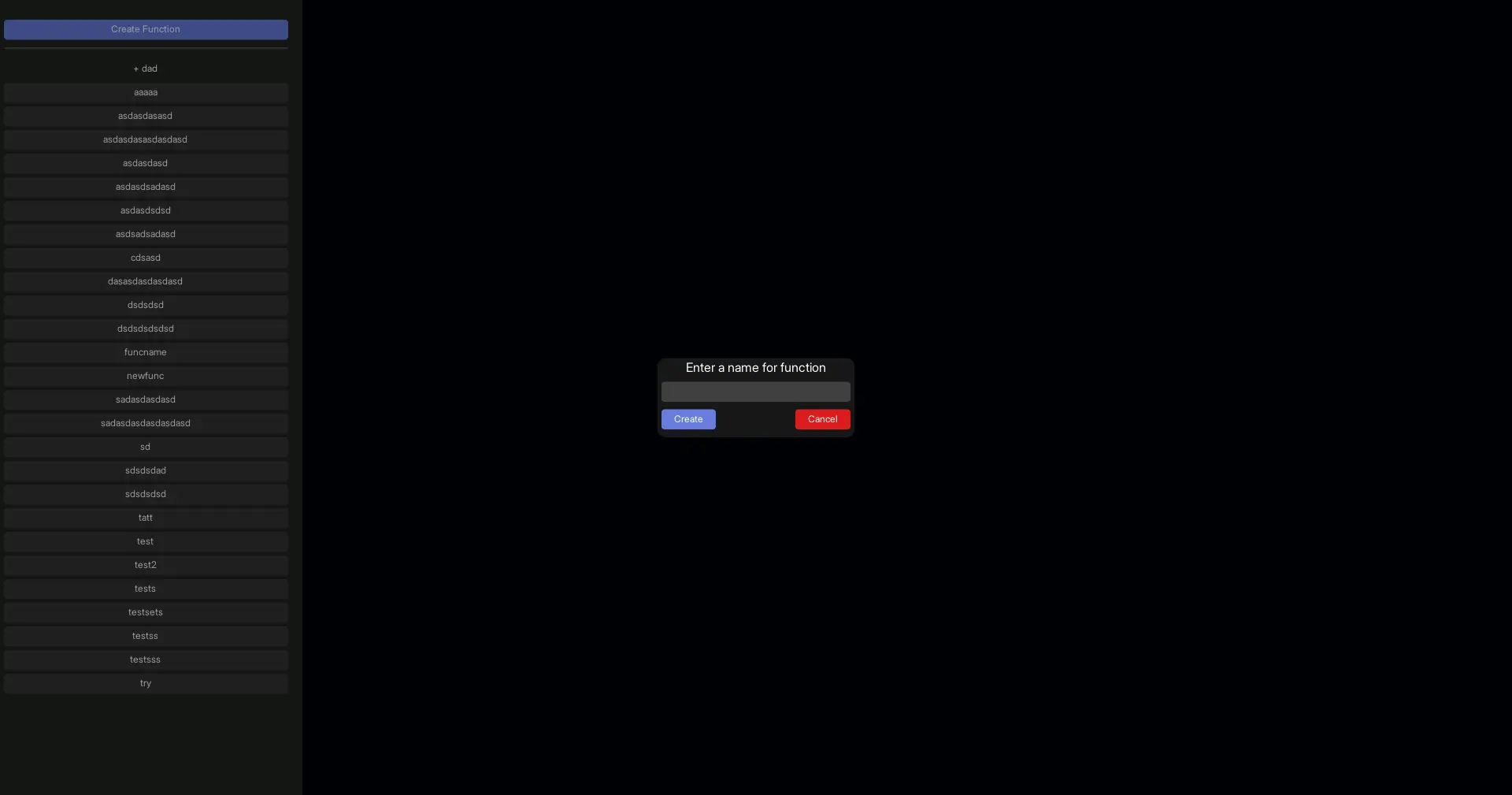
Converting Command Block Chains into Functions
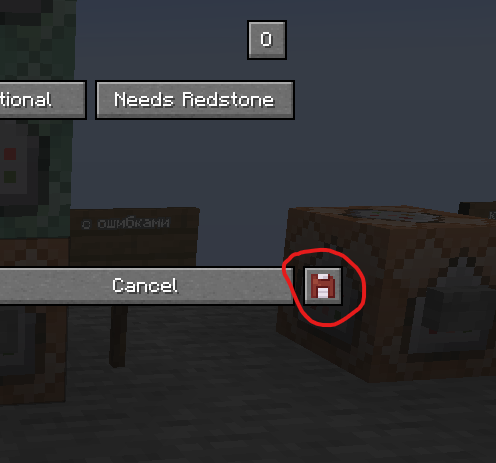
A new button has been added to the command block interface, allowing you to export a command block chain as a datapack function.
Alternatively, you can press F10 while in the command block interface, or hover over a command block and press F10 to open the conversion screen.
Button showcase
Export screen showcase
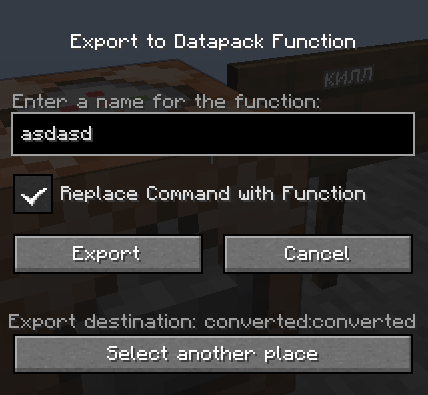
The mod also provides an option to remove the entire command block chain and replace the first command block with a call to the newly created function.
Important:
The start of the chain is defined by the command block from which the export is initiated. This allows you to convert only a selected portion of a command block chain into a function.
To export the entire chain, you must open the export screen from the command block at the very beginning of the chain.
Additional
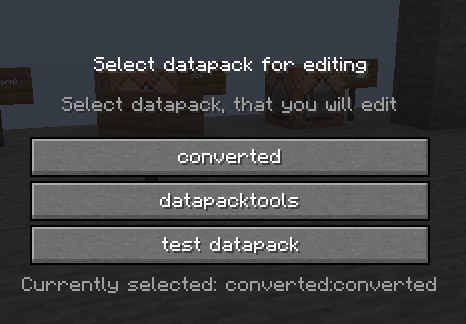
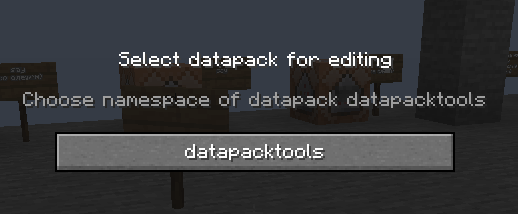
To select the datapack you want to edit, press F8 (or any key you have bound to this action).
Selecting datapack showcase
Thanks to..
- Dundunkin for the idea behind this mod and all the tweaks.
- Twemoji for the icons used in the project logo.
常见问题
datapacktools 支持哪些 Minecraft 版本?
datapacktools 支持 Minecraft Java 版 1.20.1–1.20.3,共 3 个版本,可用的加载器:Fabric。下载时注意选择和你游戏版本一致的文件。
datapacktools 怎么安装?
先用 PCL2 或 HMCL 启动器安装对应版本的 Fabric,再把下载的 .jar 文件放进游戏目录的 mods 文件夹,重新启动游戏即可。开启了版本隔离的,mods 文件夹在 versions/版本名 下面。运行环境:客户端和服务端都要装。
o_orl 的其他作品
查看全部 →
Freecam (Fair Play)
Fork of Freecam without "banned" features

UI Control
Easily customize and sweep your GUI.

LeaveMyCamera
Detach camera from yourself

Distinct Leaders
Visual distinction for zombie leaders. Fully configurable!
评论
登录后评论和评分