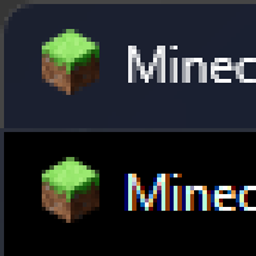
Dark Title Bar: Universal
A mod to change Minecraft window color to dark. For 1.6.4 up to 26.3 versions, Win10 1809+ or Win11 and every popular modloader.
截图
介绍
 Dark Title Bar: Universal
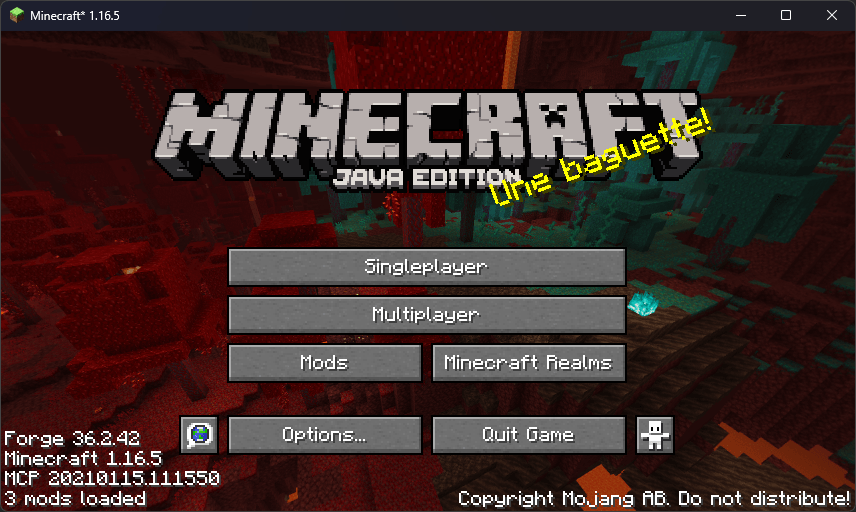
This simple mod just makes the Minecraft window title bar dark.
 Why this one?
- One file, almost every version. One jar file works on Forge, NeoForge, Fabric and Quilt from 1.6.4 all the way to 26.x
- No dependencies. No Fabric API, no Mixins, etc.
- Never conflicts. Minecraft code isn’t modified at all: Safe for big modpacks.
 Requirements
- Windows 10 (1809+) or Windows 11.
- Client-side only.
 Good to know
The window may flash white for a split second at startup before the mod picks it up. After that, it stays dark.
 Credits
Inspired by Dark Title Bar For Minecraft by prayoadmii-software, DarkTitleBarForge by yiyuyan and DarkTitleBar by williamist
常见问题
Dark Title Bar: Universal 支持哪些 Minecraft 版本?
Dark Title Bar: Universal 支持 Minecraft Java 版 1.6.2–26.3,共 86 个版本,可用的加载器:Fabric / Forge / NeoForge / Quilt。下载时注意选择和你游戏版本一致的文件。
Dark Title Bar: Universal 怎么安装?
先用 PCL2 或 HMCL 启动器安装对应版本的 Fabric / Forge / NeoForge / Quilt,再把下载的 .jar 文件放进游戏目录的 mods 文件夹,重新启动游戏即可。开启了版本隔离的,mods 文件夹在 versions/版本名 下面。
Beecube31 的其他作品
查看全部 →
Just Enough Botania
这个简单的附属模组能在 JEI 和 EMI 中显示实用的植物魔法信息!

CrazyAE
为 AE2 添加各种疯狂内容和便利性改进

Digital Botania (Mana Stuff Visualizer)
让 Botania 的魔力相关内容显示更多信息!

Avaritia Asgardandelions For Botania
那些经典的 Asgardandelions(还有几个更极限的整合包)要从 1.12.2 和 1.7.10 回归新版本啦!
评论
登录后评论和评分