
截图
介绍
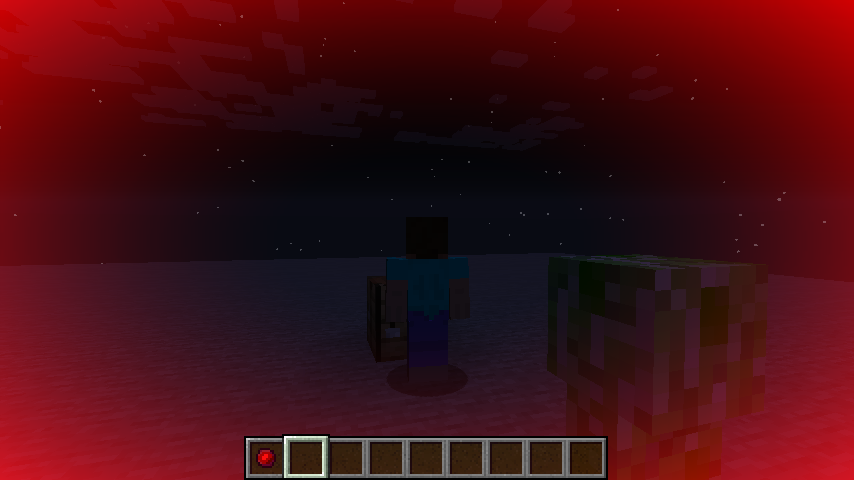
DangerSense adds a single item, the Eye of Hostility. In its default mode it will warn of nearby hostile mobs by visually opening and colouring the edges of the screen. By holding the use key while looking at a mob, the Eye can be focused on that type of mob, only responding to it. To reset to Hostiles mode, hold the use key while not looking at a mob.
The range and definition of hostile can be configured via the configuration file & configuration tags.
Crafting
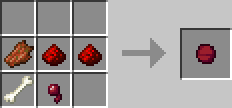
The Eye of Hostility is crafted shapelessly from 2 Redstone Dust, 2 of certain mob drops, and 1 Spider Eye.
By default the following mob drops can be used: Bones, Bone Meal, Gunpowder, Rotten Flesh, Spider Eyes.
The usable mob drops are configurable via tags.
Decay
The organic components of the Eye decay over time, it will turn into a Degraded Eye of Hostility after a default period of 4 days. The decay period is configurable, with a maximum of 2147483647 ticks (~3.5 realtime years).
Degraded Eyes do not function, but remember their focus. Crafting a Degraded Eye with a Spider Eye and 2 valid mob drops will repair it, keeping the focus. Alternatively it can be placed alone in a crafting grid to recover 2 Redstone Dust.
Ingame ScreenshotThe overlay colour can be configured via the configuration file
常见问题
DangerSense 支持哪些 Minecraft 版本?
DangerSense 支持 Minecraft Java 版 1.7.10–1.16.5,共 4 个版本,可用的加载器:Forge。下载时注意选择和你游戏版本一致的文件。
DangerSense 怎么安装?
先用 PCL2 或 HMCL 启动器安装对应版本的 Forge,再把下载的 .jar 文件放进游戏目录的 mods 文件夹,重新启动游戏即可。开启了版本隔离的,mods 文件夹在 versions/版本名 下面。
Daomephsta 的其他作品
查看全部 →
LootTweaker
一个允许使用 ZenScript 编辑战利品表的 CraftTweaker 附属模组

More Loot Stuff
为 Minecraft 的战利品表系统添加额外的条件、函数和战利品条目类型

LootTweaker
A CraftTweaker addon that allows loot tables to be edited with ZenScript

… (Ellipsis)
Adds various blocks and items that silence sounds.
评论
登录后评论和评分