
CustomFontFix
作者:tkdydwkaud
Fixes Z-fighting issues caused by TTF font rendering in Minecraft, especially when using glow ink on signs. Optimized for third-party pixel fonts like 'Neo둥근모 Pro'. Some fonts may not display correctly due to inherent rendering limitations.
截图


介绍
中文介绍正在准备中,下面暂时显示原文。
CustomFontFix
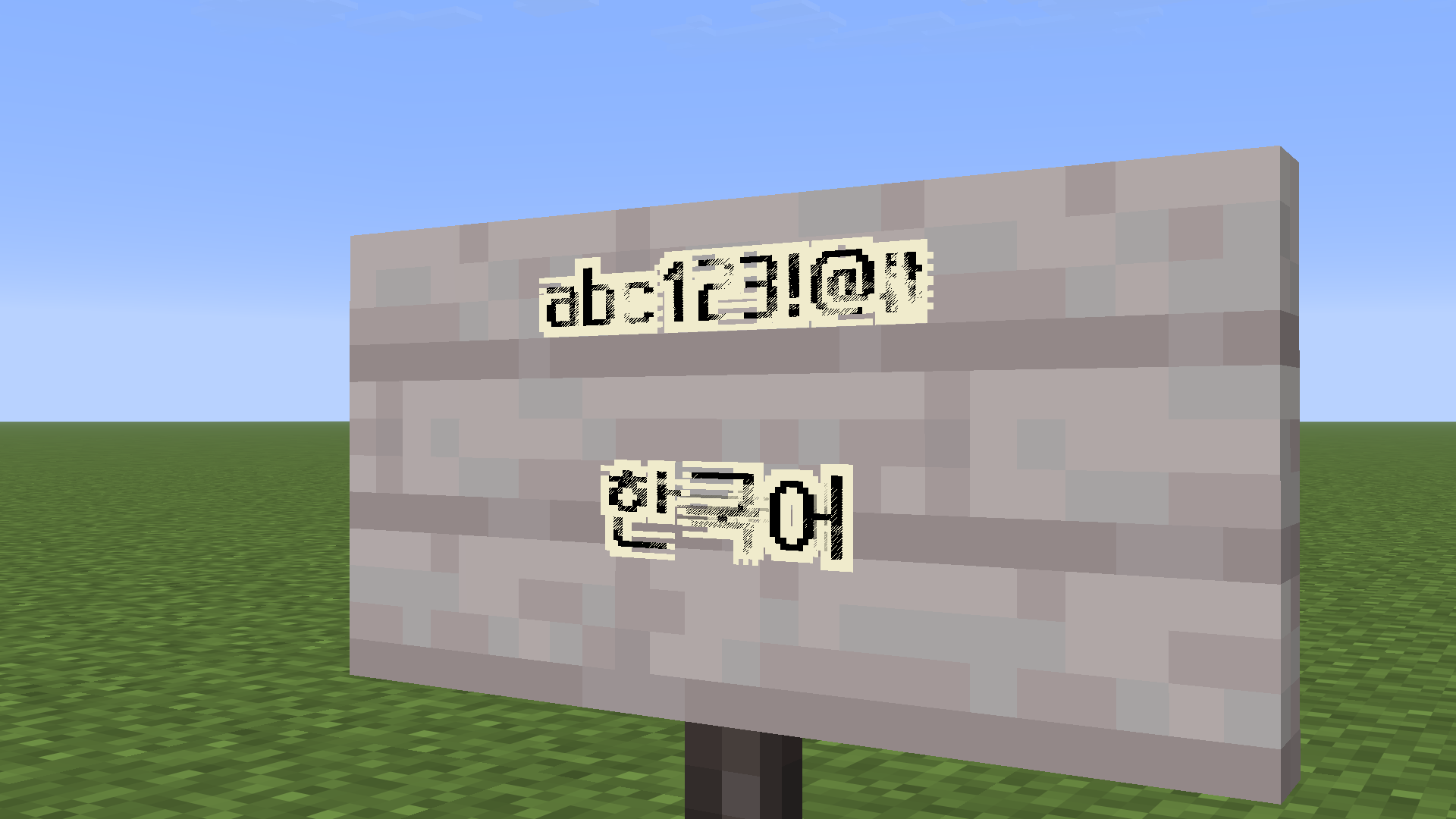
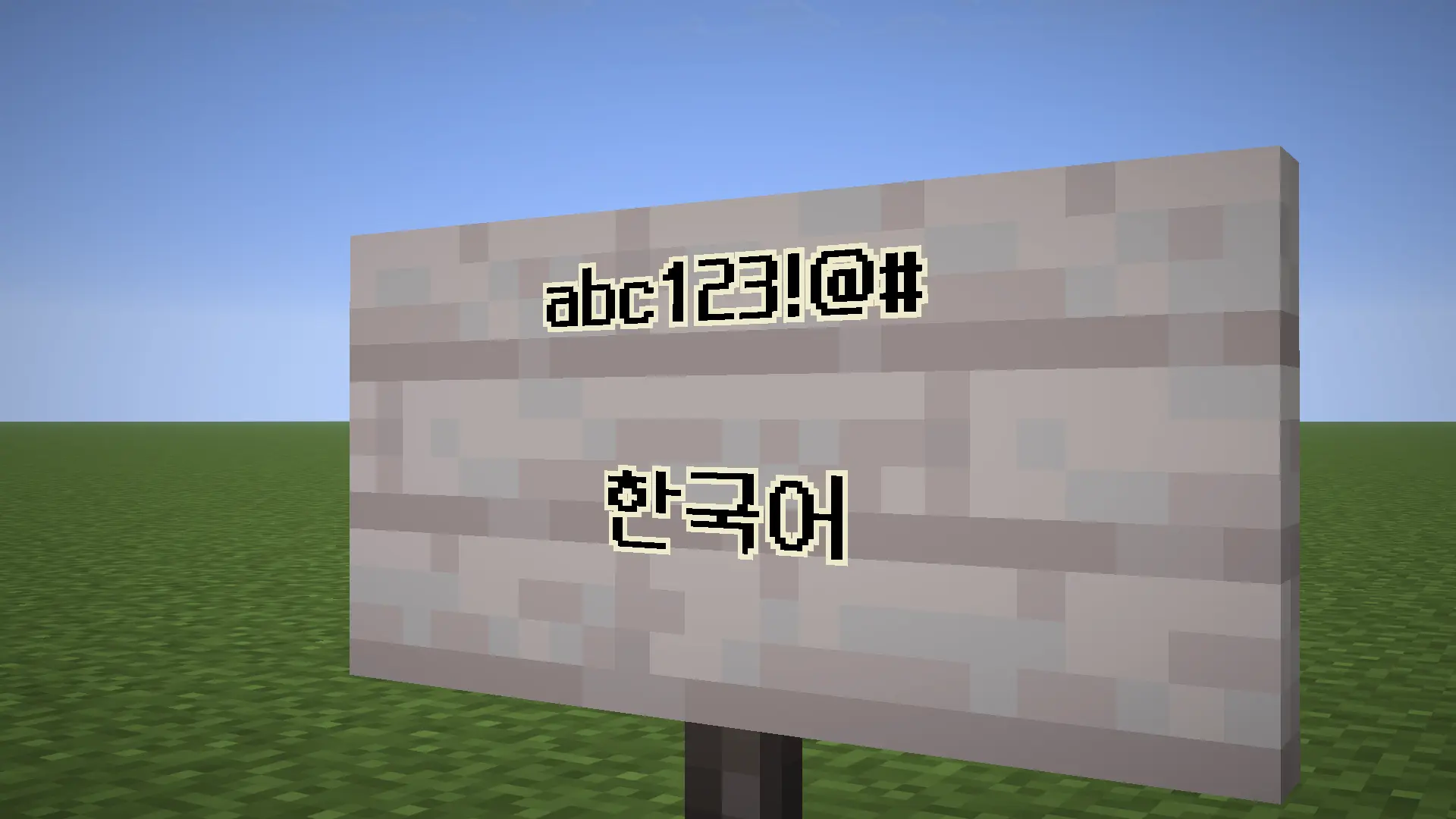
Fixes Z-fighting issues caused by TTF font rendering in Minecraft, especially when using glow ink on signs.
Features
- Reduces or eliminates Z-fighting on text
- Improves readability for pixel fonts
- Optimized for fonts like Neo둥근모 Pro
Limitations
- Some TTF fonts may still render incorrectly due to Minecraft’s rendering system
- Anti-aliased fonts are not fully supported
Recommended Font
- Neo둥근모 Pro (best compatibility)
- Download Resource Pack (26.1 ~ 26.3): https://drive.google.com/file/d/1qopOgPFsHFJPploP9YKeqau3cmKpDkK3/view?usp=sharing
- 1.21.9 ~ 1.21.11: https://drive.google.com/file/d/1FzVtNeVWnawYBlpUV0p_cR2sc7dwz2hR/view?usp=sharing
Installation
- Install Fabric Loader (Variable version)
- Place the mod in the
modsfolder - Launch Minecraft
Supported Versions
- 26.3
- 26.2
- 26.1.2
- 26.1.1
- 26.1
- 1.21.11
License
This project is licensed under GPL-3.0-only.
常见问题
CustomFontFix 支持哪些 Minecraft 版本?
CustomFontFix 支持 Minecraft Java 版 1.21.11–26.3,共 6 个版本,可用的加载器:Fabric。下载时注意选择和你游戏版本一致的文件。
CustomFontFix 怎么安装?
先用 PCL2 或 HMCL 启动器安装对应版本的 Fabric,再把下载的 .jar 文件放进游戏目录的 mods 文件夹,重新启动游戏即可。开启了版本隔离的,mods 文件夹在 versions/版本名 下面。运行环境:仅客户端。

评论
登录后评论和评分