
Custom Server Banners
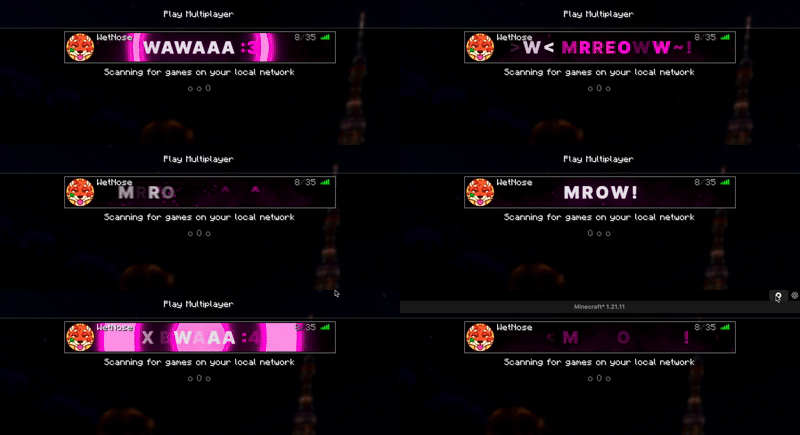
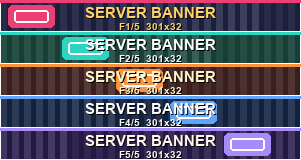
Add custom static and animated banners to any server in Minecraft's multiplayer server list.
截图


介绍
Server Banner
Customize any server in Minecraft’s multiplayer list with your own banners.
Server Banner allows you to assign custom images to any server entry, making your server list more personal, organized, and visually appealing.
Features
- Add custom banners to any server.
- Supports static and animated banners.
- Animation is powered by sprite atlases.
- Multiple scaling modes for improved animation quality and detail.
- Works entirely on the client.
- No server-side installation required.
- Compatible with any Minecraft server.
How It Works
Select a server in your multiplayer list and assign a custom banner image. If the image is a sprite atlas, Server Banner can automatically play it as an animation.
The banner is displayed directly in the server list, allowing you to create unique server entries with custom artwork, branding, or animated effects.
Client-Side Only
This mod is completely client-side.
Servers do not need to install anything, and the banners are only visible to players who have Server Banner installed.
Supported Formats
- PNG images
- Sprite atlas animations
- Multiple animation scale options
Requirements
- Minecraft 1.21.11
- Fabric Loader 0.19.3
Bug Report
常见问题
Custom Server Banners 支持哪些 Minecraft 版本?
Custom Server Banners 支持 Minecraft Java 版 1.21.11,可用的加载器:Fabric。下载时注意选择和你游戏版本一致的文件。
Custom Server Banners 怎么安装?
先用 PCL2 或 HMCL 启动器安装对应版本的 Fabric,再把下载的 .jar 文件放进游戏目录的 mods 文件夹,重新启动游戏即可。开启了版本隔离的,mods 文件夹在 versions/版本名 下面。运行环境:仅客户端。
评论
登录后评论和评分