
截图
介绍
costom knight
Mod Introduction
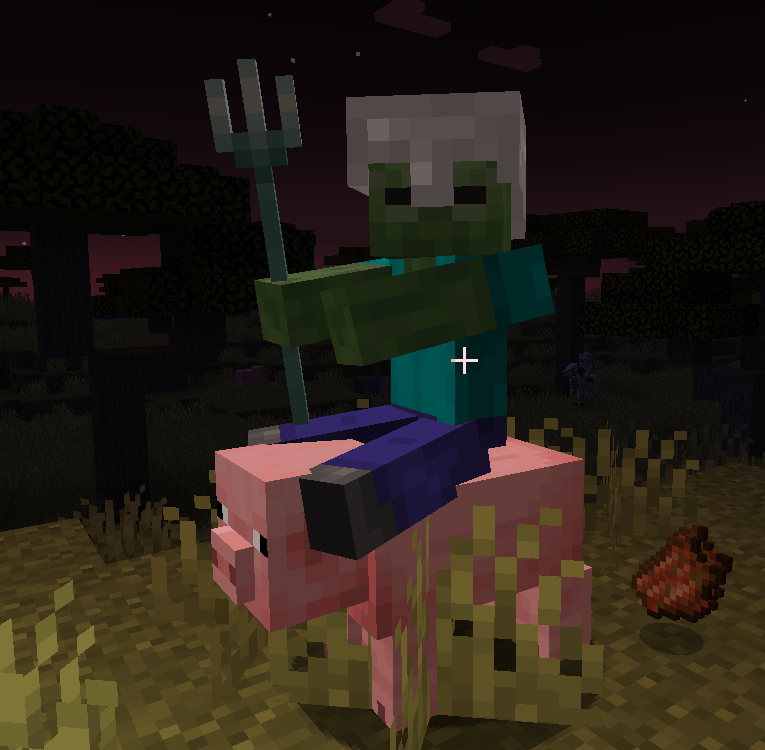
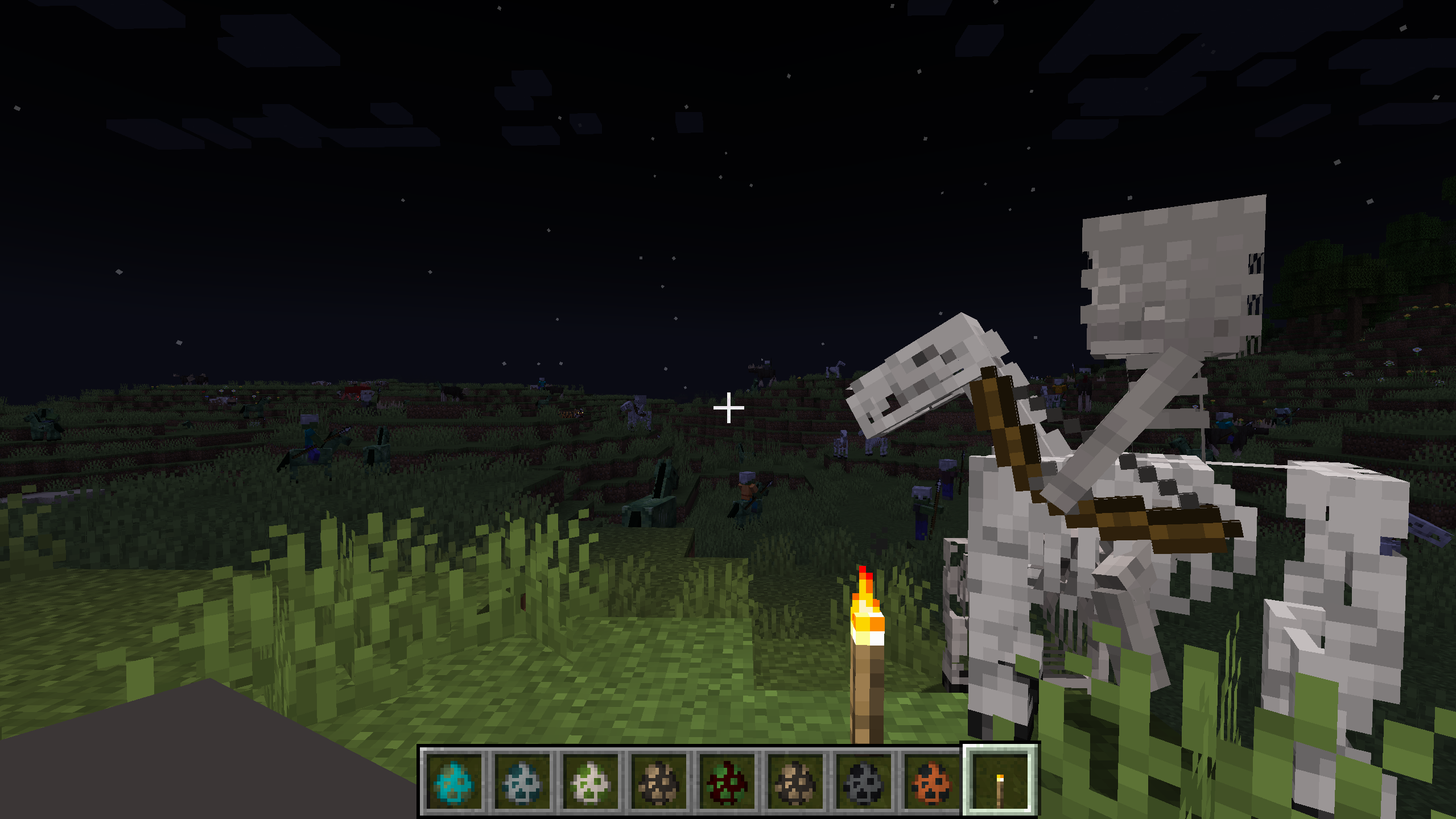
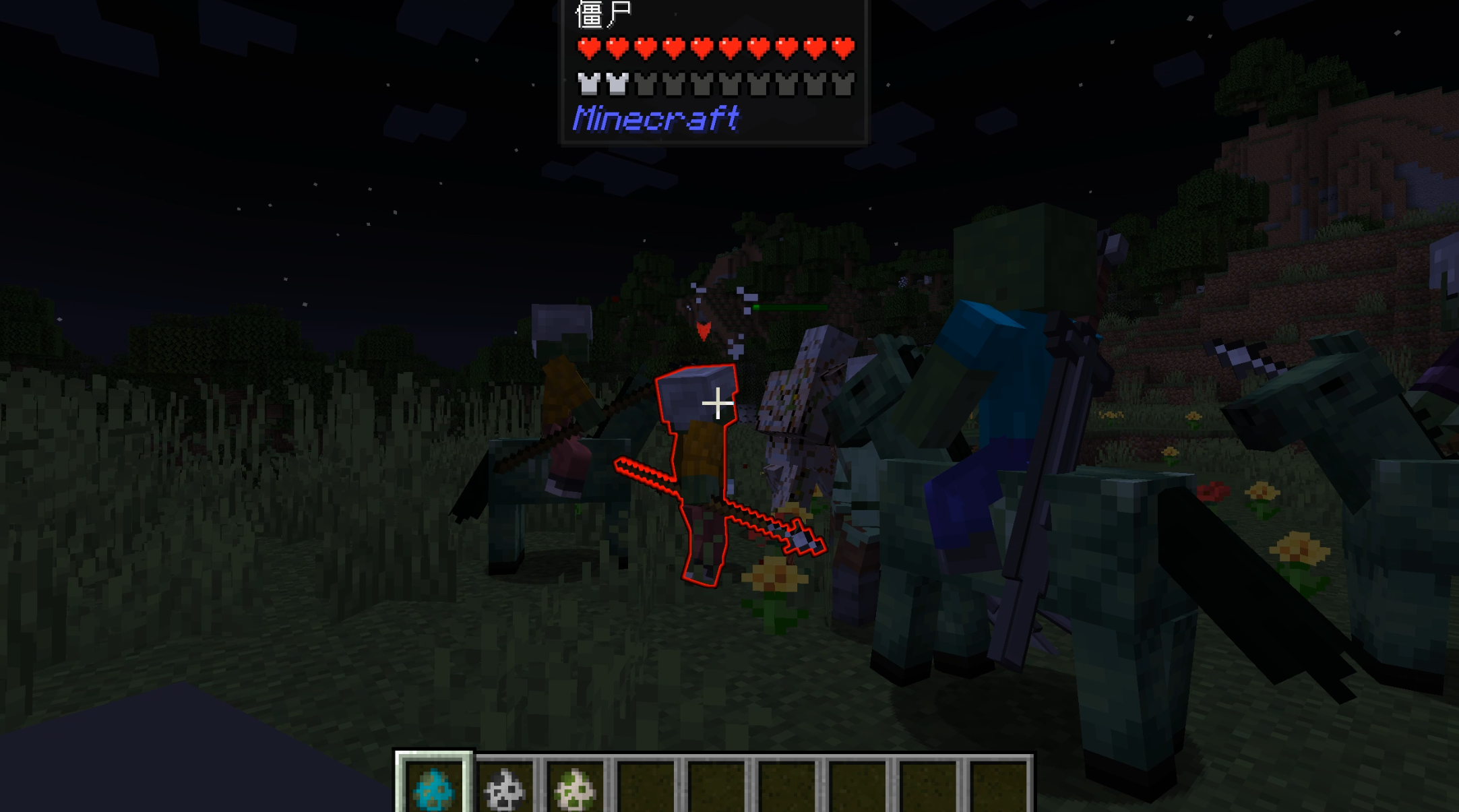
Creative Knight Config is a Minecraft 1.20.1 Forge mod that allows players to configure knight behaviors, mounts, and weapons for various mobs in-game.
Features
1. In-Game Configuration
- Intuitive configuration interface accessible through the in-game mod configuration button
- Supports Chinese interface with simple and easy-to-understand operations
2. Mob Configuration
- Spawn Chance: Adjust the probability of various mobs becoming knights, who can wield weapons and ride mounts
- Weapon Configuration: Set default weapons for each type of mob knight
- Mount Configuration: Set default mounts for each type of mob
- Mount System: Enable/disable mount system and adjust mount spawn probability
3. Supported Mobs
- Zombie
- Skeleton
- Pillager
- Piglin
- Witch
- Zombie Villager
- Zombified Piglin
- Wither Skeleton
- Vindicator
- Evoker
- Husk
- Piglin Brute
- Custom mobs added through configuration files
4. No Faction Restrictions
- Removed mount faction restrictions, any knight can ride any type of mount (preferably configure same factions, as I don’t know what might happen with random combinations)
- Supports more free mount combinations
5. ID Copy Function
- Hover over an item and press the shortcut key (default I key) to copy the item’s English ID to clipboard
- Can customize the copy key through the game’s built-in key binding function
Usage
Configuration Interface
- After entering the game, click the “Mods” button in the main menu
- Find the “custom knight” mod and click the “Config” button
- In the configuration interface, you can:
- Adjust various mobs’ knight spawn probability in the “Spawn Chance” tab
- Enable/disable mount system and adjust mount spawn probability in the “Mount System” tab
- Set default weapons for each mob in the “Weapon Settings” tab
- Set default mounts for each mob in the “Mount Settings” tab
Or enter the command /creativeknight config
Adding Custom Mobs
(Actually, I haven’t tried this)
Find the configuration file:
The configuration file is located in the config folder of the game directory, named knightmod-common.toml.
- Modify the configuration file:
After opening the configuration file, find the following two configuration items:
customCreatures: Custom mob listcustomCreaturesConfig: Custom mob configuration
- Add custom mobs:
- Format example:
  # Custom mob list, format:
  modid:entity1,modid:entity2,...
  customCreatures =
  "minecraft:stray,
  example:custom_creature"

  # Custom mob configuration, format:
  modid:entity1:spawnChance:weapon:mountFaction,
  modid:entity2:spawnChance:weapon:mountFaction,...
  customCreaturesConfig =
  "minecraft:stray:0.2:minecraft:bow:undead,
example:custom_creature:0.3:example:custom_sword:undead"- Configuration item description:
modid:entity: Full mob ID, e.g.,minecraft:strayspawnChance: Knight spawn probability, range 0-1weapon: Weapon ID, e.g.,minecraft:bowmountFaction: Mount faction, optional values:undead(undead),illager(illager),piglin(piglin),witch(witch)
- Save the configuration file:
After modification, save the configuration file and restart the game to take effect.
Example Configuration
# Custom mob list
customCreatures = "minecraft:stray,example:custom_creature"

# Custom mob configuration
customCreaturesConfig = "minecraft:stray:0.2:minecraft:bow:undead,example:custom_creature:0.3:example:custom_sword:undead"
Technical Features
- Dynamic Configuration: Configuration changes take effect immediately without restarting the game
- Compatibility: Compatible with most mods
- Performance Optimization: Efficient event handling with minimal impact on game performance
- Extensibility: Supports adding custom mobs through configuration files
Installation
- Make sure your Minecraft has Forge 1.20.1 installed
- Download the JAR file of this mod
- Put the JAR file into the
modsfolder of your game directory - Start the game and enjoy the fun of custom knights!
Author
Baolong Zhanshen Tiezhu
Contact
Bilibili Personal Homepage
GitHub
Version History
- v1.0: Initial version, implemented basic features
License
All Rights Reserved
常见问题
custom_knight 支持哪些 Minecraft 版本?
custom_knight 支持 Minecraft Java 版 1.20.1,可用的加载器:Forge。下载时注意选择和你游戏版本一致的文件。
custom_knight 怎么安装?
先用 PCL2 或 HMCL 启动器安装对应版本的 Forge,再把下载的 .jar 文件放进游戏目录的 mods 文件夹,重新启动游戏即可。开启了版本隔离的,mods 文件夹在 versions/版本名 下面。运行环境:客户端和服务端都要装。
评论
登录后评论和评分