
截图



介绍
Custom Void — Configurable void color and position
Fabric API and Cloth Config are required!
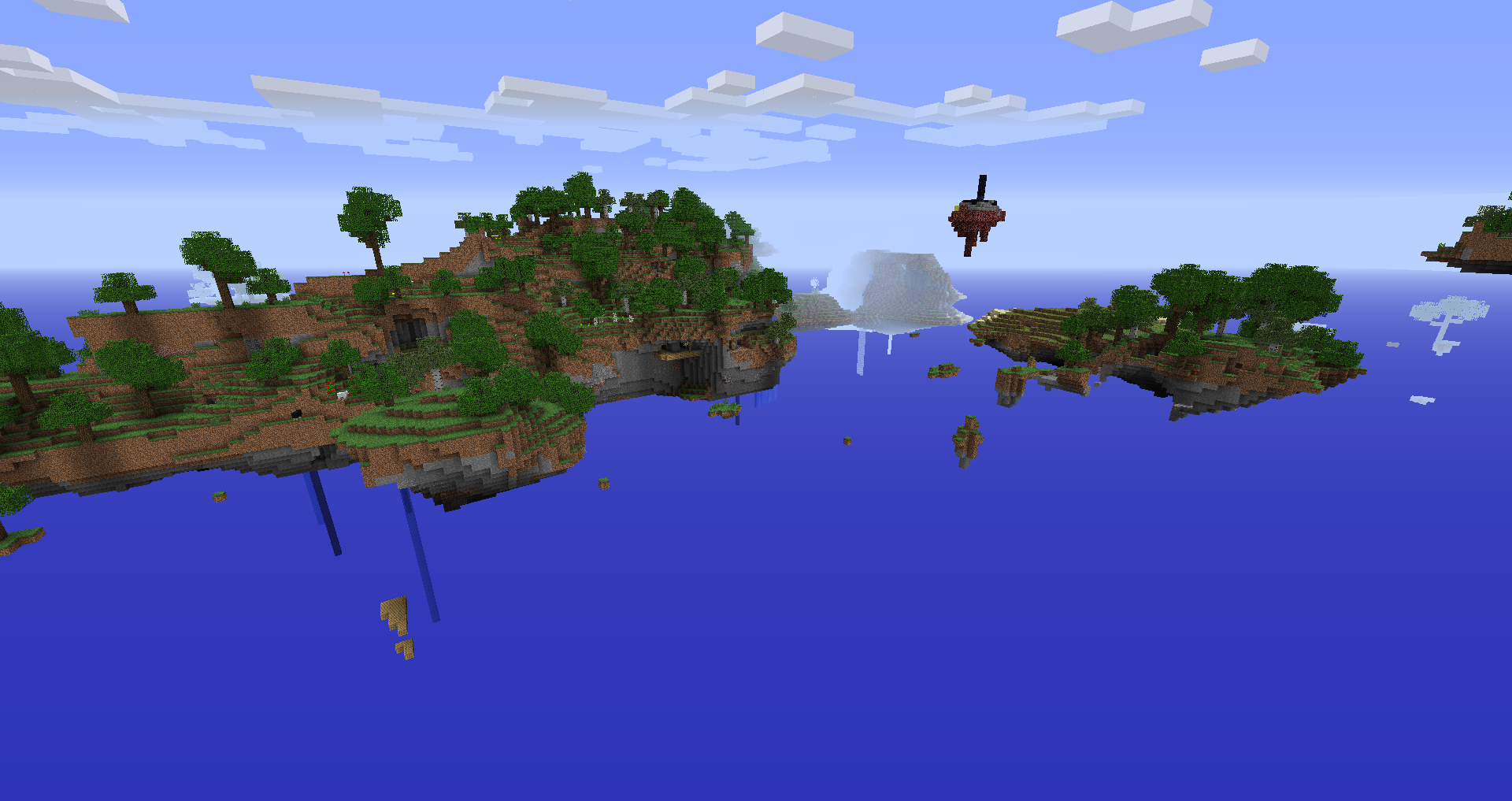
This is a simple client-side Fabric mod that allows you to configure void color, starting position, and the height at which it appears. Useful for playing on Skylands or Skyblock-type maps, where you’ll often go below sea level and have that ugly black void pop into existence.
Another companion mod to my old world gen mod, Modern Beta, you can also restore the blue void that was present in Alpha/Beta versions of Minecraft.
Works with Clear Skies, as of Custom Void v0.1 and Clear Skies v1.5.48!
=================================================================
Configuration
You can configure Custom Void through Mod Menu (recommended) or in the config/customvoid.json file.
The current options are:
- Render Void (default: true): Turn void on/off.
- Void Dynamic Height (default: true): Adjusts void position according to player height to always start at horizon.
- Void Type (default: DEFAULT): Select void type. See void types below.
- Void Height Threshold (default: 63): Player (eye-level) height at which the void starts to render. Setting to 256 or greater will ensure the void is always present. Setting to 0 or less will effectively disable the void (void will be the same color as fog).
- Void Translate Height (default: 0): Move down where the void starts. Lower values will lower the void and increase the thickness of the fog banding at the horizon.
Void Types:
- DEFAULT: Default black void.
- CLASSIC: Alpha/Beta blue void.
- MODERN: Classic void, but with a desaturated blue to match the vanilla water color.
- SKY: Sky color void.
- CUSTOM: Custom colored void.
For Alpha/Beta void, use the following values:
- Void Type: CLASSIC
- Void Height Threshold: 256 (or greater)
- Void Translate Height: -12
All other options should be left at default.
For early Release void, use the following values:
- Void Type: CLASSIC
- Void Dynamic Height: Yes
- Void Height Threshold: 256 (or greater)
All other options should be left at default.
常见问题
Custom Void [Fabric] 支持哪些 Minecraft 版本?
Custom Void [Fabric] 支持 Minecraft Java 版 1.16.2–1.19.4,共 13 个版本,可用的加载器:Fabric。下载时注意选择和你游戏版本一致的文件。
Custom Void [Fabric] 怎么安装?
先用 PCL2 或 HMCL 启动器安装对应版本的 Fabric,再把下载的 .jar 文件放进游戏目录的 mods 文件夹,重新启动游戏即可。开启了版本隔离的,mods 文件夹在 versions/版本名 下面。
b3spectacled 的其他作品
查看全部 →
Custom Stars [Fabric]
可自定义星星的大小、数量和颜色

Custom Stars [Forge]
可配置的星星大小、数量和颜色

Custom Spawns [Fabric]
可配置的生物生成上限与持久化机制。

Modern Beta [Fabric]
在现代 Minecraft 中生成 Beta、Alpha、Infdev 和 Indev 地形!
评论
登录后评论和评分