Custom Slot Highlight
Client-side NeoForge mod that replaces or hides the vanilla inventory slot highlight with configurable in-game options.
介绍
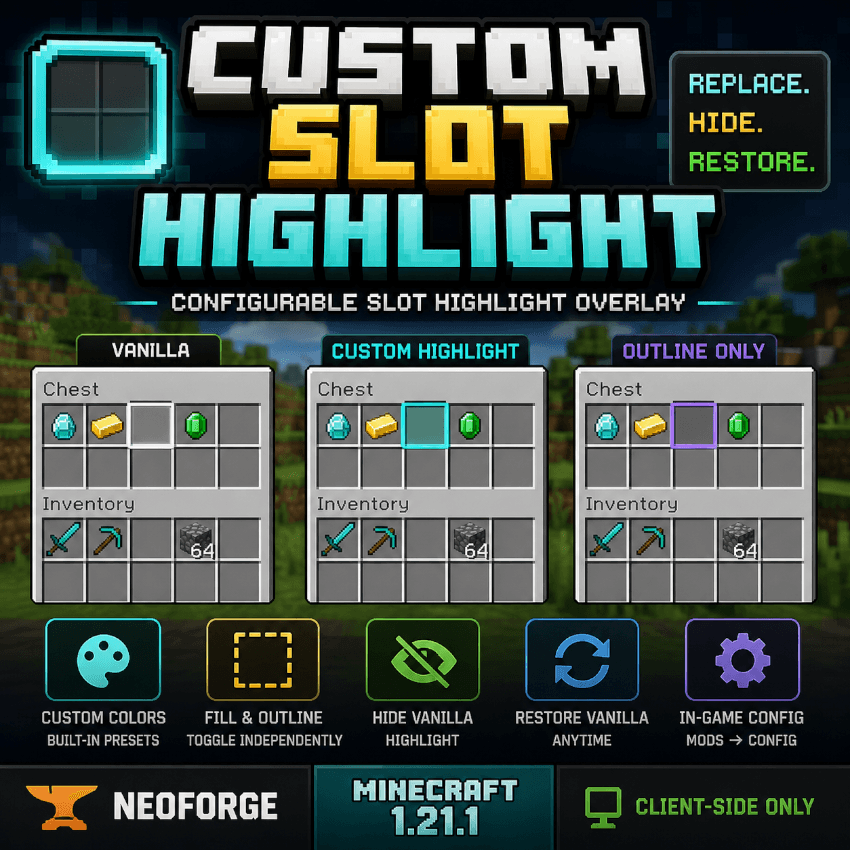
Custom Slot Highlight is a lightweight client-side NeoForge mod for Minecraft 1.21.1.
It replaces the vanilla white inventory and container slot highlight with a configurable in-game overlay. The mod targets Minecraft’s shared `AbstractContainerScreen#renderSlotHighlight` path, so it works with vanilla containers and modded containers that inherit the standard Minecraft container screen behavior.
Features:
– Replace the vanilla white slot highlight with a custom overlay.
– Hide the vanilla highlight entirely.
– Restore the vanilla highlight without uninstalling the mod.
– Toggle fill and outline rendering independently.
– Choose built-in color presets from the in-game config screen.
– Configure the mod from `Mods -> Custom Slot Highlight -> Config`.
– No PNG inventory texture replacement.
– No screen rewrites.
Compatibility:
– Minecraft 1.21.1
– NeoForge 21.1.228 or newer on the 1.21.1 line
– Client-side only
常见问题
Custom Slot Highlight 支持哪些 Minecraft 版本?
Custom Slot Highlight 支持 Minecraft Java 版 1.21.1,可用的加载器:NeoForge。下载时注意选择和你游戏版本一致的文件。
Custom Slot Highlight 怎么安装?
先用 PCL2 或 HMCL 启动器安装对应版本的 NeoForge,再把下载的 .jar 文件放进游戏目录的 mods 文件夹,重新启动游戏即可。开启了版本隔离的,mods 文件夹在 versions/版本名 下面。
DirtStudYo 的其他作品
查看全部 →
Immersive Engineer Decor&Controls&Tool Reforged
⚙️ 为 NeoForge 工厂建造添加工业风装饰、车间机器、储物配件和红石控制方块。
StoneBorn Add-On
StoneBorn Add-on , Replaces Mod vanilla GUIs with StoneBorn-styled interfaces, adding support for other mods seamlessly.

Immersive Farming Reforged
Modern industrial farming addon with sprinklers, composting, pesticides, and crop disease mechanics.

Immersive Railroading Reforged
🚂 An unofficial NeoForge port of Immersive Railroading, bringing full-scale locomotives, industrial rail networks, freight transport, and heavy railway gameplay to modern Minecraft. ⚙️🛤️🔥
评论
登录后评论和评分