
Custom PNG Crosshair
作者:Stever77
Load a custom PNG crosshair with high-res scaling, transparency, and reverse color effects.
截图
介绍
中文介绍正在准备中,下面暂时显示原文。
Tired of the same old crosshair? Custom PNG Crosshair lets you replace Minecraft’s default crosshair with any PNG image you want — complete with live previews, high-res scaling, transparency, and vanilla-style color inversion.
Features
- Any PNG as your crosshair – drop images into your crosshair folder and pick one in seconds
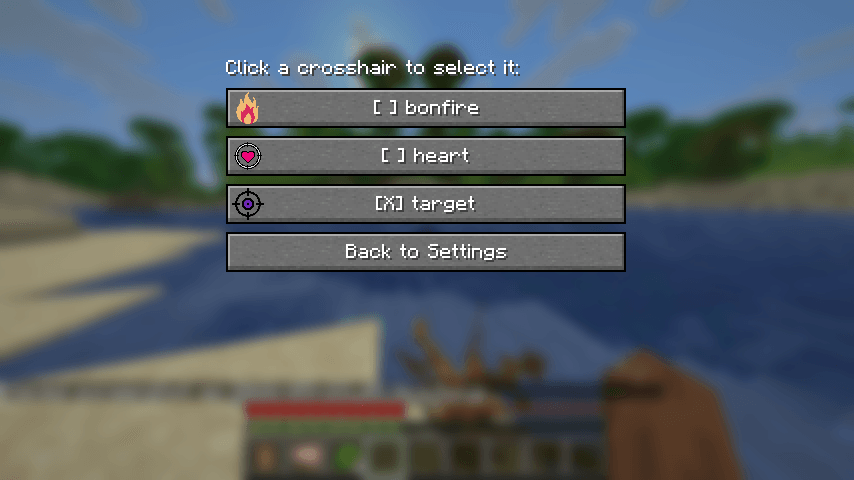
- Visual in-game selector (Mod Men Required) – browse all your crosshair PNGs with live rendered thumbnails and select with one click (Mod Menu integration)
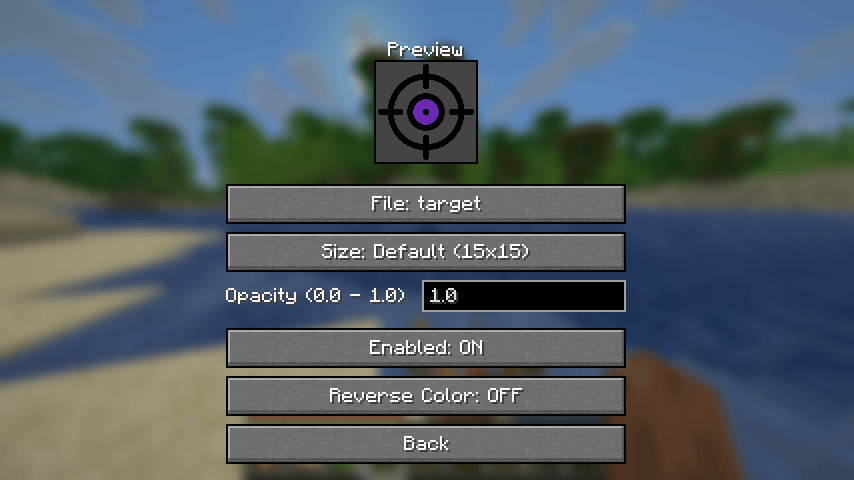
- Live config preview – see your crosshair with all effects applied before you even close the menu
- High-res scaling – large images (64×64, 256×256, or anything between) are crisply scaled to a consistent on-screen size
- Size presets – Default (15×15), Medium (30×30) and Large (45×45), plus custom sizes via the config file or /crosshair scale
- Opacity control – fade your crosshair anywhere from fully visible to fully transparent
- Reverse color mode – apply the vanilla color-inverting crosshair effect to your custom image
- Smart attack indicator – automatically repositions below larger crosshairs so it never overlaps
- Instant apply – every change saves and takes effect immediately, no save button needed
- Tab completion – commands autocomplete every PNG in your crosshair folder
- Mod Menu optional – full config screen through Mod Menu, but the mod works perfectly without it
Getting Started
- Launch the game and a
custompngcrosshairfolder is created automatically in your Minecraft root directory. - Drop your crosshair
.pngfiles into that folder. - Pick your crosshair:
- Mod Menu: Mods → Custom PNG Crosshair →
File: ... (Browse)→ click any entry. - Command:
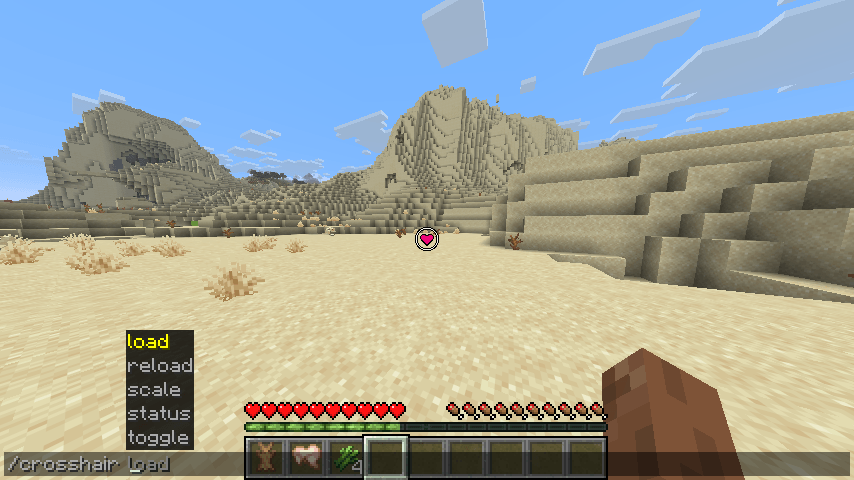
/crosshair load <filename>(press Tab to autocomplete).
- Mod Menu: Mods → Custom PNG Crosshair →
- Tune size, opacity and reverse color to your liking — changes apply instantly.
Commands
/crosshair load <filename>/crosshair reload/crosshair toggle/crosshair status/crosshair scale <height in pixels> <width in pixels>
Note: Does not work with CenteredCrosshair.
常见问题
Custom PNG Crosshair 支持哪些 Minecraft 版本?
Custom PNG Crosshair 支持 Minecraft Java 版 26.3,可用的加载器:Fabric。下载时注意选择和你游戏版本一致的文件。
Custom PNG Crosshair 怎么安装?
先用 PCL2 或 HMCL 启动器安装对应版本的 Fabric,再把下载的 .jar 文件放进游戏目录的 mods 文件夹,重新启动游戏即可。开启了版本隔离的,mods 文件夹在 versions/版本名 下面。
评论
登录后评论和评分