Custom FPS Limiter
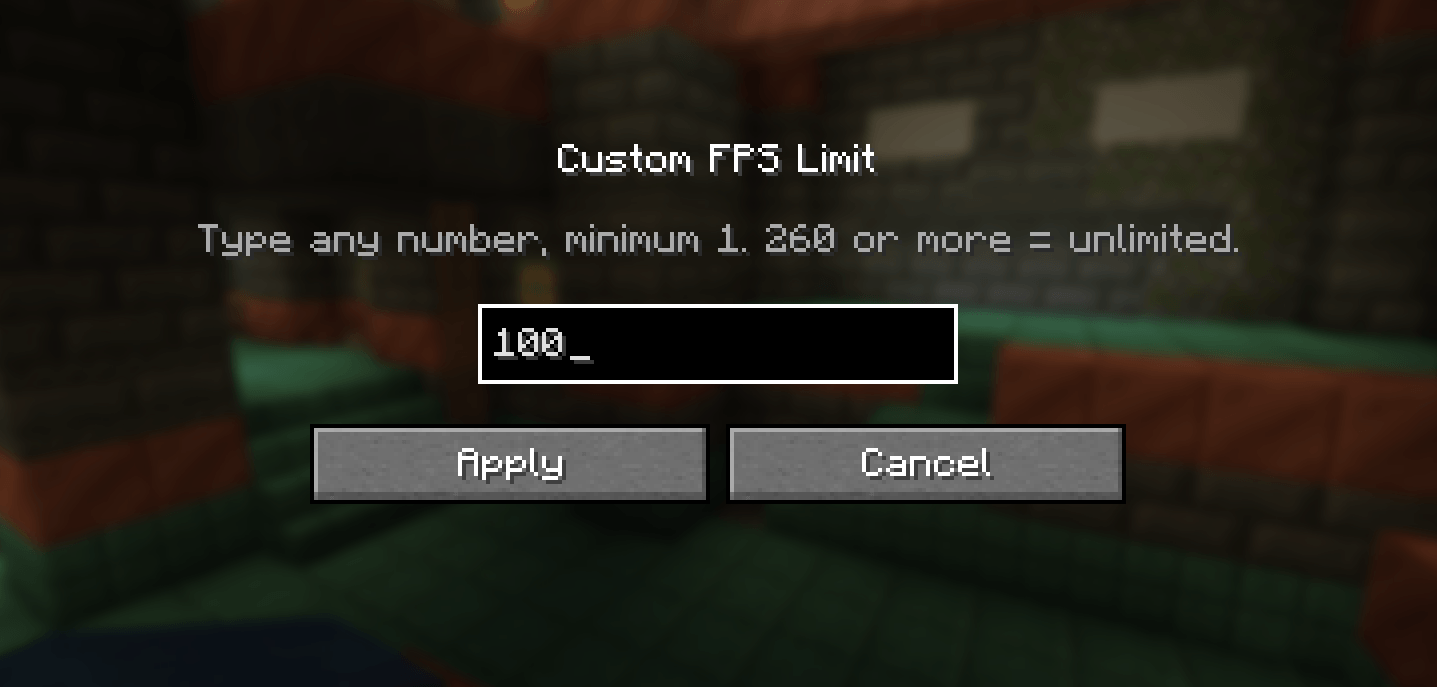
You can freely choose the FPS setting from 1 to 260. Anything above 260 = unlimited.
截图
介绍
Custom FPS Limit (NeoForge 1.21.1)
Adds an “FPS Limit” button (top-right corner) to the ESC menu and the Options screen (which is also accessible from the main menu). It opens a screen with a numeric input field accepting any value ≥ 1.
In Minecraft, a value of 260 or higher results in unlimited FPS.
The value is saved in config/customfps-client.toml and reapplied when the game is launched.
If you adjust the FPS slider in Video Settings, that change lasts only until the game is restarted; upon the next launch, the value from this mod is applied again.
To revert to default behavior, set fpsLimit = 0 in the .toml file (or delete the file).
常见问题
Custom FPS Limiter 支持哪些 Minecraft 版本?
Custom FPS Limiter 支持 Minecraft Java 版 1.21.1,可用的加载器:NeoForge。下载时注意选择和你游戏版本一致的文件。
Custom FPS Limiter 怎么安装?
先用 PCL2 或 HMCL 启动器安装对应版本的 NeoForge,再把下载的 .jar 文件放进游戏目录的 mods 文件夹,重新启动游戏即可。开启了版本隔离的,mods 文件夹在 versions/版本名 下面。
QKThr4 的其他作品
查看全部 →
Cyberpunk Sandevistan
来自赛博朋克的斯安威斯坦

The Red Eye | Sharingan (REWORK)
一个为你的游戏添加“JUST”写轮眼一、二、三勾玉以及万花筒写轮眼的模组

Liminal Reverie
Liminal Reverie is a dreamcore mod featuring liminal spaces, memories, puzzles, and mysteries. Explore a story, contemplative dreamlike world. Not horror.

KonoRPG (KonoSuba)
KonoRPG is a KonoSuba-inspired RPG mod. Choose a blessing, explore Axel, complete guild quests, adventure with companions in a fantasy world!
评论
登录后评论和评分