
截图


介绍
Cushion Display
Use cushion as displays for your items!
⚙️ Server side!
If you only install this datapack/mod on your server/LAN, it will work for everyone else without them needing to install it!
📖 Instructions:
- Shift-rightclick on a cushion while holding an item.
- To remove it, just break the cushion.
Items displayed on a cushion cannot be picked up and will never disappear.
The cushion will no longer be sitable.
⤵️ Installation:
Datapack:
Download the latest release and put the datapack .zip file into the datapacks folder of your Minecraft world.
Mod:
Download the latest release and put the mod .jar file into the mods folder of your Minecraft game.
✍️ Feedback, Questions & Suggestions
I’m always listening! If you happen to have questions, suggestions or just encountered a bug, then feel free to join my discord server to ask for help in the “mods and datapacks” section. Click to join the server
常见问题
Cushion Display 支持哪些 Minecraft 版本?
Cushion Display 支持 Minecraft Java 版 26.3,可用的加载器:Fabric / Forge / NeoForge / Quilt。下载时注意选择和你游戏版本一致的文件。
Cushion Display 怎么安装?
先用 PCL2 或 HMCL 启动器安装对应版本的 Fabric / Forge / NeoForge / Quilt,再把下载的 .jar 文件放进游戏目录的 mods 文件夹,重新启动游戏即可。开启了版本隔离的,mods 文件夹在 versions/版本名 下面。运行环境:客户端 / 服务端。
SozoKa 的其他作品
查看全部 →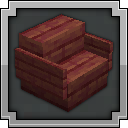
Sit Anywhere!
Sit anywhere you want! Look down, double tap sneak and right click and you sit. As easy as that. Or you can just sit on stair/slab or via "/trigger sit". Work on vanilla servers, or any other setup.

Mounts stay still
The “don't move mister horse” feature you're looking for.

Easy Leads
Improves lead behaviour by enabling leashed entities to jump-block more easily and teleporting them to the player if the leash is about to break.

Command Blocks to Sign
Convert command blocks to clickable signs by waxing a sign that has command blocks (max 4) behind it. cmd block
评论
登录后评论和评分