
截图

介绍
中文介绍正在准备中,下面暂时显示原文。
🧊 Culling Core
Skip what you can’t see. Get your FPS back.



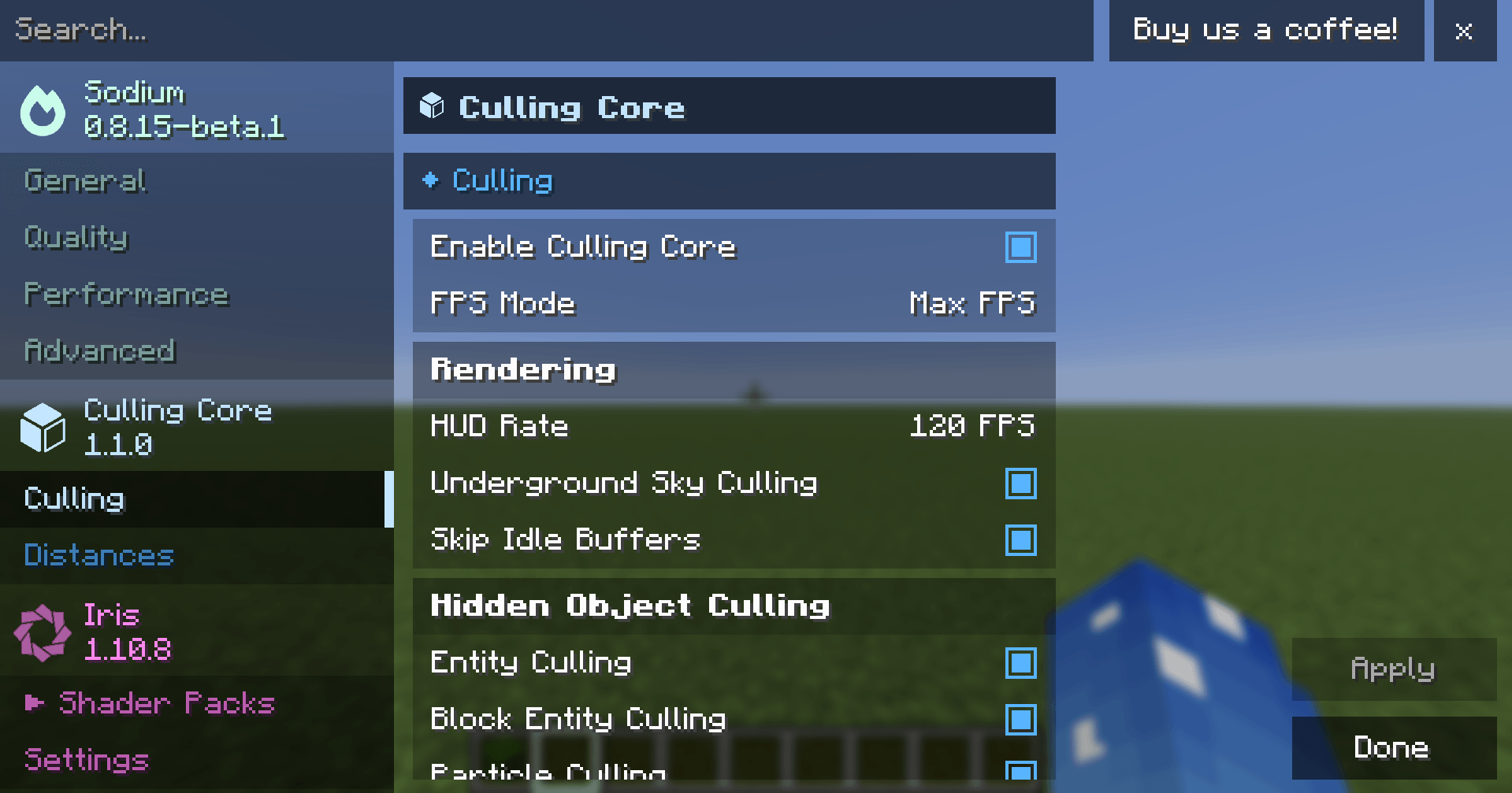
Culling Core is a client-side performance mod that stops Minecraft from drawing things you can’t see, and cuts out work the game repeats every frame for no reason. It’s built to sit alongside Sodium, Iris and Lithium, and gets its own page in Sodium’s video settings.
📈 +13–20% FPS in a forest world over vanilla, and often more than double in rooms packed with mobs and chests.
✨ Features
👁️ Hidden Object Culling
Entities: mobs, animals and dropped items hidden behind walls aren’t drawn. Checked on a background thread, so it costs no frame time.
Block entities: chests, signs, banners, heads and shulker boxes behind walls are skipped. Huge in bases and storage rooms.
Particles: smoke, flames and farm particles behind solid blocks are skipped.
Item frames & paintings: skipped when you’re behind the wall they hang on. Perfect for map-art walls.
🌳 Leaf Culling
Smart: hides leaf faces buried deep inside trees while leaves stay see-through. Trees look the same, with far less to draw.
Fast: opaque leaves with every hidden face removed, for maximum forest FPS.
⚡ Rendering Boosts
HUD caching: the hotbar, hearts, chat and F3 screen refresh at 60 FPS instead of every frame. The crosshair and vignette still look exactly like vanilla.
Underground sky culling: no sky, stars or clouds drawn while you’re deep in a cave.
Idle buffer skipping: removes a wasted full-screen clear Minecraft does every frame.
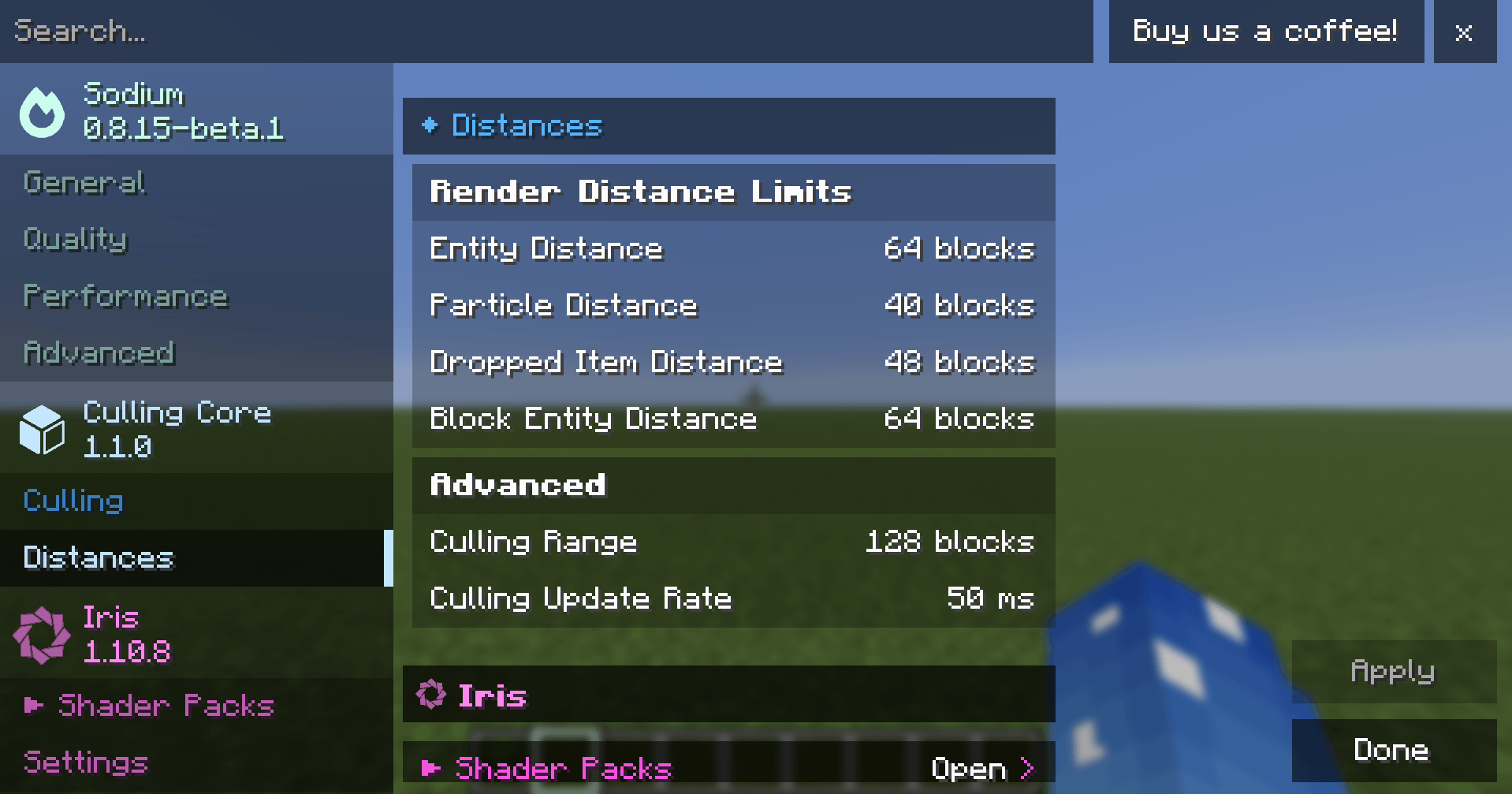
Distance limits: set how far away mobs, dropped items, particles and block entities are drawn. Other players are always drawn.
🎚️ FPS Modes
Mode What it does
Balanced (default) Looks like vanilla, just faster.
Max FPS Trades a little detail for speed: 30 FPS HUD, fast leaves and shorter draw distances. Your own settings are kept for when you switch back.
⚙️ Settings
Open Video Settings → Culling Core, right next to Sodium and Iris. Every option has a tooltip and a performance-impact label.
You can also bind Toggle Culling under Controls to compare FPS with the mod on and off.
🧩 Compatibility
Mod Status
Sodium ✅ Recommended. Adds the settings page and Smart leaves.
Iris ✅ Supported. Hidden mobs still cast shader shadows.
Lithium ✅ Works alongside.
EntityCulling / MoreCulling ✅ Detected automatically. Culling Core hands over the overlapping features.
📋 Requirements
Minecraft 1.21.11
Fabric Loader 0.17+
Fabric API
Sodium (optional, recommended)
Client-side only, so it works on any server.
Less drawing. More frames. Same Minecraft.
常见问题
Culling Core 支持哪些 Minecraft 版本?
Culling Core 支持 Minecraft Java 版 1.21.1–1.21.11,共 11 个版本,可用的加载器:Fabric。下载时注意选择和你游戏版本一致的文件。
Culling Core 怎么安装?
先用 PCL2 或 HMCL 启动器安装对应版本的 Fabric,再把下载的 .jar 文件放进游戏目录的 mods 文件夹,重新启动游戏即可。开启了版本隔离的,mods 文件夹在 versions/版本名 下面。


评论
登录后评论和评分