截图
介绍
Ctrl+Z Mod
Demo
<iframe width="560" height="315"
src=”https://www.youtube.com/embed/OOJSXxTIxz4?start=39″
title=”YouTube video player”
frameborder=”0″
allow=”accelerometer; autoplay; clipboard-write; encrypted-media; gyroscope; picture-in-picture”
allowfullscreen>
Features
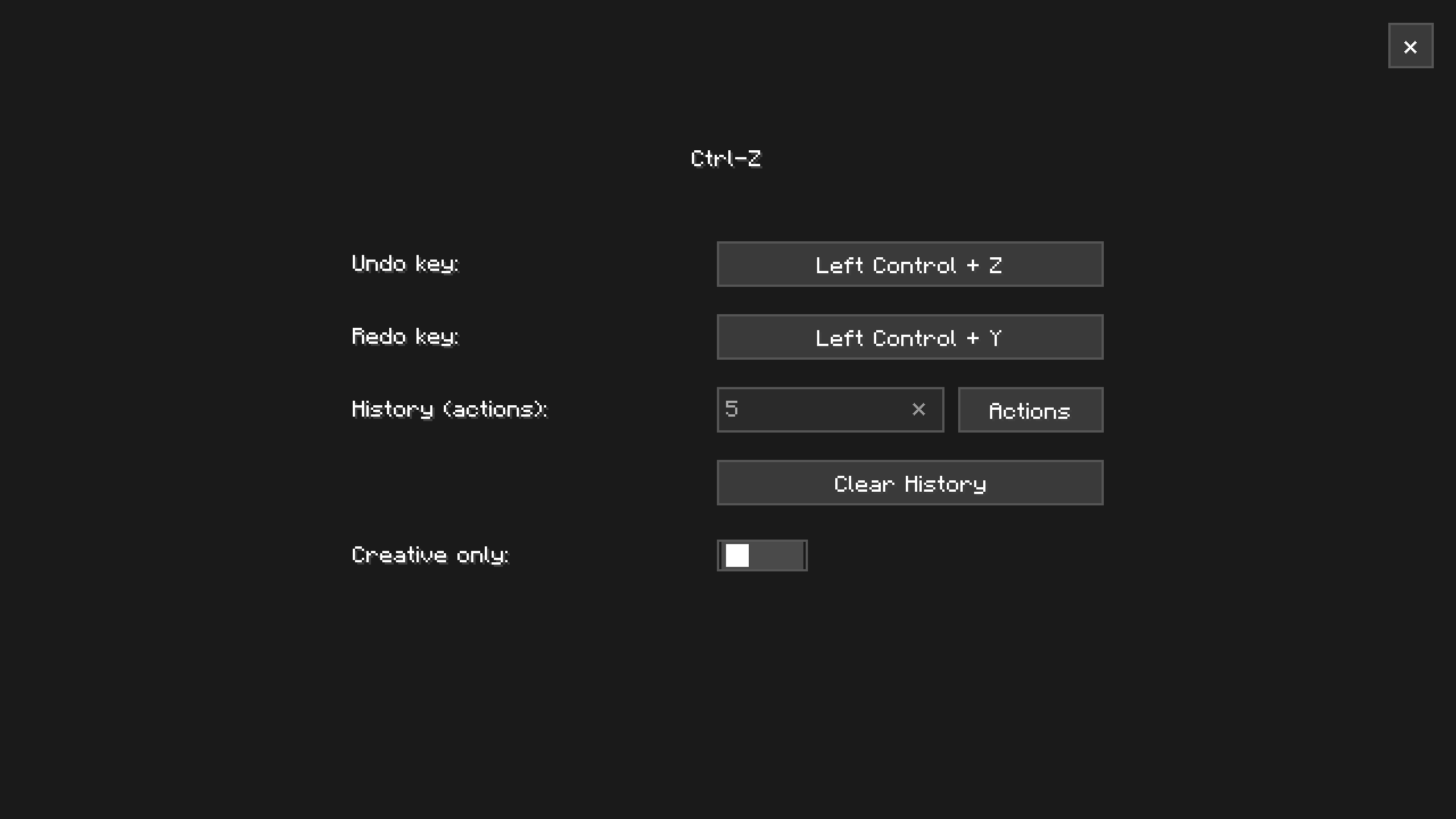
- In-Game Undo/Redo History Undo and redo block placements, changes, and world edits directly
- Configurable History Limit Choose how much history is kept, either by number of actions (e.g. last 5 actions) or by time (e.g. last few minutes/seconds)
- Creative-Only Mode Optionally restrict undo/redo to Creative mode only, so it never interferes with Survival gameplay
Note:
The default keybinds are Ctrl+Z to undo and Ctrl+Y to redo. The default keybind to open the history menu is Z. Menu keybind can be changed in the vanilla keybind menu.
How to Report Issues
If you encounter bugs, crashes, or have suggestions for improvements:
- Open an issue on the GitHub Issue Tracker
- Or join the Discord Server to chat directly with me and the community
When reporting issues, please include:
- Your Minecraft version
- Fabric version
- Vanilib version
- List of installed mods
- Any relevant crash logs or game logs
常见问题
Ctrl+Z 支持哪些 Minecraft 版本?
Ctrl+Z 支持 Minecraft Java 版 26.3,可用的加载器:Fabric。下载时注意选择和你游戏版本一致的文件。
Ctrl+Z 怎么安装?
先用 PCL2 或 HMCL 启动器安装对应版本的 Fabric,再把下载的 .jar 文件放进游戏目录的 mods 文件夹,重新启动游戏即可。开启了版本隔离的,mods 文件夹在 versions/版本名 下面。运行环境:仅客户端。
Choculat 的其他作品
查看全部 →
LitematicDownloader
Direct schematics downloads for Litematica, fully integrated into your Minecraft client

Vanilib
Library for many of the Choculaterie Mods

Litematica Quick-Share Addon
Adds a button in schematics list to quickly share any .litematic file via a short url

Cloud Save Manager
A mod for managing and syncing Minecraft world saves with the Choculaterie cloud storage
评论
登录后评论和评分