
Crying Obsidian Upgrade
Crying Obsidian Upgrade --- A mod that adds a lot of items, food, mechanics. Also adding a new biome, ores and mobs changing the idea of weeping obsidian. The mod also fills the world with different structures.The mod is filled with different content.
截图


介绍
What is this mod and what does it add?:
This mod expands the capabilities of the crying obsidian + adding new ore, biomes, items and armor (the rest you can find in the mod). The mod is quite demanding in terms of performance. Below I left a telegram channel for people from Russia where you can find out when an update of this or that mod comes out.
Why should I download this mod?:
The mod is filled with its own unique content, but the mod requires persistence and long play to get all the achievements or certain items.
Where should I look for anything?:
Ore can be found in caves, it is the beginning of the mod. Biome with structures can be found walking around the world (there are also structures that are only in the crying obsidian biome)Some structures can be underground. Structures can also contain items from the mod.
Will this mod conflict with other mods? And how do I install it?:
The mod does not conflict with anything, there are isolated cases when some mod will interfere with the spawning of mobs, changing the world, which contributes to the removal of a biome, which can also conflict,and also if you installed any mod to expand obsidian or crying obsidian. To install the mod, find the folder “.minecraft” go to it, then go to folder “mods” if you don’t have such a folder, then create it and move this mod to the folder, and don’t forget to select the loader: forge/neoforge.
Additional photos and links:

**My telegram channel where I post information about fashion
🇷🇺👉https://t.me/KiberMods**
常见问题
Crying Obsidian Upgrade 支持哪些 Minecraft 版本?
Crying Obsidian Upgrade 支持 Minecraft Java 版 1.20.1–1.21.8,共 5 个版本,可用的加载器:Fabric / Forge / NeoForge。下载时注意选择和你游戏版本一致的文件。
Crying Obsidian Upgrade 怎么安装?
先用 PCL2 或 HMCL 启动器安装对应版本的 Fabric / Forge / NeoForge,再把下载的 .jar 文件放进游戏目录的 mods 文件夹,重新启动游戏即可。开启了版本隔离的,mods 文件夹在 versions/版本名 下面。运行环境:客户端和服务端都要装。
KIBERWEN 的其他作品
查看全部 →
Amethyst Tools(Upgrade)
This mod is made to expand the functionality of amethysts. And also for variety and simplification of the minecraft game.
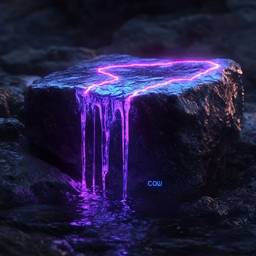
Crying Obsidian Upgrade(COU)
This mod serves as a great addition to your Minecraft, it gives you the opportunity to Craft things from crying obsidian, mobs, and much more.

Amethyst Upgrade (Tools)
This mod is made to expand the functionality of amethysts. And also for variety and simplification of the minecraft game.

Delta blades
New mechanics, items, and weapons. The mod is small but can make your survival in the Minecraft world easier.
评论
登录后评论和评分