
Crosshair info (hud)
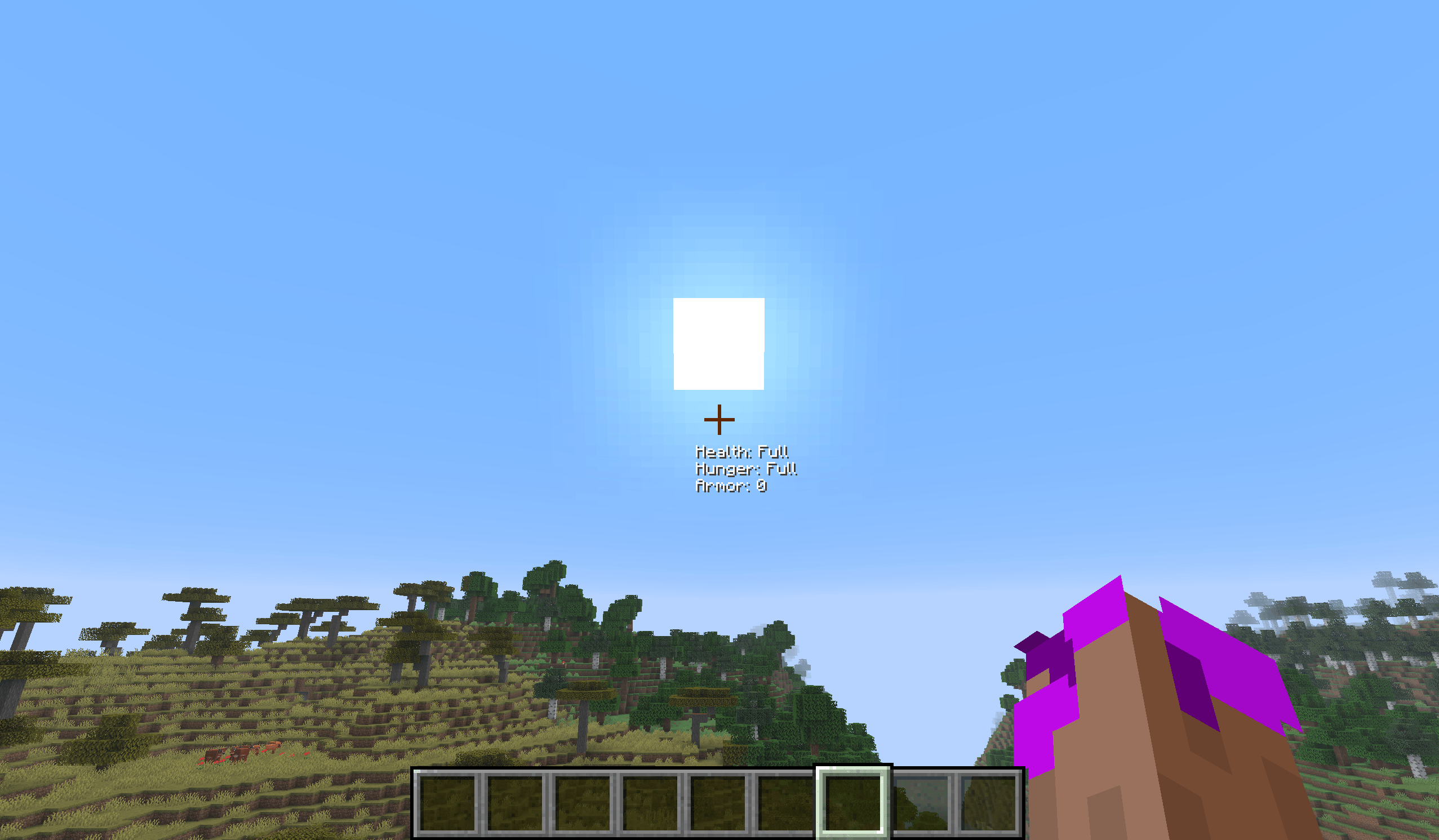
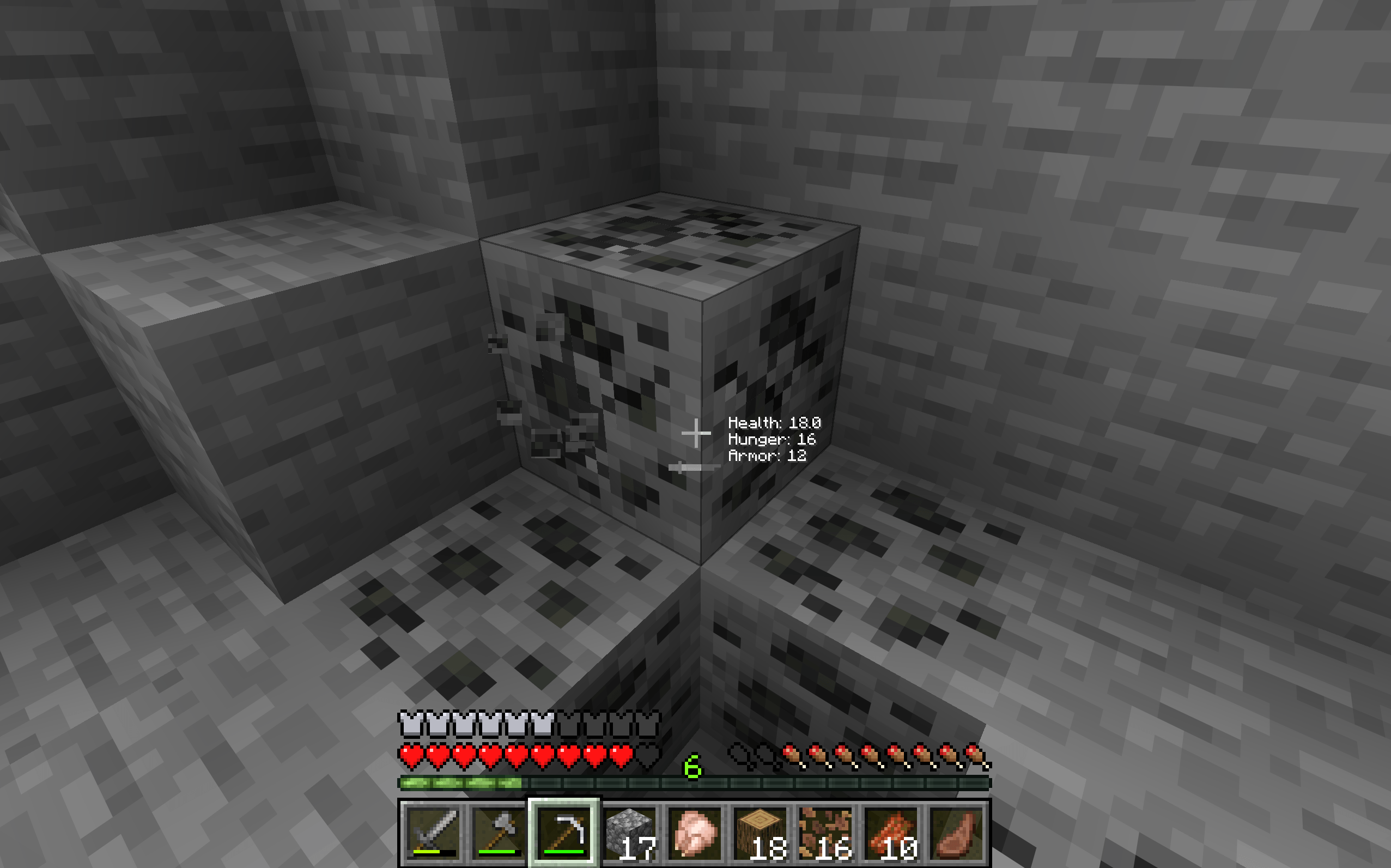
一个简单的 PvP HUD,在准星附近显示生命值、护甲和饥饿度等实用信息。提供快捷键以便更轻松地控制,未来更新还计划加入更多自定义选项以及状态效果等额外信息。
截图
介绍
Crosshair Info HUD
Crosshair Info HUD is a Minecraft mod that displays useful information near your crosshair, so you don’t have to look down at the normal HUD all the time.
It’s especially useful for PvP and keeping track of important information while playing.
Currently, the mod shows:
- Health
- Armor
- Hunger
Keybinds
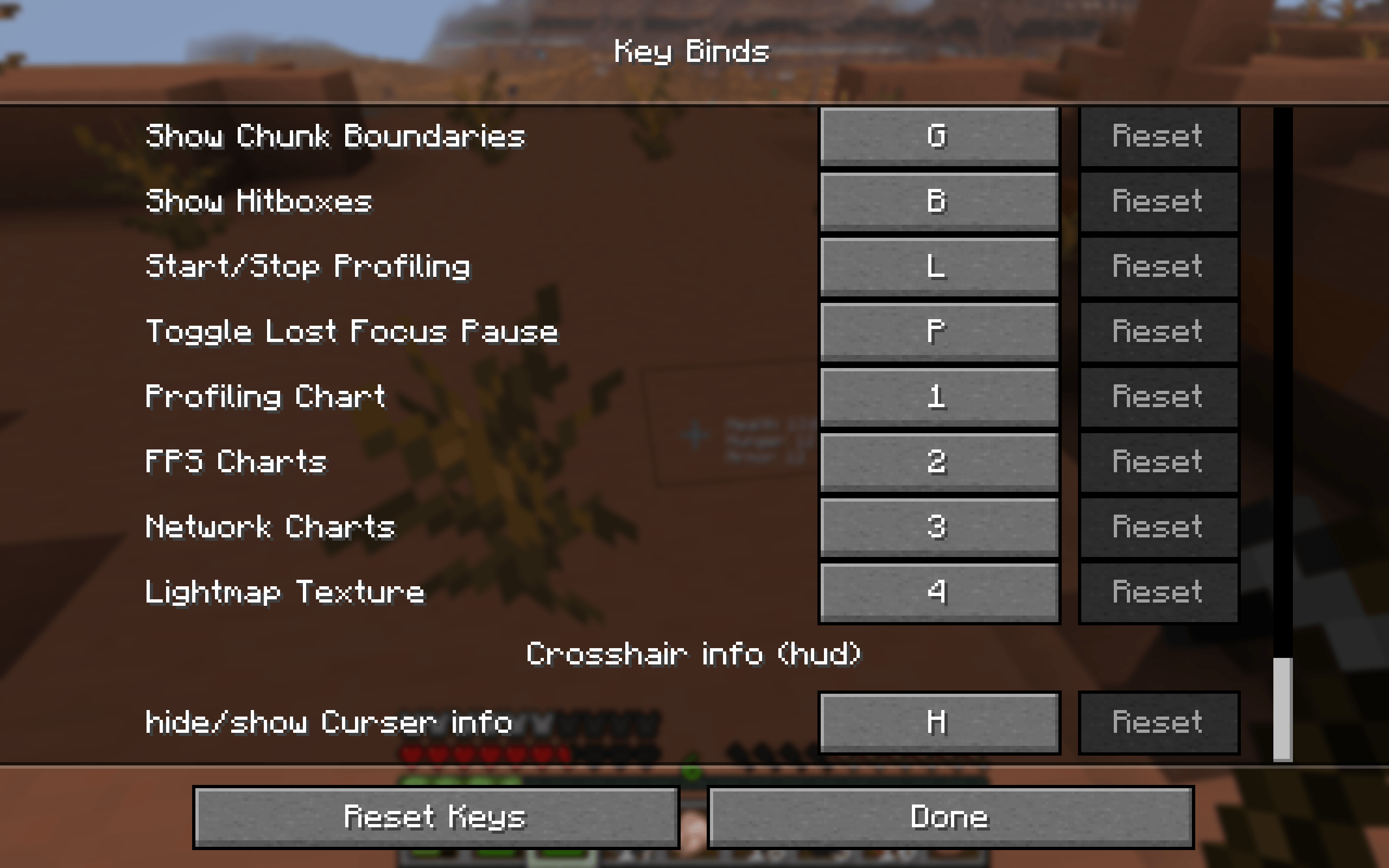
- H — Hide or show the Crosshair Info HUD while playing.
- G — Open the settings menu, where you can customize your HUD, choose between the normal Minecraft crosshair and a custom crosshair, and select which information is displayed.
You can change both keybinds in the Minecraft controls settings.
Update 1 — Released
Keybinds
Keybinds have been added so you can quickly hide or show the Crosshair Info HUD while playing.

Default key: H
Update 2 — Beta 2.0.0
New Settings Menu
A new menu has been added. Press G to open it and access the new HUD settings.
Crosshair Options
Choose between the normal Minecraft crosshair and a custom crosshair.
Choose What Information Is Displayed
Select which information you want to display near your crosshair.
Future Updates
More HUD Information
More information may be added over time, including status effects and their remaining duration.
More Customization
More customization options and improvements are planned for future updates.
Planned Minecraft Versions
The full release is planned for 3–5 days from now. Early updates released before then will only support Minecraft 26.3.
The full release is planned to support:
- Minecraft 1.21.11
- Minecraft 26.1
- Minecraft 26.1.1
- Minecraft 26.1.2
- Minecraft 26.2
- Minecraft 26.3
Future compatibility: When Minecraft 26.5 releases, support for Minecraft 1.21.11, 26.1, 26.1.1, and 26.1.2 will most likely be dropped.
The mod is still being developed, so more features and improvements are planned.
If you have any ideas for features you would like to see, write them in the comments! ❤️
常见问题
Crosshair info (hud) 支持哪些 Minecraft 版本?
Crosshair info (hud) 支持 Minecraft Java 版 1.21.11–26.3,共 6 个版本,可用的加载器:Fabric。下载时注意选择和你游戏版本一致的文件。
Crosshair info (hud) 怎么安装?
先用 PCL2 或 HMCL 启动器安装对应版本的 Fabric,再把下载的 .jar 文件放进游戏目录的 mods 文件夹,重新启动游戏即可。开启了版本隔离的,mods 文件夹在 versions/版本名 下面。
评论
登录后评论和评分