
Crosshair Editor
A crosshair customization mod that lets you design your perfect aiming reticle. Choose from various shapes, adjust colors and sizes, add outlines, and set different crosshairs for different situations.
截图
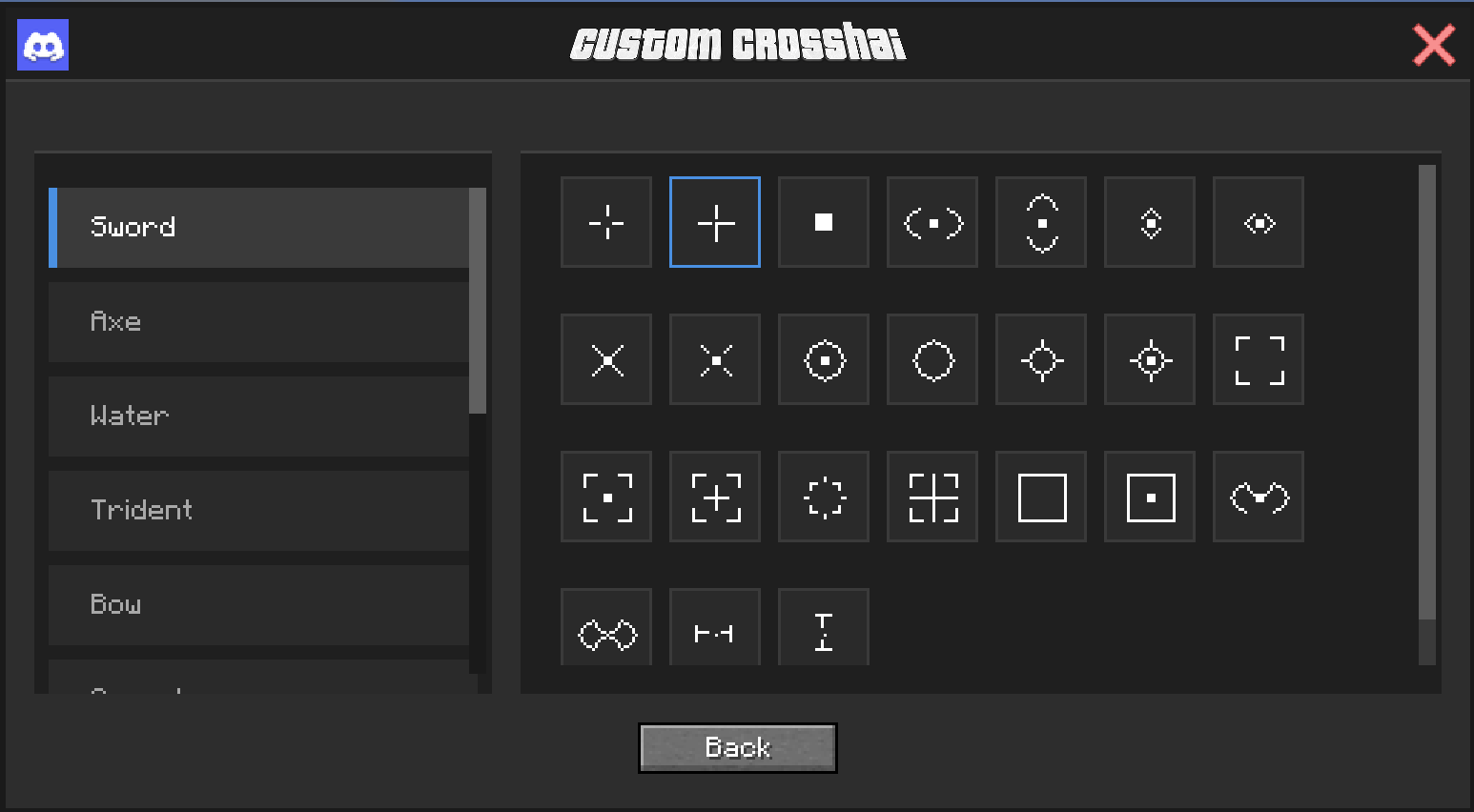
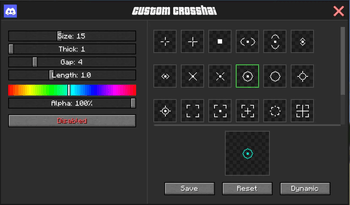
介绍

Crosshair Editor is a client-side Minecraft mod that gives you complete control over your crosshair! Tired of the default vanilla crosshair? Want something that fits your playstyle better? This mod lets you customize everything about your aiming reticle.

🎨Unique Crosshair Shapes
🌈 Full Color Customization
📏 Size & Shape Control
⚔️ Dynamic Crosshairs

All your customizations are automatically saved! Your perfect crosshair setup will be there every time you launch the game.
- Open the Menu: Press
Pkey or type/crosshaircommand - Choose Your Style:
-
- Main editor for general crosshair settings
- Dynamic editor for weapon-specific crosshairs
- Customize: Use the sliders and shape selector to design your perfect crosshair
- See Live Preview: Every change shows instantly
- Save & Play: Your settings auto-save when you close the menu

For PvP Players: Get a competitive edge with a crosshair that suits your combat style. Switch between different designs for different weapons!
For Builders: A subtle, clean crosshair that won’t distract from your creations.
For Archers: Specialized crosshairs for bow and crossbow that help you land those perfect shots.

- Competitive players looking for an edge
- Content creators who want unique visuals
- Players with vision difficulties who need better contrast
- Anyone who wants their game to look and feel exactly right
常见问题
Crosshair Editor 支持哪些 Minecraft 版本?
Crosshair Editor 支持 Minecraft Java 版 1.21.6–26.1.2,共 8 个版本,可用的加载器:Fabric / Forge / NeoForge。下载时注意选择和你游戏版本一致的文件。
Crosshair Editor 怎么安装?
先用 PCL2 或 HMCL 启动器安装对应版本的 Fabric / Forge / NeoForge,再把下载的 .jar 文件放进游戏目录的 mods 文件夹,重新启动游戏即可。开启了版本隔离的,mods 文件夹在 versions/版本名 下面。
IXSG 的其他作品
查看全部 →
Luminara Shader
用空灵之美与电影级光照,彻底改变你的 Minecraft 世界。支持体积云、金色氛围色调、清晰通透的下界画面,以及充满魔法感的末地效果。

Luminara Shader – Rebuilt
体验增强视觉效果之美,惊艳的云层系统与令人叹为观止的光照效果,将你的 Minecraft 世界化为杰作。

Luminara Shader spooky
把你的Minecraft世界变成令人毛骨悚然的万圣节噩梦。包含诡异雾气、低饱和度的恐怖色调、压抑的阴影和阴森的特效。
Reflexa
Reflexa:一款进阶版 Minecraft 光影,拥有动态体积云、逼真的水体效果、更出色的光照、阴影与反射、大气效果、圆形太阳与月亮、泛光、动态模糊和可自定义色彩,并针对性能进行了优化。
评论
登录后评论和评分