
Critical Flight Details
作者:criticalkosh
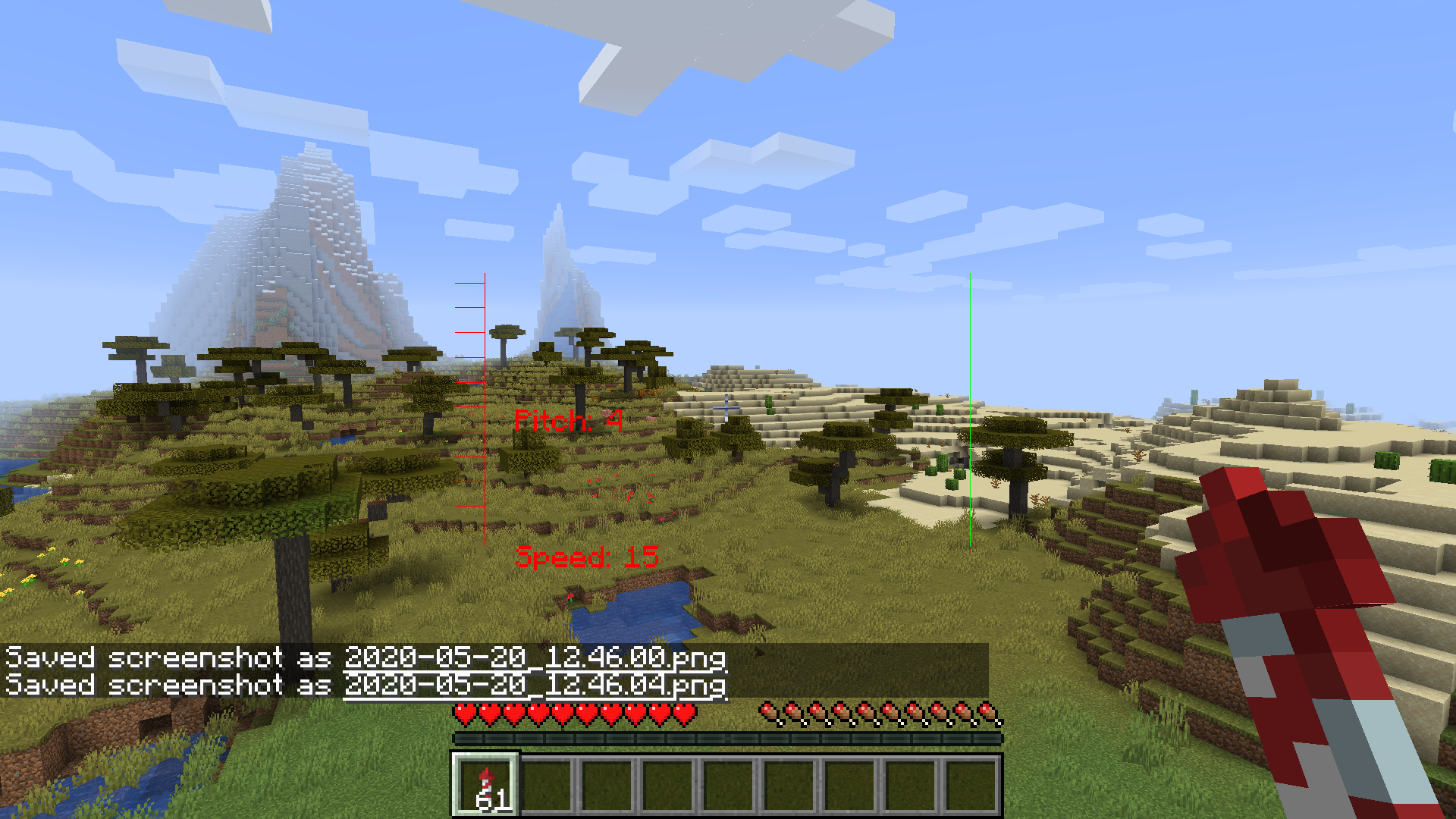
A Minecraft Mod that enhances the Game's HUD with details for Elytra Flying:
截图

介绍
中文介绍正在准备中,下面暂时显示原文。
Critical Flight Display Mod (Minecraft 1.16.x)
Available to download from Curseforge.
Built using Fabric Example Mod Template and made with the Fabric modding toolchain for Minecraft.
A Minecraft Mod that enhances the Game’s HUD with details for Elytra Flying:
-
HUD Features:
- pitch display
- horizon graphic
-speed
Images

Installation
-
Install Fabric Loader on your Minecraft client
- Recommended to install with the MultiMC Minecraft client, which allows you to install Fabric in one click in the Minecraft instance settings
- Download latest Mod
.jarfrom Github or from Curseforge -
Put the downloaded Mod
.jarin the.minecraft/modsfolder- Or if you’re using MultiMC, open the Minecraft instance settings you’re using, and look for the option to add a Mod, then select the
.jarfile you downloaded
- Or if you’re using MultiMC, open the Minecraft instance settings you’re using, and look for the option to add a Mod, then select the
- Done!
Building from source
- Clone the project with
git clone https://github.com/bshuler/critical-flight-details.git - Cd into the project’s directory
cd simple-utilities-mod - Run
./gradlew buildto build the.jar -
Built Mod
.jarfiles will be located atbuild/libs- Example:
build/libs/simple-utilities-mod-1.0.0.jar - This will be the Mod
.jarfile you can put in your.minecraft/modsfolder
- Example:
Planned features
- Allow the User to toggle the HUD utilities, both individually and as a whole, could be done either with Hotkeys or with a Settings interface, possibly both
- Add Altitude indicators
- Add compass
FAQ
-
Does this Mod work on versions below 1.15?
- No, it might work on 1.14 with some changes, but not anything below 1.14, since this Mod is made with Fabric, which only supports Minecraft 1.14 and above.
-
Will this Mod get me banned from X multiplayer server?
- Maybe, maybe not, the Mod is entirely Client-sided and does not require it to be installed on the Server, and mostly shows things already available to you at all times like coordinates and Cardinal directions, like an extended but simplified F3 Menu, but it has some exceptions, like very specific Game time, so some servers may not allow it, do look into the Server’s rules carefully before using it, do not create issues here asking about that, since I won’t know.
-
Will you add ‘X feature not present in the Planned Features section‘**?
- Maybe, and only if it fits with the other features of the mod, create an issue about it, I only on this project on my spare time, but I’d be happy to add wanted features in my spare time.
常见问题
Critical Flight Details 支持哪些 Minecraft 版本?
Critical Flight Details 支持 Minecraft Java 版 1.15.2–1.16.1,共 2 个版本,可用的加载器:Fabric。下载时注意选择和你游戏版本一致的文件。
Critical Flight Details 怎么安装?
先用 PCL2 或 HMCL 启动器安装对应版本的 Fabric,再把下载的 .jar 文件放进游戏目录的 mods 文件夹,重新启动游戏即可。开启了版本隔离的,mods 文件夹在 versions/版本名 下面。

评论
登录后评论和评分