Critfall
Critfall turns Minecraft's damage into dice resolution. Every damaging action rolls d20 + modifiers against the target's Armor Class. A miss deals nothing; a hit rolls damage dice like 2d6+3 instead of a fixed number. Nat 20 crit, Nat 1 Fumble.
截图
介绍
Critfall brings tabletop D20 combat to Minecraft. Every attack rolls a d20 against the target’s Armor Class.
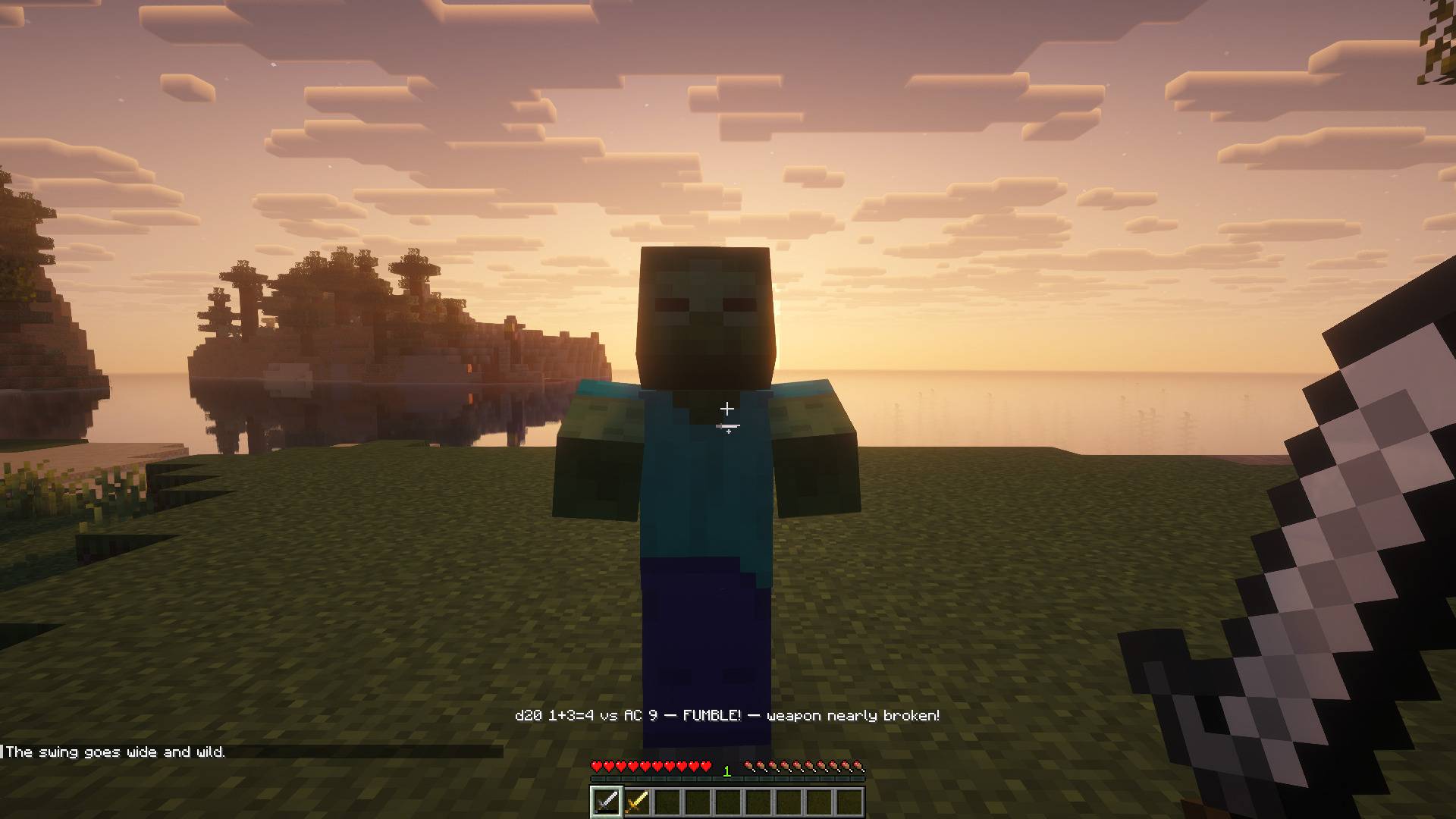
A hit rolls damage dices, natural 20s crit and natural 1s can fumble. Every mechanic has its own switch, and every number comes from
data you can change.

Attack rolls against Armor Class
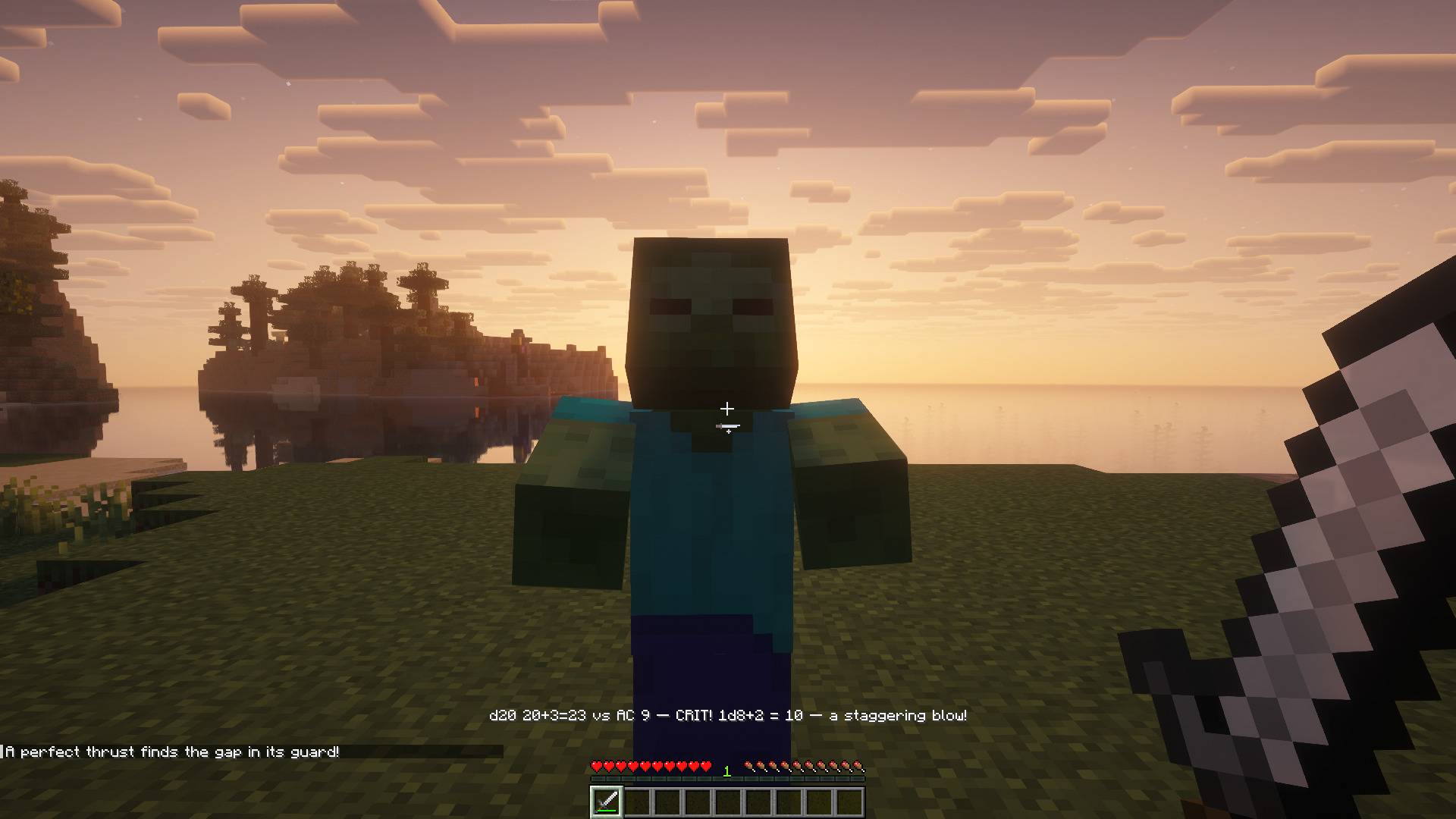
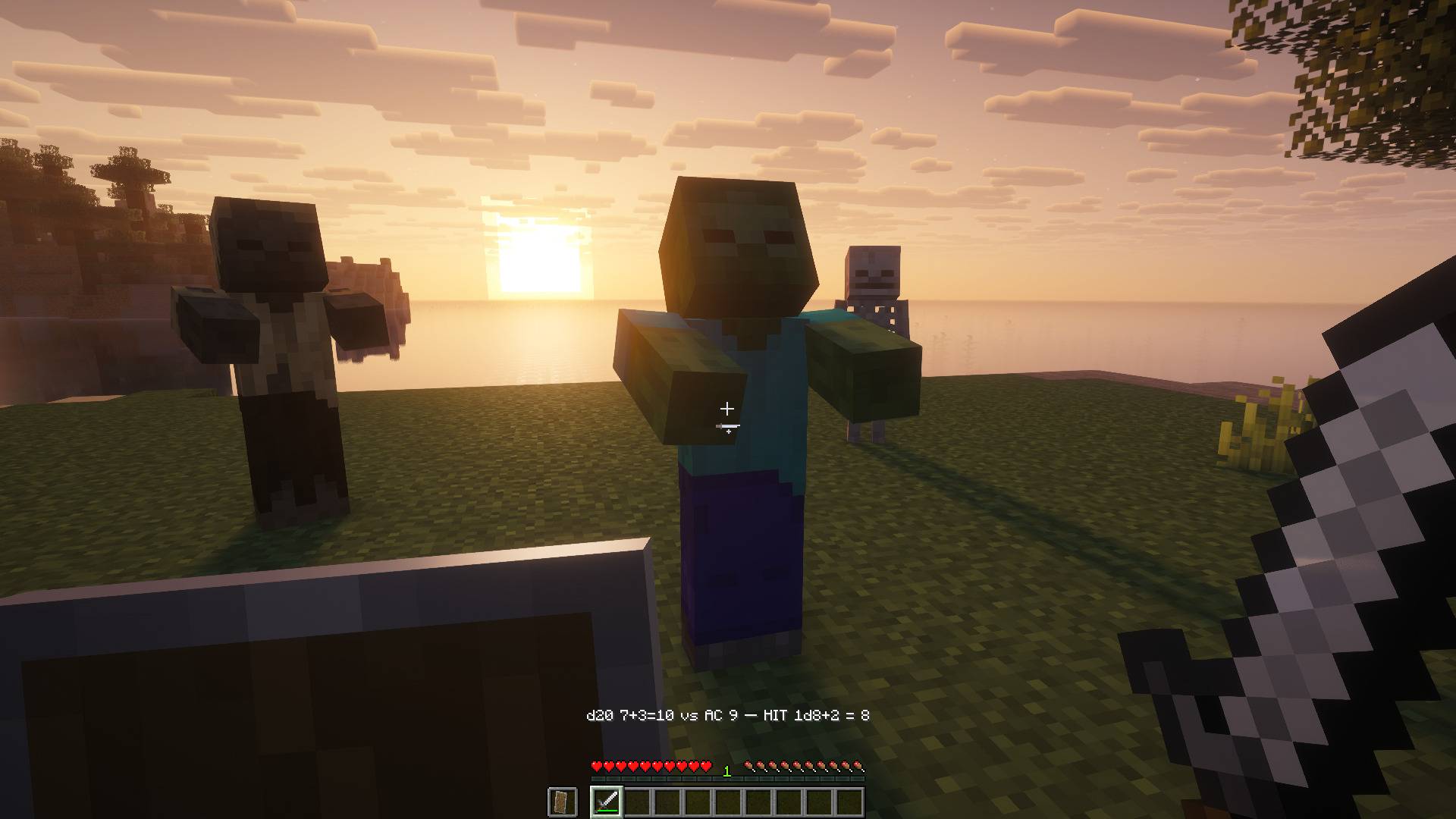
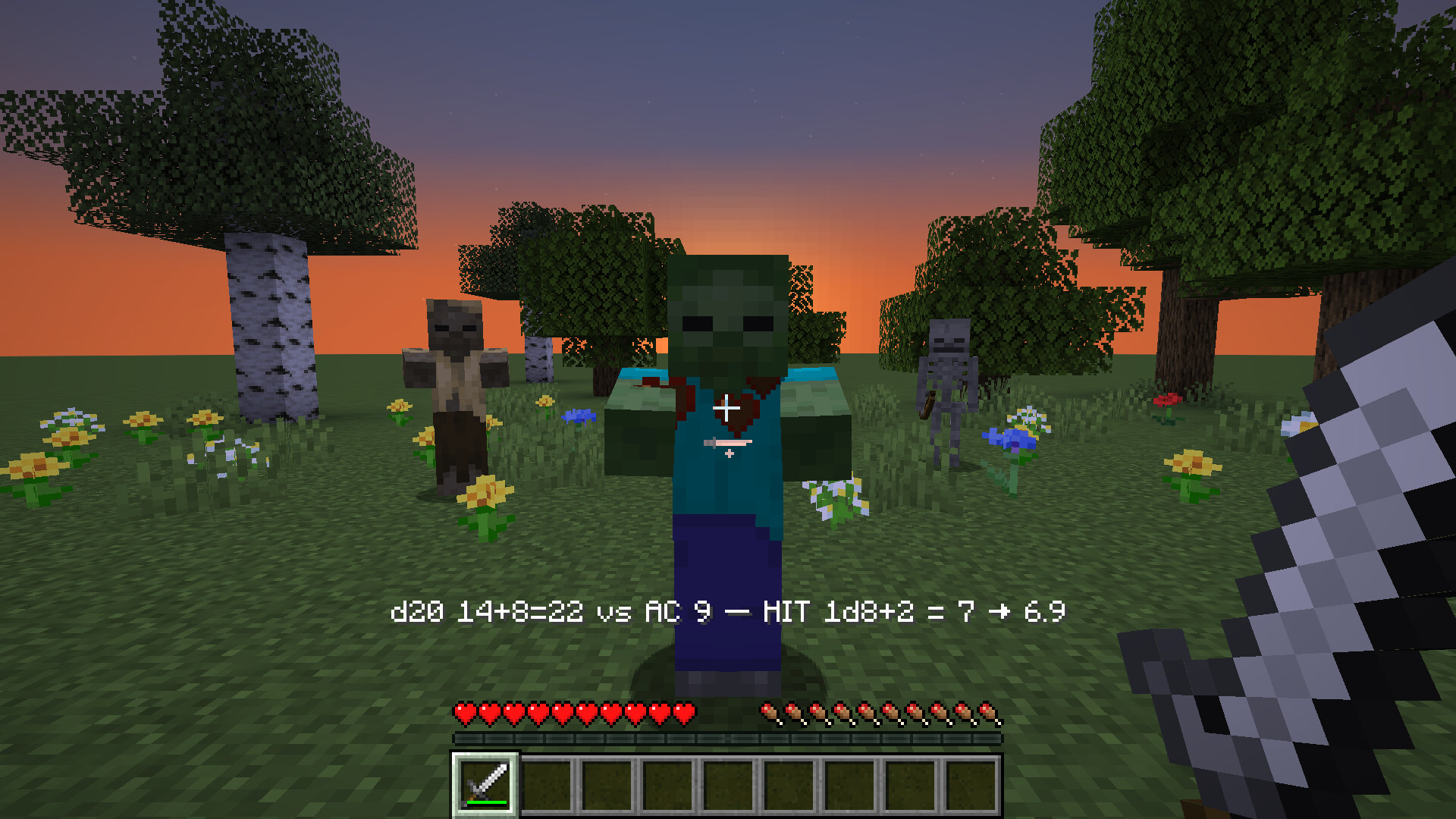
Melee hits, arrows, thrown tridents and spells roll a d20 plus an attack bonus against the target’s Armor Class. A miss deals no damage. A hit rolls the weapon’s damage dice. The action bar shows the roll, and the health the hit actually took when armor or Resistance changed it.
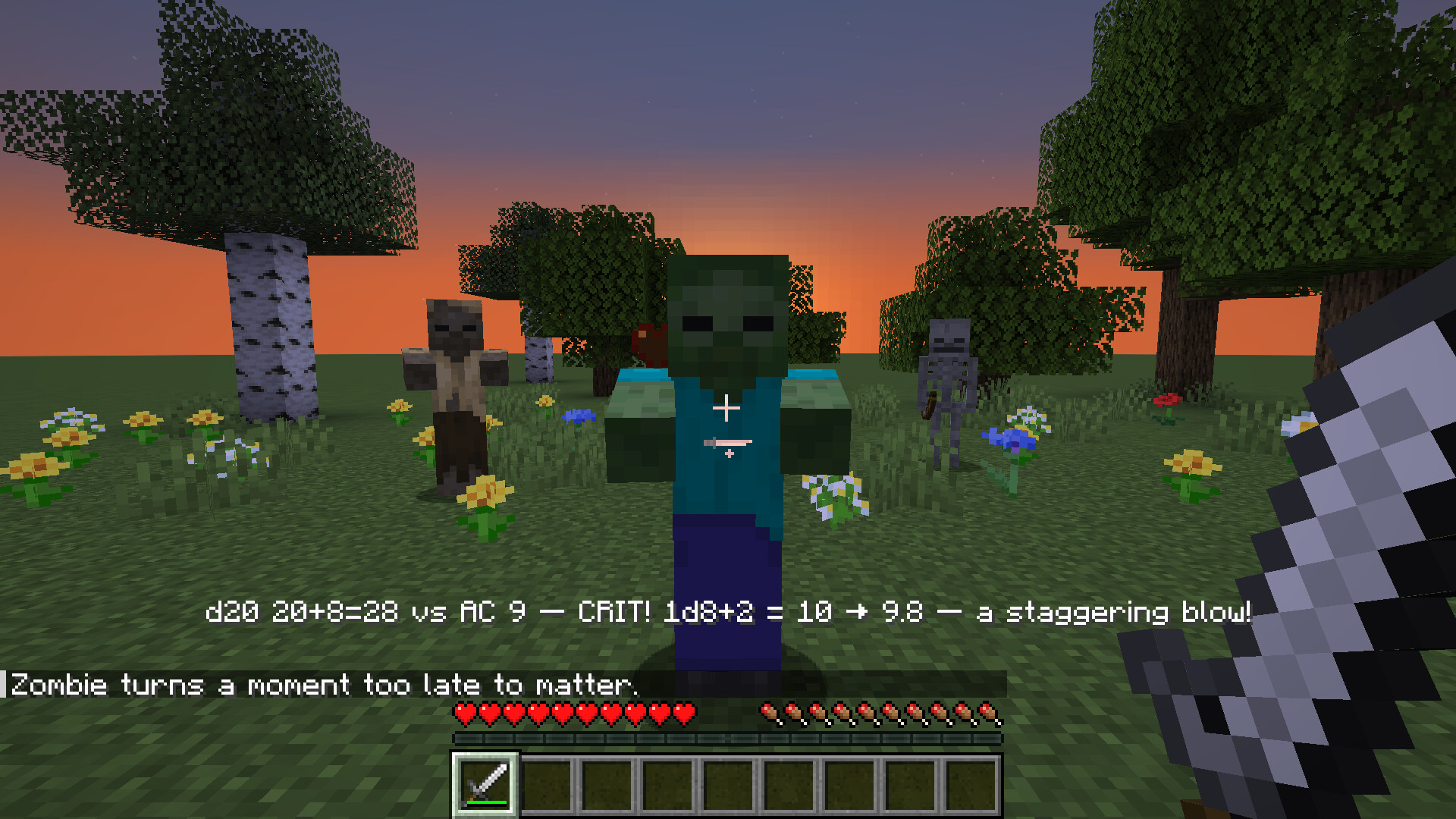
Natural 20s crit
A natural 20 always hits and deals the most its dice can roll. It can also slow the target or knock it back, and a line in chat marks the moment. A jump attack rolls with advantage: two d20s, keep the higher.
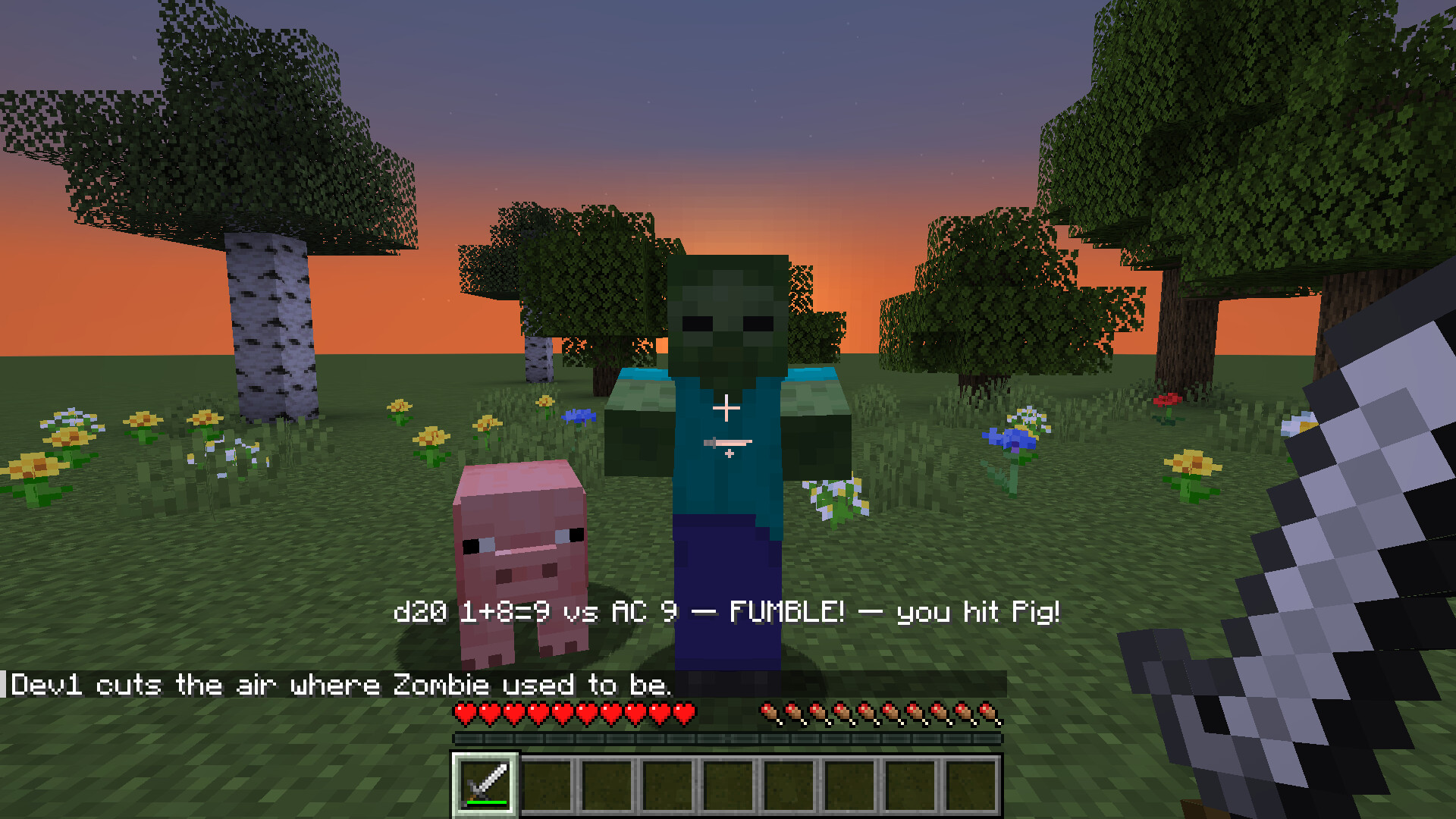
Natural 1s fumble
A natural 1 always misses, and a second d20 decides whether it turns into a fumble. A fumble can land on whoever stands nearest. After a fumble, natural 1s are plain misses for 10 seconds, so fast fights don’t fumble all the time. Weapon damage on a fumble is off until you turn it on, and datapacks can add fumbles that drop the weapon, hurt the attacker or make them stumble.
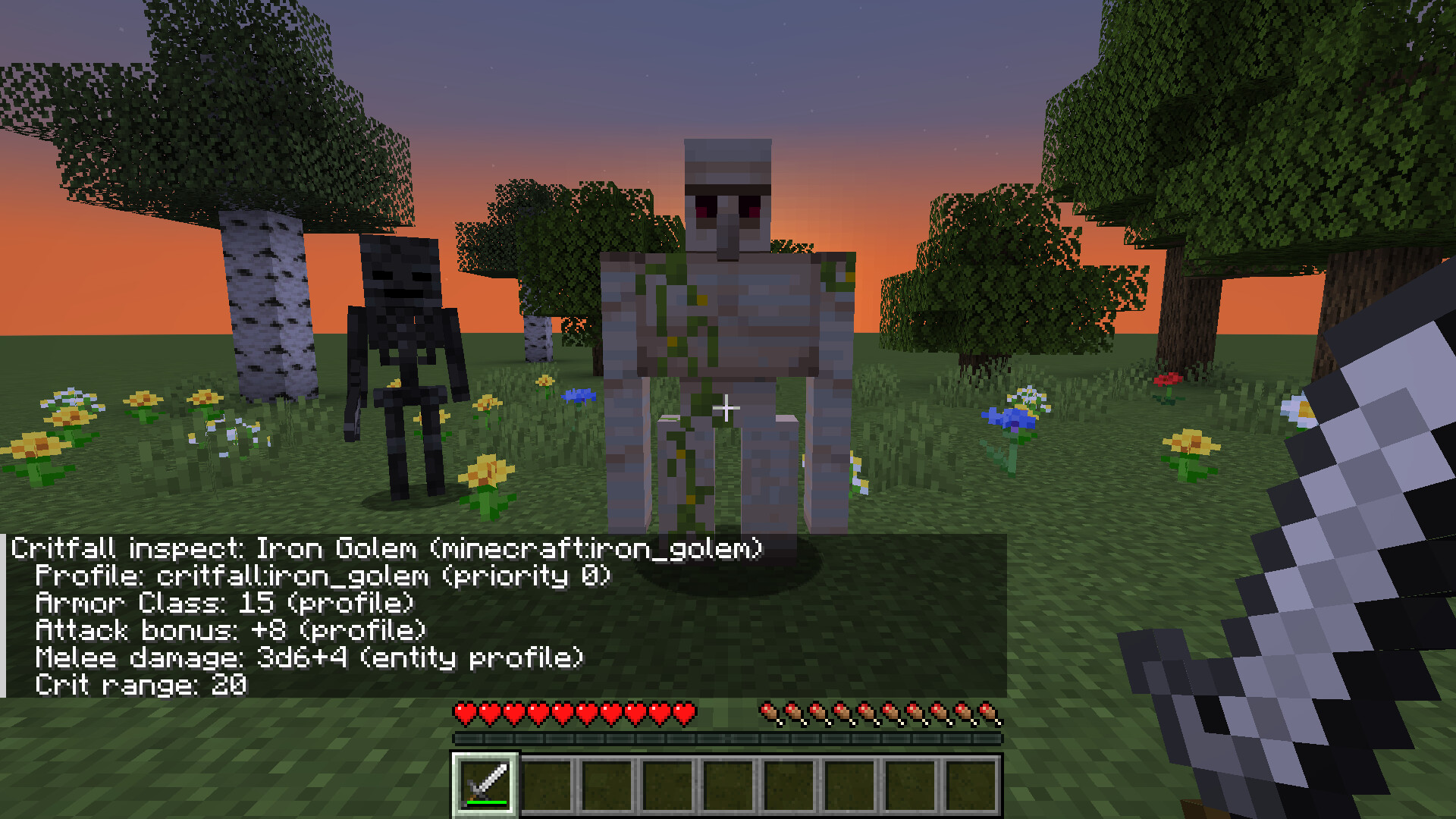
Stats for every mob and weapon
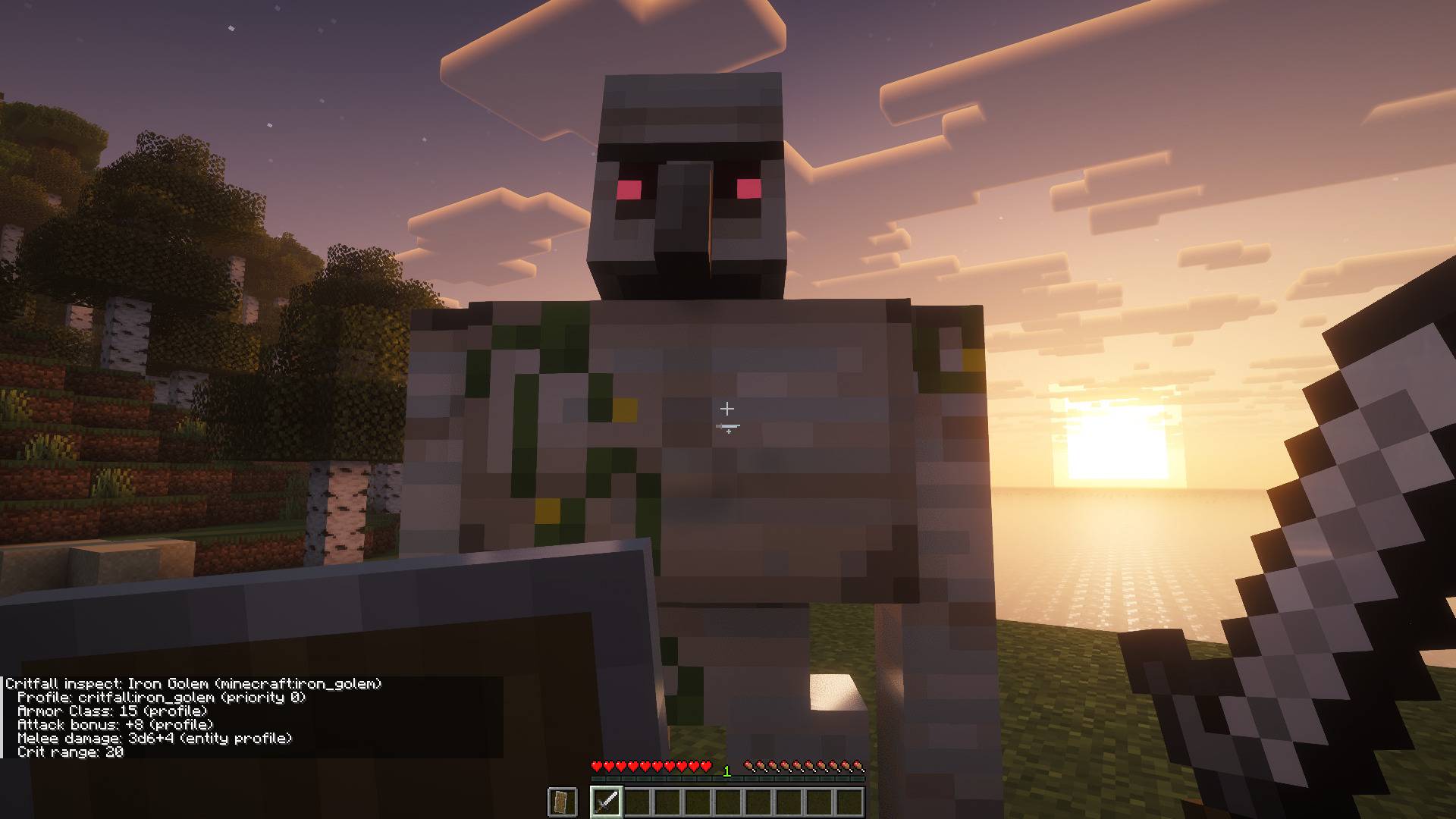
Vanilla mobs and weapons come with profiles: Armor Class, attack bonus, damage dice and crit range. Mobs and weapons from other mods get stats worked out from their attributes, so a modpack works without setup. /critfall inspect shows what a mob rolls with and which profile it came from.
For pack makers and mod developers
Profiles for mobs, weapons and spells are datapack JSON, matched by id or tag. /critfall generate writes an editable profile for every mob and weapon in the pack, and /critfall report lists which ones have a profile and which use worked out stats. Dry run shows every roll while vanilla damage still applies, so you can tune a pack in normal play. Three presets set crits and fumbles: Tempered (the default), Classic and Lite.
Mods build on the public Java API in studio.modroll.critfall.api: roll events, RollService and a dice parser. Checks, Initiative and the Headless Horseman use only this API. KubeJS scripts can call it too, with examples in the repo.

Requires
- Minecraft 1.21.1
- NeoForge 21.1 or newer, or Fabric Loader 0.16.9 or newer with Fabric API
- On a server, install it on the server. On clients it is optional: without it, players still see the roll as plain text, without the flavor lines, sounds and particles.
Optional
- Mod Menu on Fabric, for the config button in the mod list.
Works with
- Critfall: Checks: ability scores feed Critfall’s attack bonus, damage, Armor Class and saving throws.
- Critfall: Initiative: fights become turn based encounters. Critfall still rolls every attack and save.
- Critfall: Headless Horseman: a Halloween boss whose attacks, damage and saves Critfall rolls.
- Spell mods that tag their damage as magic: spells roll to hit or call for a saving throw. Tested with Iron’s Spells ‘n Spellbooks and Ars Nouveau on NeoForge.

Open the config screen from the mod list: Mods → Critfall → Config on NeoForge, or the config button in Mod Menu on Fabric. The first page has a preset (Tempered, Classic or Lite) and the switches most players want. All settings has every rule. Save applies the rules at once.
The rules live in config/critfall/rules.json and are read again on /reload. On a server, the server’s file applies. Each player’s config/critfall/client.json turns the readout, flavor lines, sounds and particles on or off.
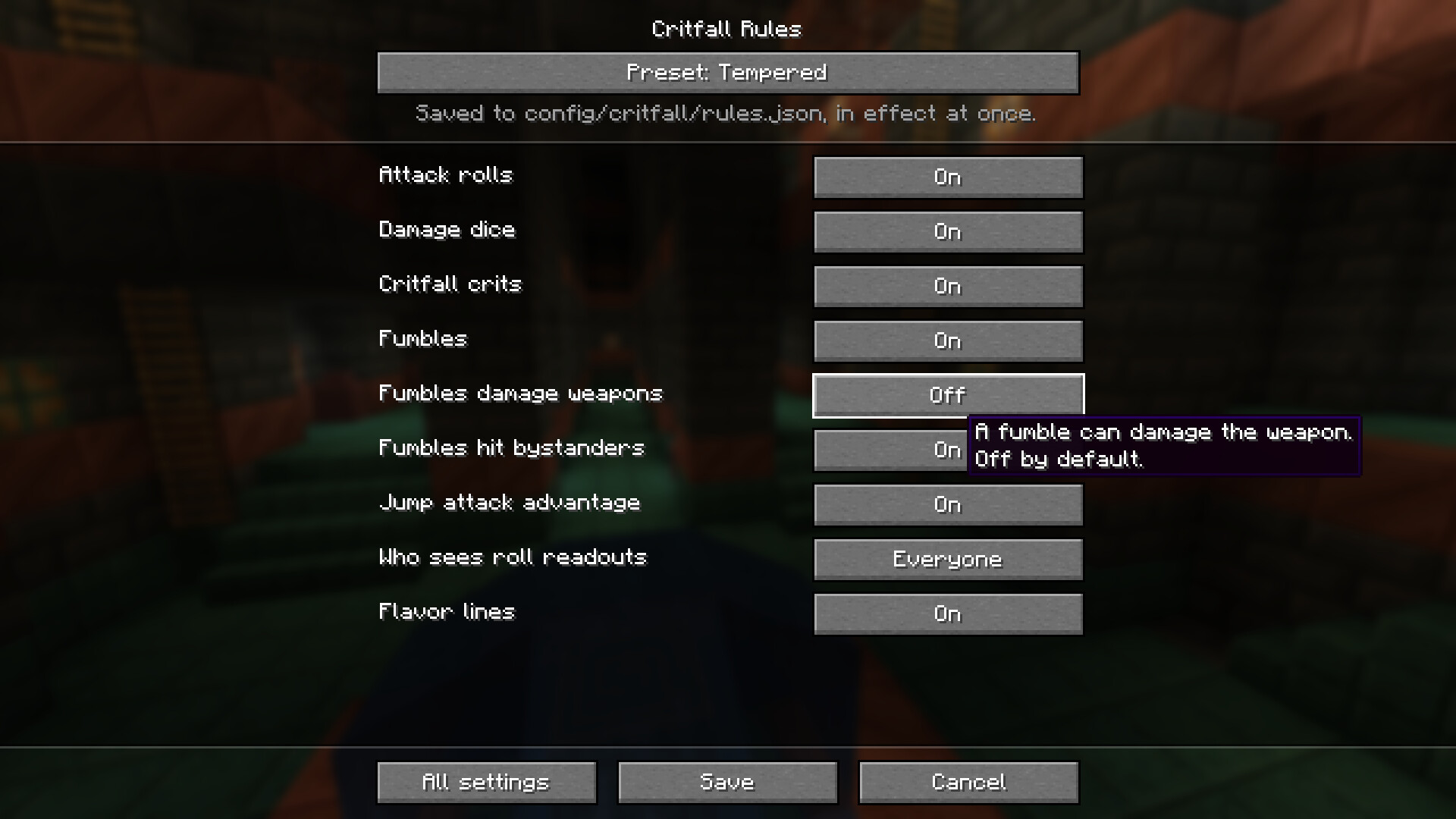
Main options
config/critfall/rules.json. Options in bold are on the first page of the config screen.
| Option | Default | What it does |
|---|---|---|
attack_rolls.enabled |
true |
Master switch: off leaves all combat vanilla. |
damage_dice.enabled |
true |
A hit deals rolled dice; off keeps the vanilla damage. |
crits.enabled |
true |
Natural 20s crit. Off leaves crits to vanilla and other mods. |
fumbles.enabled |
true |
A natural 1 can set off a fumble. |
fumbles.durability_break.enabled |
false |
A fumble can damage the weapon. |
fumbles.hit_nearest_ally.enabled |
true |
A fumble can land on the nearest creature instead. |
feedback.roll_visibility |
everyone |
Who is sent the readout: everyone, attacker_only or off. |
feedback.flavor.enabled |
true |
Flavor lines on crits, fumbles and some kills. |
advantage_sources.jump_attack |
true |
A falling crit hit rolls two d20s and keeps the higher. |
config/critfall/client.json
| Option | Default | What it does |
|---|---|---|
rolls |
true |
The roll readout on the action bar. |
flavor |
true |
Flavor lines in chat. |
sounds |
true |
A sound on hits, crits and fumbles. |
particles |
true |
Particles on crits and fumbles. |
The full reference, with every value each option takes, is in docs/rules-config.md.

All commands need operator permission.
| Command | What it does |
|---|---|
/critfall inspect [entity] |
A mob’s Armor Class, attack bonus and damage, and which profile they came from. Without an entity, the one you look at. |
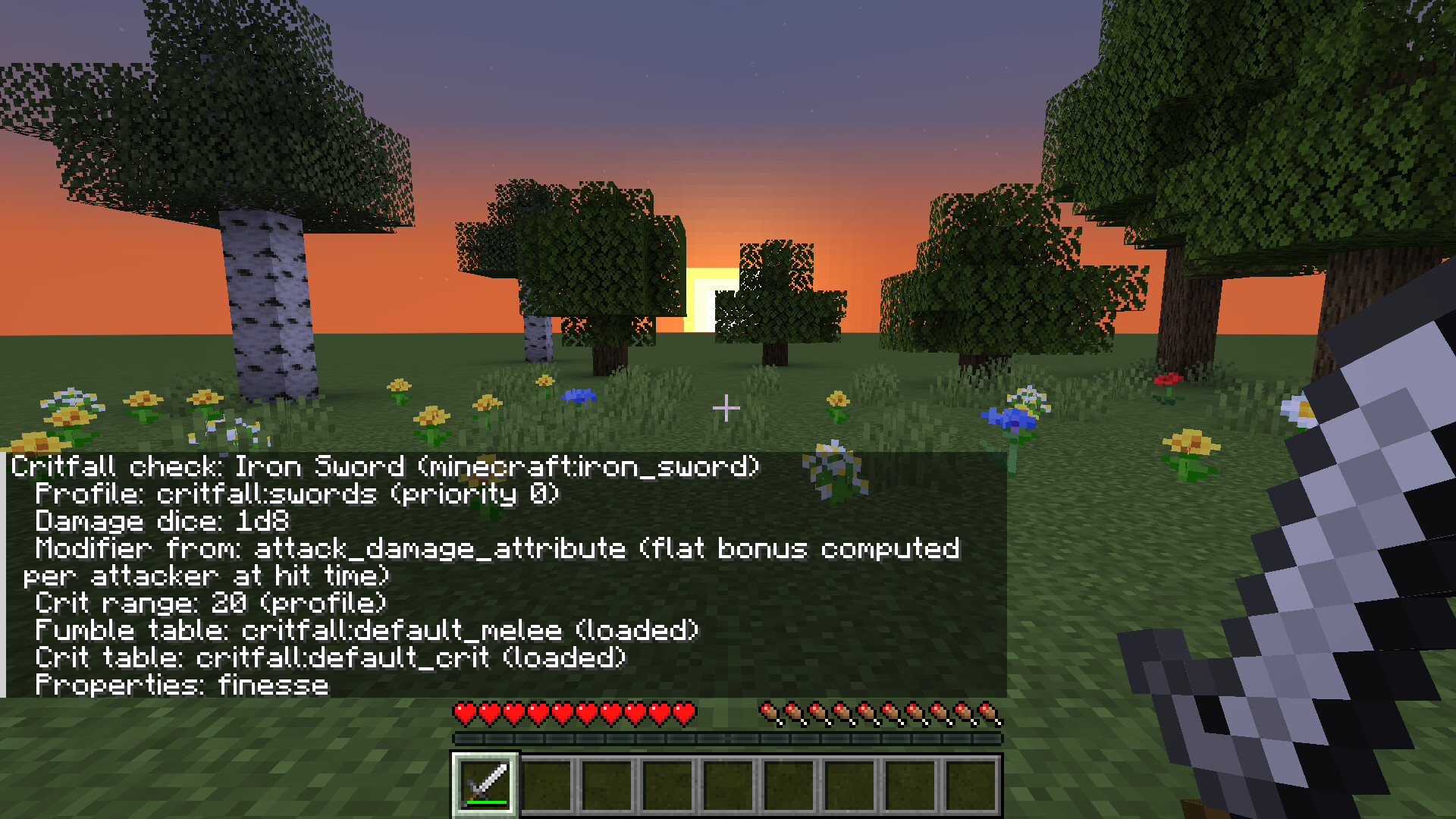
/critfall check [item] |
An item’s dice, bonus, crit range and fumble and crit tables. Without an item, the one in your hand. |
/critfall generate [missing] |
Writes a datapack with a profile for every mob and weapon in the game, ready to edit. missing only writes the ones without a profile. |
/critfall report |
Writes a CSV and JSON list of every mob and item and where its stats come from. |

Free to use in any modpack.

常见问题
Critfall 支持哪些 Minecraft 版本?
Critfall 支持 Minecraft Java 版 1.21.1,可用的加载器:Fabric / NeoForge。下载时注意选择和你游戏版本一致的文件。
Critfall 怎么安装?
先用 PCL2 或 HMCL 启动器安装对应版本的 Fabric / NeoForge,再把下载的 .jar 文件放进游戏目录的 mods 文件夹,重新启动游戏即可。开启了版本隔离的,mods 文件夹在 versions/版本名 下面。
NightsHigh 的其他作品
查看全部 →
Critfall
Tabletop style d20 combat for Minecraft: attack rolls against Armor Class, dice damage, crits and fumbles.

Critfall: Headless Horseman
A Halloween boss for Critfall. On October nights at midnight, a headless executioner riding on a black horse may come for a player standing under the open sky. He carries a rusted sword and his own burning jack o' lantern head.
评论
登录后评论和评分