
截图
介绍
English 
Creative Toggle – Fabric Mod
Minecraft 1.21.x | Fabric
❓ What does the mod do?
Press F3 + X (default) to switch to Creative Mode – just like F3+N switches to Spectator Mode.
Press F3 + X again to return to your previous game mode.
Only works if the player has permission to use
/gamemode(Singleplayer or OP on a server).
🔧 Configuration
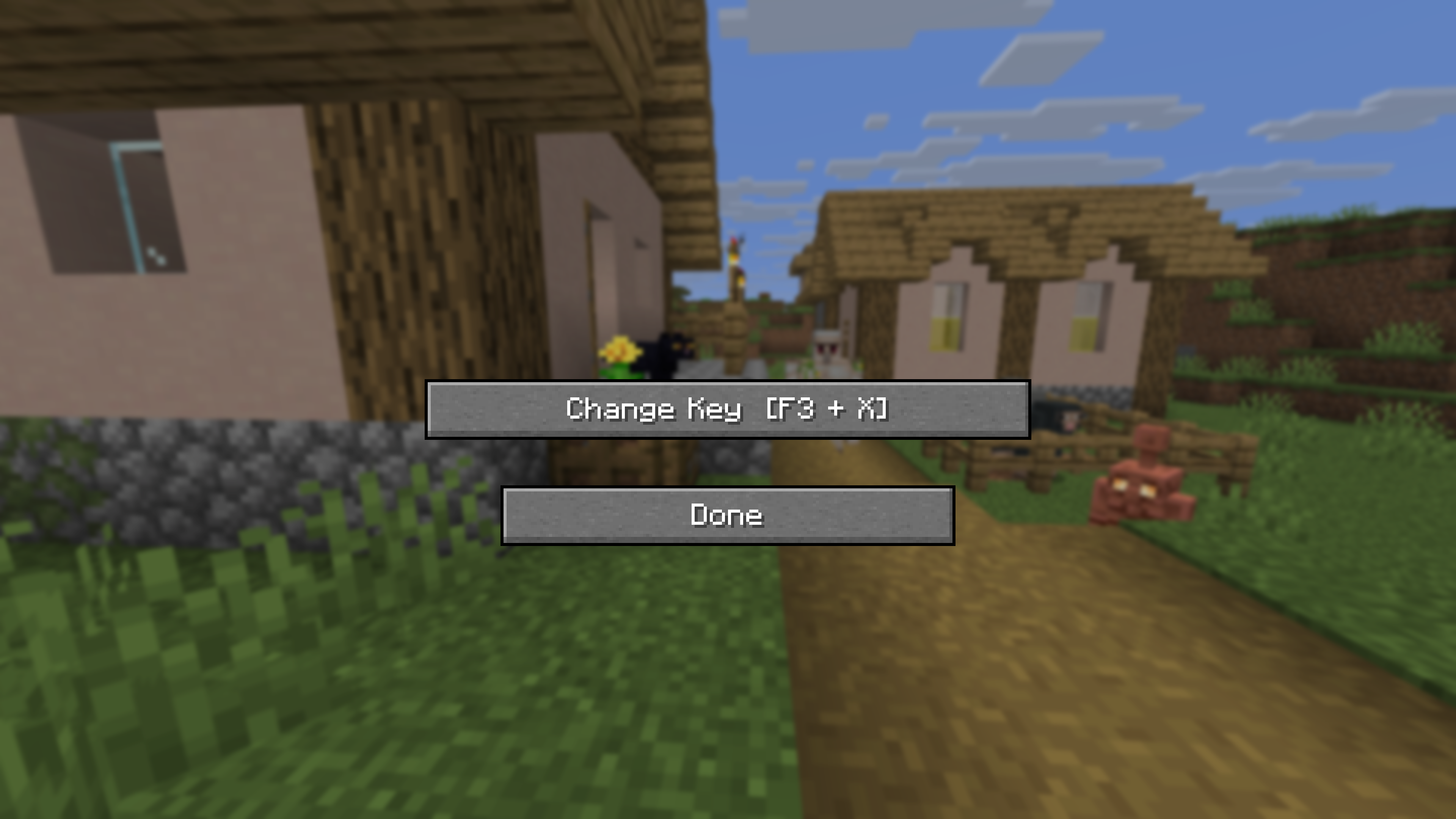
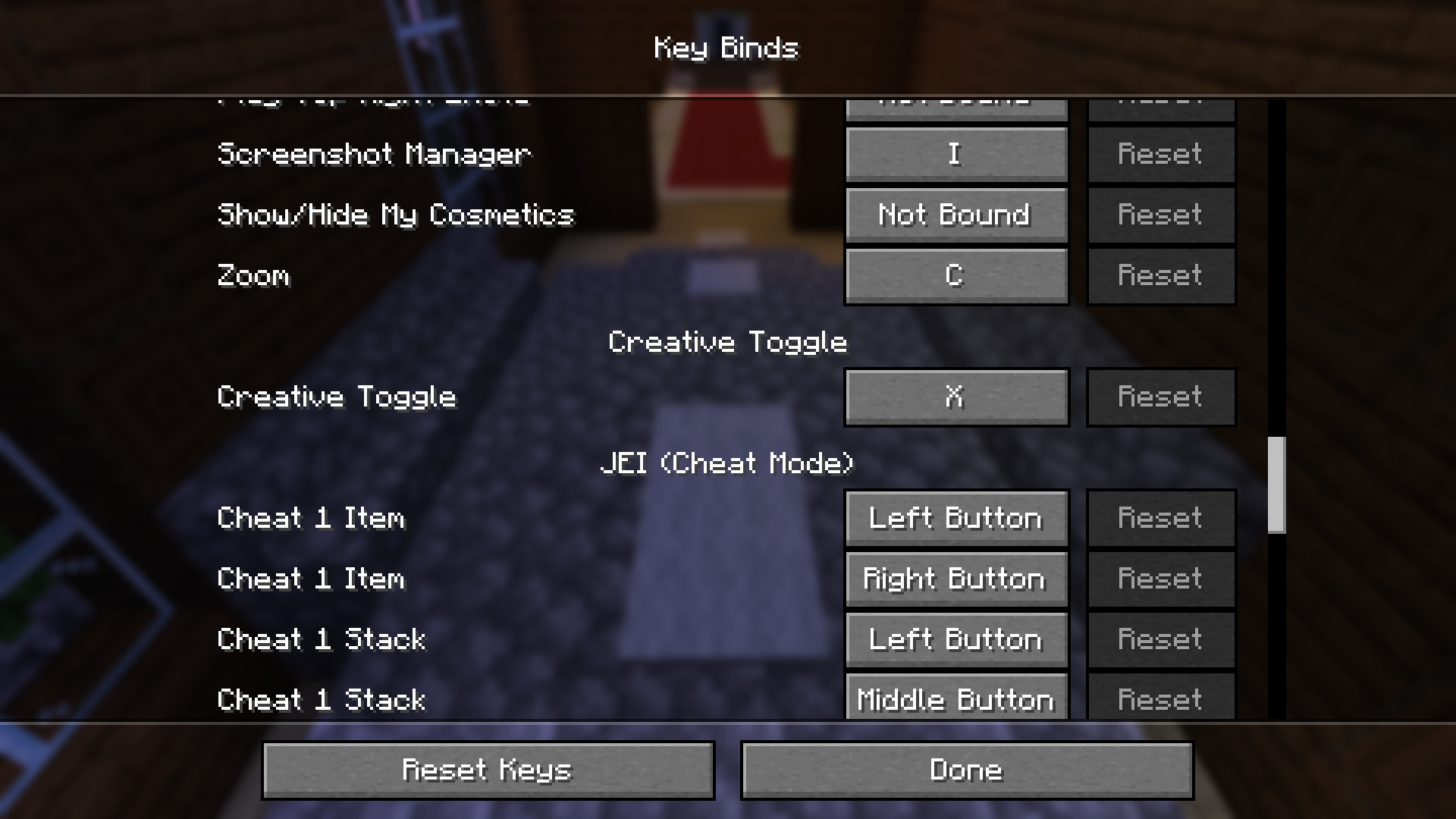
The key can be changed in the Settings under the Creative Toggle category:
- Via Mod Menu → Gear icon next to Creative Toggle
- Or directly in-game through the settings-key-screen
Manually (config file)
config/f3toggle.json:
{
  "toggleKeyCode": 88
}
GLFW key codes: X = 88, Z = 90, C = 67, V = 86, etc.
✅ Compatibility
| Version | Compatible |
|-|-|
| 1.20.6 | ❌️ |
| 1.21 | ✅️ |
The mod uses only stable Fabric API and Vanilla APIs, with no version-specific hacks.
㊙️ Languages
| Version | English | Portuguese | Russian | Frensh | German | English Accent | Portuguese Accent | Russian Accent | Frensh Accent| German Accent |
| — | — | — | — | — | — | — | — | — | — | — |
| 1.0.0 | ✅ | ✅ | ✅ | ✅ | ✅ | ❌| ❌| ❌| ❌| ❌|
| 1.1.0 | ✅ | ✅ | ✅ | ✅ | ✅ | ✅ | ✅ | ✅ | ✅ | ✅ |
Deutsch 
Creative Toggle – Fabric Mod
Minecraft 1.21.x | Fabric
❓ Was macht die Mod?
Drücke F3 + X (Standard), um in den Kreativmodus zu wechseln – genau wie F3+N in den Spectator-Modus schaltet.
Drücke F3 + X nochmal, um in deinen vorherigen Spielmodus zurückzukehren.
Funktioniert nur, wenn der Spieler die
/gamemode-Berechtigung hat (Singleplayer oder OP auf Servern).
🔧 Einstellungen
Die Taste kann in den Einstellungen unter dem Reiter Creative Toggle geändert werden:
- Über Mod Menu → Zahnrad-Symbol neben „Creative Toggle”
- Oder direkt im Spiel über den Einstellung-Steuerung-Bildschirm
Manuell (config-Datei)
config/f3toggle.json:
{
  "toggleKeyCode": 88
}
GLFW-Key-Codes: X = 88, Z = 90, C = 67, V = 86, usw.
✅ Kompatibilität
| Version | Kompatibel |
|-|-|
| 1.20.6 | ❌️ |
| 1.21 | ✅️ |
Die Mod nutzt ausschließlich stabile Fabric-API und Vanilla-APIs, keine versionsspezifischen Hacks.
㊙️ Sprachen
| Version | Englisch | Portugiesich | Russisch | Französich | Deutsch | Englische Akzente | Portugiesiche Akzente | Russische Akzente | Französiche Akzente | Deutsche Akzente |
| — | — | — | — | — | — | — | — | — | — | — |
| 1.0.0 | ✅ | ✅ | ✅ | ✅ | ✅ | ❌| ❌| ❌| ❌| ❌|
| 1.1.0 | ✅ | ✅ | ✅ | ✅ | ✅ | ✅ | ✅ | ✅ | ✅ | ✅ |
常见问题
Creative Toggle 支持哪些 Minecraft 版本?
Creative Toggle 支持 Minecraft Java 版 1.21–1.21.11,共 12 个版本,可用的加载器:Fabric。下载时注意选择和你游戏版本一致的文件。
Creative Toggle 怎么安装?
先用 PCL2 或 HMCL 启动器安装对应版本的 Fabric,再把下载的 .jar 文件放进游戏目录的 mods 文件夹,重新启动游戏即可。开启了版本隔离的,mods 文件夹在 versions/版本名 下面。运行环境:仅客户端。
Mano-Craft 的其他作品
查看全部 →
Emeralds Plus
A Mod which adds a ton of new features for emeralds.

Creative Toggle Default Texture Pack
This Texturepack containes every texture of the Creative Toggle Mod

Emeralds Plus Default Texture Pack
This is the Default Texture Pack of The Emeralds Plus Mod.

JukeBlocks Categories Resource Pack
This resource pack contains sounds from all categories of the JukeBlocks podcast.
评论
登录后评论和评分