
Creative Shulkers
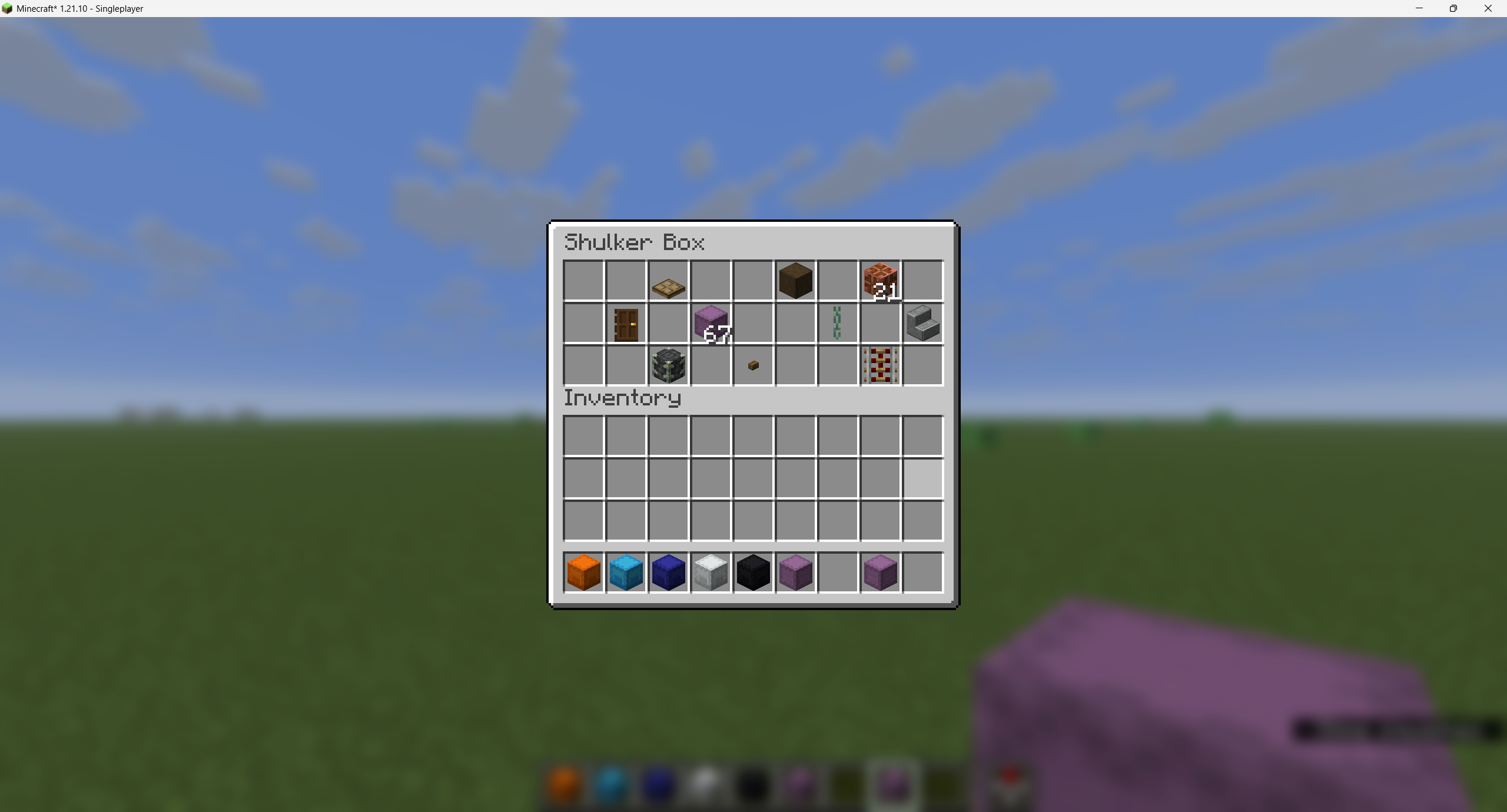
This mod allows you to open shulkers without placing them in Creative Mode.
截图
介绍
CreativeShulkers
Allows you to open shulkers in your saved hotbars directly from the saved hotbars screen without placing it by right-clicking it. Also supports other containers like barrels or chests.
Using it on servers
Since the mod is entirely client sided, you can use this on any Minecraft World or Server! The only requirement is that you are in Creative Mode. And don’t worry, it is impossible to get banned from the mod since it is indistiguishable from normal saved hotbars.
Usage
To use it, be in Creative Mode, press E to open the Creative Mode Inventory, go to the Saved Hotbars tab, and right-click a shulker box (or any container) on the screen.
Source Code & License
Source code can be found on Github under the MIT License.
常见问题
Creative Shulkers 支持哪些 Minecraft 版本?
Creative Shulkers 支持 Minecraft Java 版 26.1–26.3,共 5 个版本,可用的加载器:Fabric。下载时注意选择和你游戏版本一致的文件。
Creative Shulkers 怎么安装?
先用 PCL2 或 HMCL 启动器安装对应版本的 Fabric,再把下载的 .jar 文件放进游戏目录的 mods 文件夹,重新启动游戏即可。开启了版本隔离的,mods 文件夹在 versions/版本名 下面。运行环境:仅客户端。
评论
登录后评论和评分