
截图


介绍
中文介绍正在准备中,下面暂时显示原文。
Creative Sandbox Dimension
Overview
A dedicated superflat creative dimension for survival players. Build, test redstone, or prototype structures without touching your progression. Your survival inventory, XP, effects, and Ender Chest are fully isolated and restored on exit.
Installation
- Server: Required.
- Client: Optional. Without the mod, players lose access to teleport keybinds. All other features work server-side.
Security & Anti-Exploit
Built to protect survival integrity:
- Full State Isolation – Inventory, Ender Chest, XP, health, hunger, and effects are snapshotted on entry and restored on exit.
- Restricted Actions – Sleeping, portal creation, and Ender Chest item transfer are blocked.
- No Food Consumption – Eating is disabled by default to prevent stat bypasses.
- Advancement Lock – Advancements are disabled inside the dimension.
- FTB Quests Lock – Quest progression and reward claims are blocked inside the sandbox.
- Item Blacklist – Server-configurable list of items that cannot be held or used.
Teleportation Methods
All methods are enabled by default and individually toggleable in config:
| Method | Details |
|---|---|
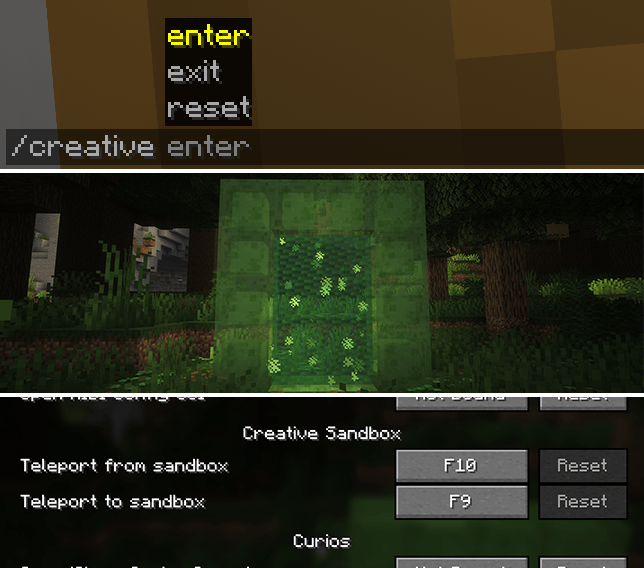
| Commands | /creative enter & /creative exit |
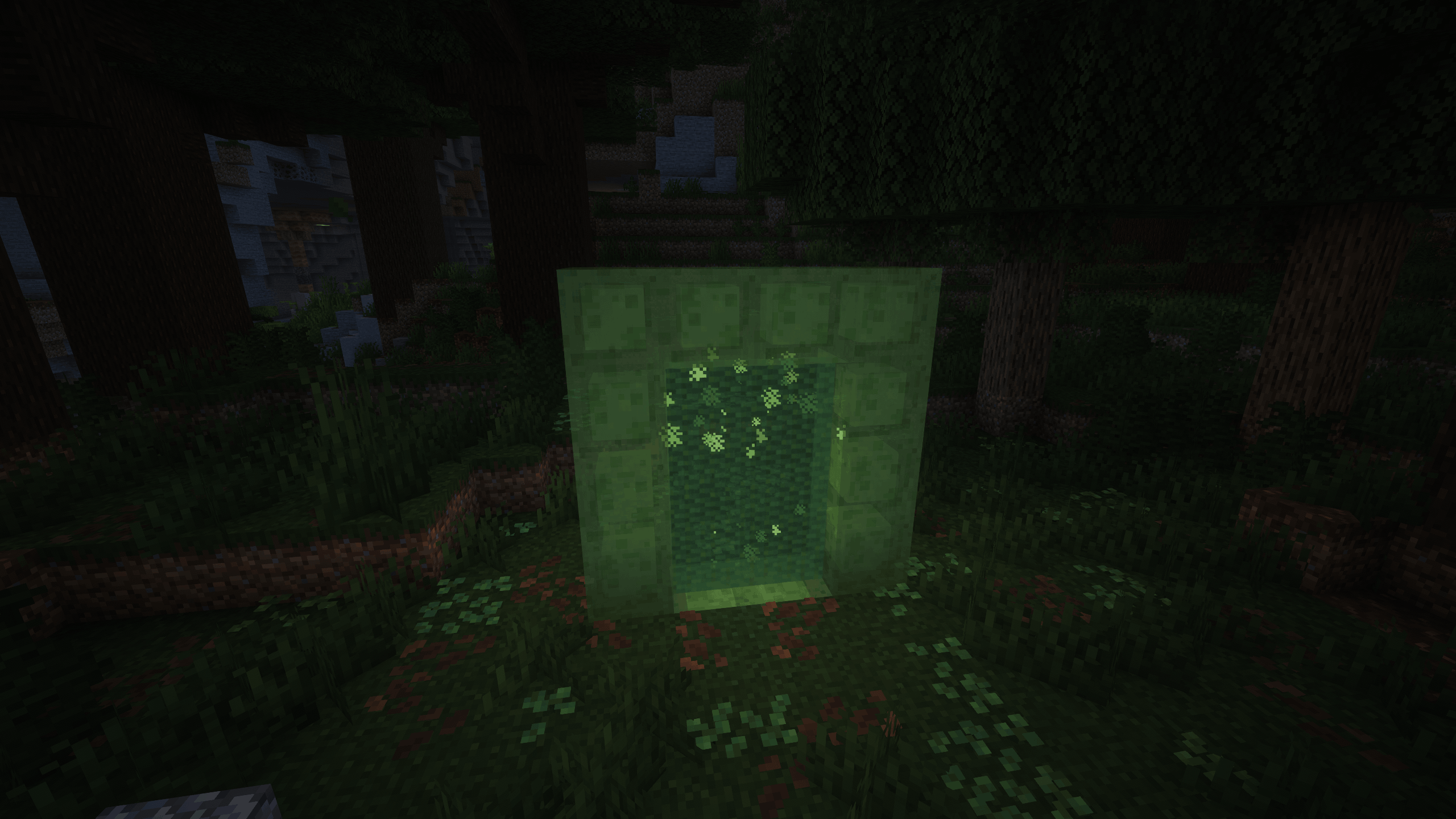
| Slime Portal | Build a frame from slime blocks and ignite it with flint and steel |
| Hotkeys | F9 to enter, F10 to exit (requires client mod) |
World Editing
- Layer Editor – Modify superflat layer composition in-game or via config.
- Admin Reset –
/creative resetwipes and regenerates the creative world (admin-only).
Configuration
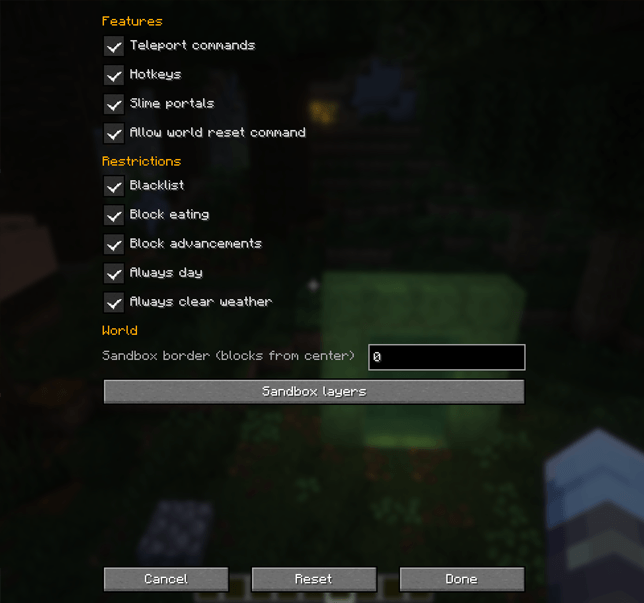
- Always day & clear weather (on by default)
- Configurable world border
- Toggleable security rules, teleport methods, and environment locks
- Config location:
config/creative_dim/
Compatibility
- Works seamlessly with Curios API, Backpacked, FTB Quests, and other major inventory/mod frameworks.
- Designed for modpack and multiplayer server integration.
- Verify no unintended progression bypasses in your specific pack.
常见问题
Creative Sandbox Dimension 支持哪些 Minecraft 版本?
Creative Sandbox Dimension 支持 Minecraft Java 版 1.21.1,可用的加载器:NeoForge。下载时注意选择和你游戏版本一致的文件。
Creative Sandbox Dimension 怎么安装?
先用 PCL2 或 HMCL 启动器安装对应版本的 NeoForge,再把下载的 .jar 文件放进游戏目录的 mods 文件夹,重新启动游戏即可。开启了版本隔离的,mods 文件夹在 versions/版本名 下面。
评论
登录后评论和评分