
Creative inventory in survival mode
Get any item from Minecraft in Survival mode without using commands
截图
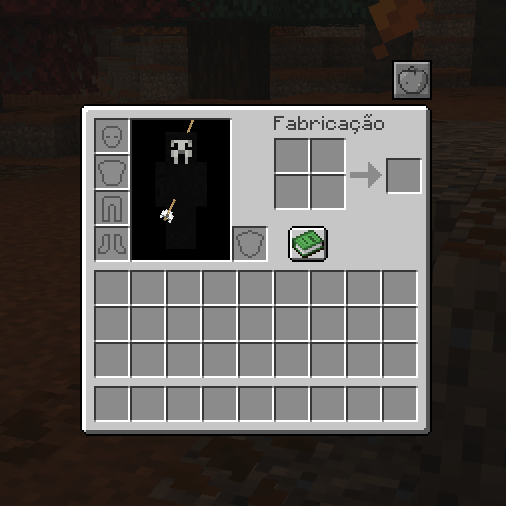
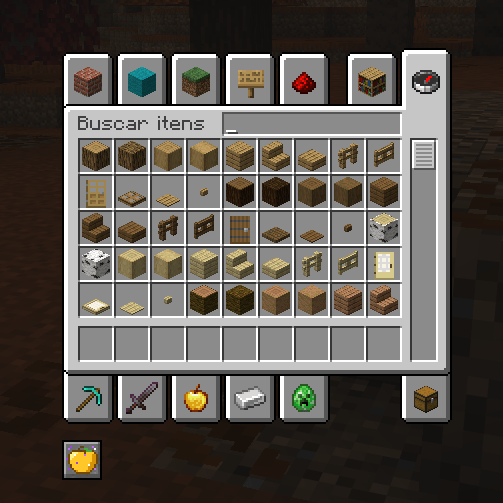
介绍
Creative Inventory – Get Any Item with One Click!
Tired of spending hours grinding for items in Minecraft Survival? Creative Inventory makes it easier than ever to access any item in the game!
With just one click, open the Creative Inventory directly from your Survival gameplay and choose any item you want — no commands, no complicated setup, and no need to switch your entire game mode to Creative.
Features
- One-Click Access: Open the Creative Inventory instantly.
- Any Item, Anytime: Find and grab the items you need.
- No Commands Required: Everything is accessible through a simple click.
- Keep Playing Survival: Enjoy your Survival world without constantly switching game modes.
- Simple and Convenient: Designed for players who want more freedom and less grinding.
Whether you’re building massive projects, testing ideas, or customizing your own Survival experience, this mod gives you quick and easy access to the items you need.
Play your way. Less grinding, more Minecraft!
常见问题
Creative inventory in survival mode 支持哪些 Minecraft 版本?
Creative inventory in survival mode 支持 Minecraft Java 版 26.3,可用的加载器:Fabric。下载时注意选择和你游戏版本一致的文件。
Creative inventory in survival mode 怎么安装?
先用 PCL2 或 HMCL 启动器安装对应版本的 Fabric,再把下载的 .jar 文件放进游戏目录的 mods 文件夹,重新启动游戏即可。开启了版本隔离的,mods 文件夹在 versions/版本名 下面。
评论
登录后评论和评分