Creative Fly Speed Control
CFSC adds simple ALT + mouse wheel controls to fine-tune creative and spectator fly speed, with quick reset and clear action-bar feedback about the current speed.
介绍
CFSC (Creative Fly Speed Control) gives you fast, precise control over movement speed in Creative and Spectator mode. Hold LEFT ALT and use the mouse wheel to adjust fly speed while flying or spectating, and walk speed while on the ground. Press LEFT ALT + middle click to reset back to the default speed.
Fly/walk speed adjustment only works while the player is in Creative mode.
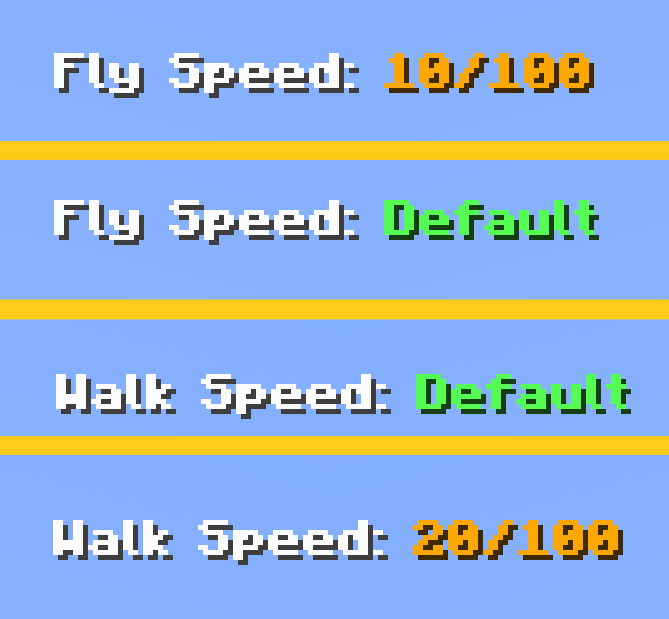
An action‑bar readout shows your current speed, including fine 0.1 steps at very low speeds and a clear “Default” indicator.
Features:
- ALT + wheel (up, down or middle click) to change speed
- Fly speed in Creative + Spectator
- Walk speed in Creative when not flying
- ALT + middle click reset
- Action‑bar message with a current fly/walk speed
常见问题
Creative Fly Speed Control 支持哪些 Minecraft 版本?
Creative Fly Speed Control 支持 Minecraft Java 版 1.20.1,可用的加载器:Forge。下载时注意选择和你游戏版本一致的文件。
Creative Fly Speed Control 怎么安装?
先用 PCL2 或 HMCL 启动器安装对应版本的 Forge,再把下载的 .jar 文件放进游戏目录的 mods 文件夹,重新启动游戏即可。开启了版本隔离的,mods 文件夹在 versions/版本名 下面。
评论
登录后评论和评分