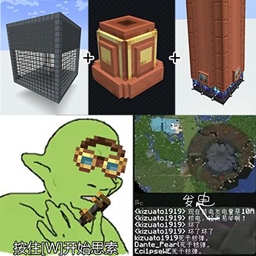
CreateMek_Steam
CreateMek Steam adds a `Steam Converter` block that attaches to the side of a Create boiler tank, converts the boiler's steam output into Mekanism steam, and feeds it into pressurized tubes and steam turbines for power generation.
介绍
English
Build a working Create boiler first, then place the Steam Converter on the side of the boiler’s fluid tank. The converter will detect the boiler automatically and output its available steam share into adjacent Mekanism steam pipes; connect those pipes to a steam turbine to generate power. If multiple converters are attached to the same boiler, the current boiler output is distributed across them.
It can change rate in Config.
中文
先搭建一个正常工作的 Create 蒸汽锅炉,然后把 Steam Converter 放在锅炉流体罐的侧面。转换器会自动识别锅炉状态,并把当前锅炉可提供的蒸汽份额输出到相邻的 Mekanism 蒸汽管道;再将这些管道连接到蒸汽涡轮即可发电。若同一个锅炉连接了多个转换器,蒸汽输出会按当前锅炉产量在多个转换器之间分配。
可以在配置中修改转化率。
常见问题
CreateMek_Steam 支持哪些 Minecraft 版本?
CreateMek_Steam 支持 Minecraft Java 版 1.20.1–1.21.1,共 2 个版本,可用的加载器:Forge / NeoForge。下载时注意选择和你游戏版本一致的文件。
CreateMek_Steam 怎么安装?
先用 PCL2 或 HMCL 启动器安装对应版本的 Forge / NeoForge,再把下载的 .jar 文件放进游戏目录的 mods 文件夹,重新启动游戏即可。开启了版本隔离的,mods 文件夹在 versions/版本名 下面。
qincaizheng 的其他作品
查看全部 →
narutofix
Fix some features and add a small amount of functionality to the NarutoMod
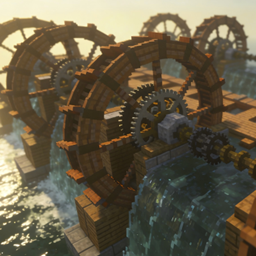
Waterwheel Immortal
Add a family of upgradeable blocks that can store water wheels, hold fluid, and generate rotational power for the Create kinetic network when properly supplied.

narutofix
Provide narutomod with a ninja backpack for quick casting and repair of some unreasonable mechanisms
评论
登录后评论和评分