
Create Theme Park
This is a mod like interactive but not the same it's my one one for create fabric 6.0.8.1 because there is no offical version so i coded my own one
截图
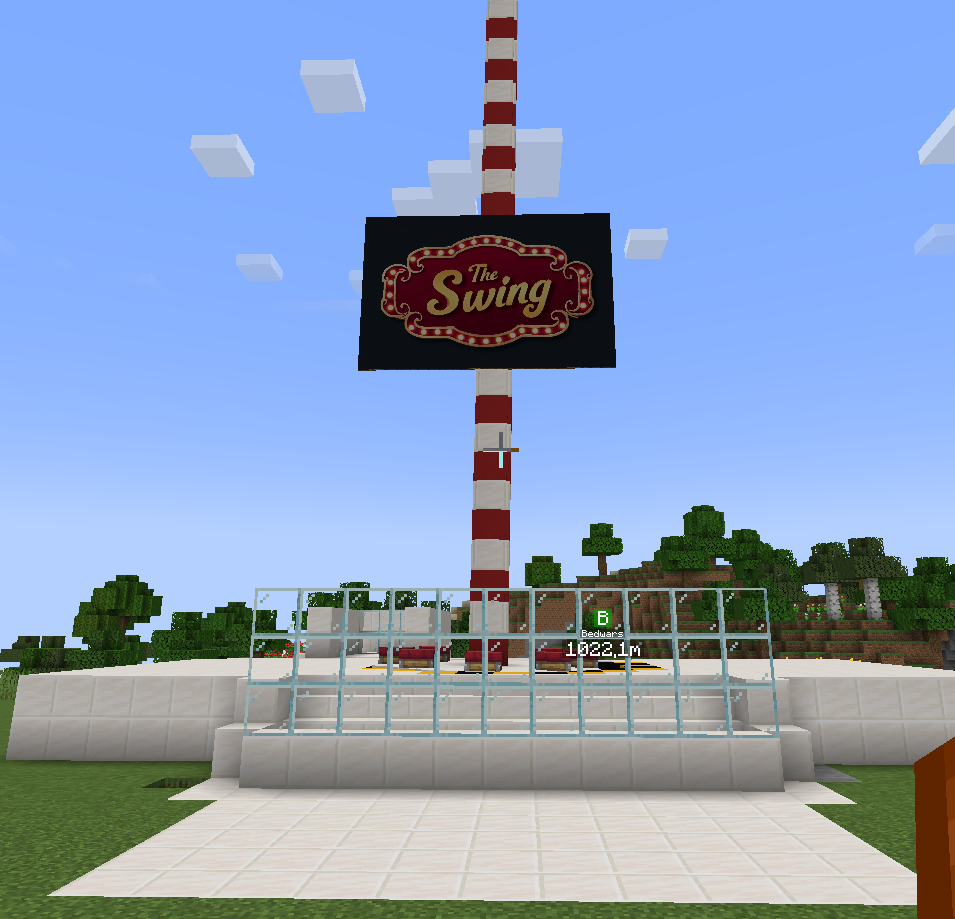
介绍
This mod is inspired by the Interactive mod, but it is not the same mod and not a copy. It is a completely independent implementation, fully coded by me from scratch. The goal of this project was to recreate similar functionality while improving flexibility and compatibility.
The main reason this mod exists is that there is no official Interactive version available for Create Fabric 6.0.8.1. Because of that, I decided to develop my own solution specifically designed to work with this version of Create Fabric.
This mod adds interactive features that allow players to engage more directly with Create-based components and systems. It is carefully built to integrate smoothly into the Create Fabric environment, while maintaining performance and stability. Every system, behavior, and feature was written by me and adapted to fit the Create Fabric API and mechanics.
Unlike the original Interactive mod, this version follows its own design choices, internal logic, and structure. While the inspiration is clear, the codebase, implementation, and future development direction are entirely original. This also allows me to update, fix, and expand the mod independently without relying on another project.
The mod is intended for players who want a more interactive experience with Create Fabric 6.0.8.1, especially those who were missing similar functionality due to the lack of an official port. It aims to feel natural within the Create ecosystem while still being its own standalone project.
This is an ongoing project, and future updates may include bug fixes, performance improvements, and additional interactive features based on feedback and experimentation.
常见问题
Create Theme Park 支持哪些 Minecraft 版本?
Create Theme Park 支持 Minecraft Java 版 1.20.1,可用的加载器:Fabric。下载时注意选择和你游戏版本一致的文件。
Create Theme Park 怎么安装?
先用 PCL2 或 HMCL 启动器安装对应版本的 Fabric,再把下载的 .jar 文件放进游戏目录的 mods 文件夹,重新启动游戏即可。开启了版本隔离的,mods 文件夹在 versions/版本名 下面。运行环境:客户端和服务端都要装。
评论
登录后评论和评分