
Create: The OP Cheese
A survival-friendly Create addon that adds powerful cheese-themed ores, machines, armor, weapons, guns, and rats to expand automation and progression.
截图
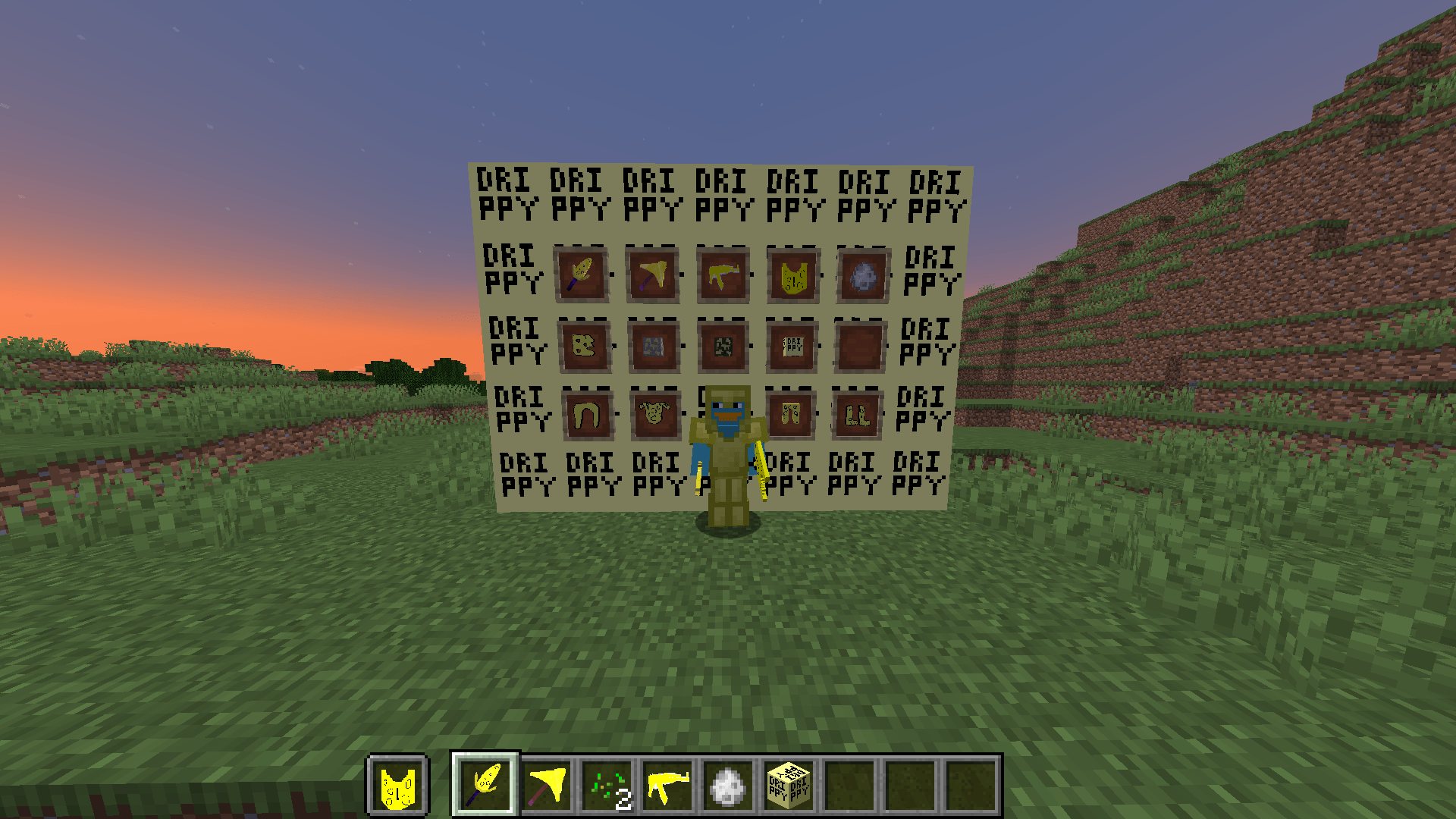
介绍
Create The OP Cheese 🧀🔫
Introducing Create the OP Cheese Mod, a survival-friendly Create addon and the ultimate dairy-powered enhancement for Minecraft! Made entirely by a solo developer, this mod introduces:
- Cheese Ingots: Crafted from cheese ore and used in powerful Create-compatible recipes and machinery.
- Cheese Armor: A full armor set offering unique benefits and a distinct cheesy appearance.
- Cheese Sword: A sharp weapon with enhanced damage, perfect for slicing through foes.
- Cheese Multitool: A versatile tool combining the functionalities of a pickaxe, axe, and shovel.
- Fast-Firing Cheese Gun: A rapid-fire weapon that shoots cheese arrows, turning adversaries into Swiss cheese.
- Rat Mob: A newly introduced creature that adds an extra layer of challenge and immersion to your cheesy adventures.
- Cheese Structure: Explore a new cheese-themed structure containing valuable loot and rare resources.
- Rat Boss: A difficult and fun boss fight featuring a tanky rat enemy that hits hard and tests your gear.
- Create Integration: New cheese machinery, mechanical crafting recipes, automation possibilities, and Create-style progression built to fit naturally into Create gameplay.
Stay drippy, stay cheesy! 🧀🔥
We Value Your Feedback!
I’m committed to making the OP Cheese mod as enjoyable as possible and would love to hear your suggestions for future updates. Please share your ideas in the comments section below and let me know what new features, items, or improvements you’d like to see. Your feedback helps shape the future of the mod!
常见问题
Create: The OP Cheese 支持哪些 Minecraft 版本?
Create: The OP Cheese 支持 Minecraft Java 版 1.20.1–1.21.1,共 2 个版本,可用的加载器:Forge / NeoForge。下载时注意选择和你游戏版本一致的文件。
Create: The OP Cheese 怎么安装?
先用 PCL2 或 HMCL 启动器安装对应版本的 Forge / NeoForge,再把下载的 .jar 文件放进游戏目录的 mods 文件夹,重新启动游戏即可。开启了版本隔离的,mods 文件夹在 versions/版本名 下面。
评论
登录后评论和评分