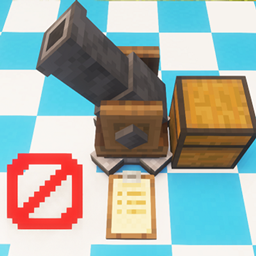
Create: Schematicannon Plus
Want more fine tune control over what blocks the Schematicannon should place? Look no further!
截图
介绍
A small Create addon for Minecraft 1.20.1 (Forge / NeoForge) targeting Create 6.0.8 that lets the Schematicannon skip blocks.
How it works:
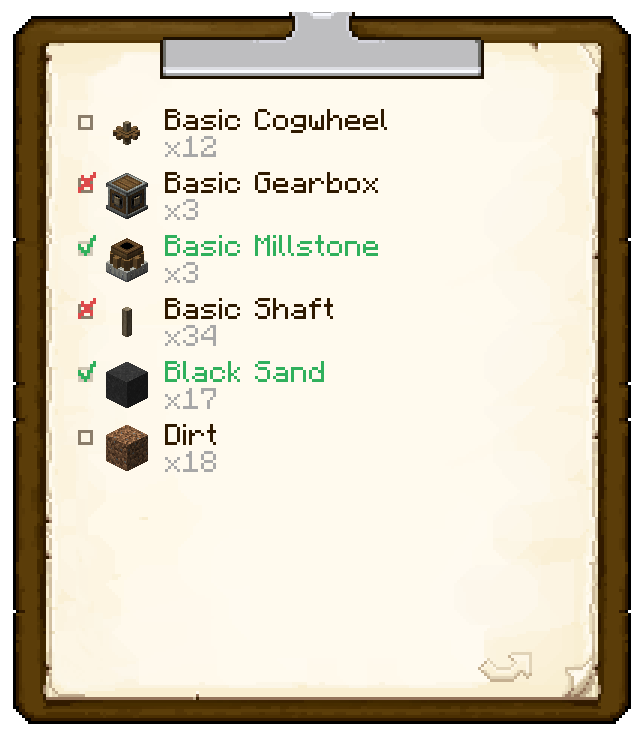
Create’s Schematicannon outputs the required blocks and material onto a clipboard. This mod gives you the ability to prevent certain items from being placed by the schematicannon using that clipboard.
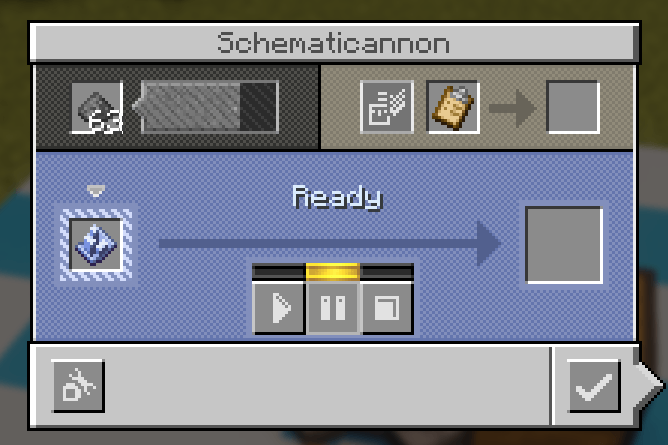
- Insert a blank clipboard into the Schematicannon.
- Take it out and cross-off the blocks you want to be ignored with the red cross.
- Insert the configured clipboard back into the Schematicannon.
- That’s it! Fire-away!
Pro Tip: Craft the clipboard in an empty crafting grid to clear clipboard.
Images
Addition of the red-checkmark to prevent placing of blocks/item/entities.
Regular Create Schematicannon
常见问题
Create: Schematicannon Plus 支持哪些 Minecraft 版本?
Create: Schematicannon Plus 支持 Minecraft Java 版 1.20.1,可用的加载器:Forge。下载时注意选择和你游戏版本一致的文件。
Create: Schematicannon Plus 怎么安装?
先用 PCL2 或 HMCL 启动器安装对应版本的 Forge,再把下载的 .jar 文件放进游戏目录的 mods 文件夹,重新启动游戏即可。开启了版本隔离的,mods 文件夹在 versions/版本名 下面。
评论
登录后评论和评分