截图
介绍
中文介绍正在准备中,下面暂时显示原文。
This mod add some iterations for create. Here are functions the mod adds in the tabel
| Function | Description |
|---|---|
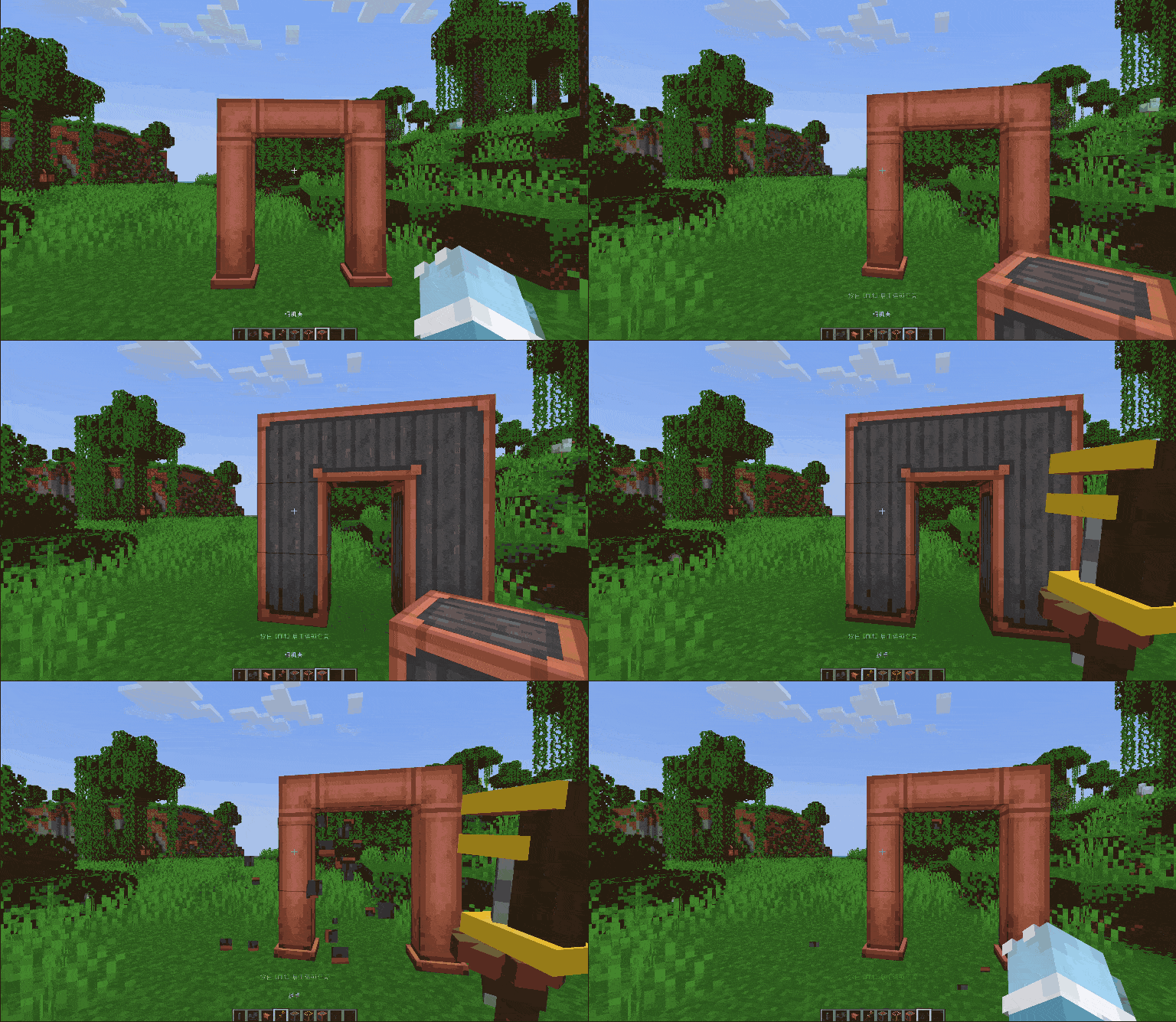
| Chain Encase | Player can chain encase or decase for shaft, belt or fluid pipe.( Default key is Alt) |
| Change Pipe Openning | Player can right click (encased) fluid pipe to open or close the openning on the face( Press Shift can change the opposite face) |
| Off Hand Encase | Player can placed encased shaft, chute, cogwheel and so on when hold casing by off hand |
| Encase view | When player hold casing and press Alt want to chain encase for something, player can see what block will be encased |
Here are the compatible mods of Create: Right Hand.
| Mod | Need Version(CRH) | Description |
|---|---|---|
| FTB Ultimine | 1.4.0+ | Player can chain encase, decase or use wrench to remove the blocks of Create. |
| Create: Encase | 1.4.0+ | Create: Right Hand allow all casing from Create: Encase |
| Create: Copycats+ | 1.5.0+ | Player can chain change the block that copycat block copyed |
Here are the functions will be add in the future.
| Function | Description |
|---|---|
| District Encase | Player can select a area to encase |
常见问题
Create: Right Hand 支持哪些 Minecraft 版本?
Create: Right Hand 支持 Minecraft Java 版 1.20.1–1.21.1,共 2 个版本,可用的加载器:Forge / NeoForge。下载时注意选择和你游戏版本一致的文件。
Create: Right Hand 怎么安装?
先用 PCL2 或 HMCL 启动器安装对应版本的 Forge / NeoForge,再把下载的 .jar 文件放进游戏目录的 mods 文件夹,重新启动游戏即可。开启了版本隔离的,mods 文件夹在 versions/版本名 下面。


评论
登录后评论和评分