Create: Railward
Create: Railward is a Forge addon for Create, bringing modern railway equipment and rolling stock parts to your train networks.
介绍
Create: Railward
Modern railway equipment for Create
Create: Railward is a Forge addon for Create, bringing modern railway equipment and rolling stock parts to your train networks.
Created by Shurgent.
Not an official Minecraft product. Not approved by or associated with Mojang or Microsoft.
Early access: Railward is under active development. Features and behavior
may change as the addon evolves; keep this in mind when planning to include
it in a modpack.Updates aim to preserve existing worlds and avoid breaking changes to APIs
and established gameplay mechanics, but compatibility cannot be guaranteed.
Always back up your worlds and configuration files before updating.
Overview
Railward expands both how Create trains work and how they look. Train controls,
coupling, signaling, and freight handling work alongside building parts for
locomotives, passenger carriages, and freight wagons.
Build out your railway with coordinated body panels and roofs, locomotive
equipment, bulk-cargo storage, cisterns, and loading and unloading infrastructure,
all designed to work with Create’s train system.
Features
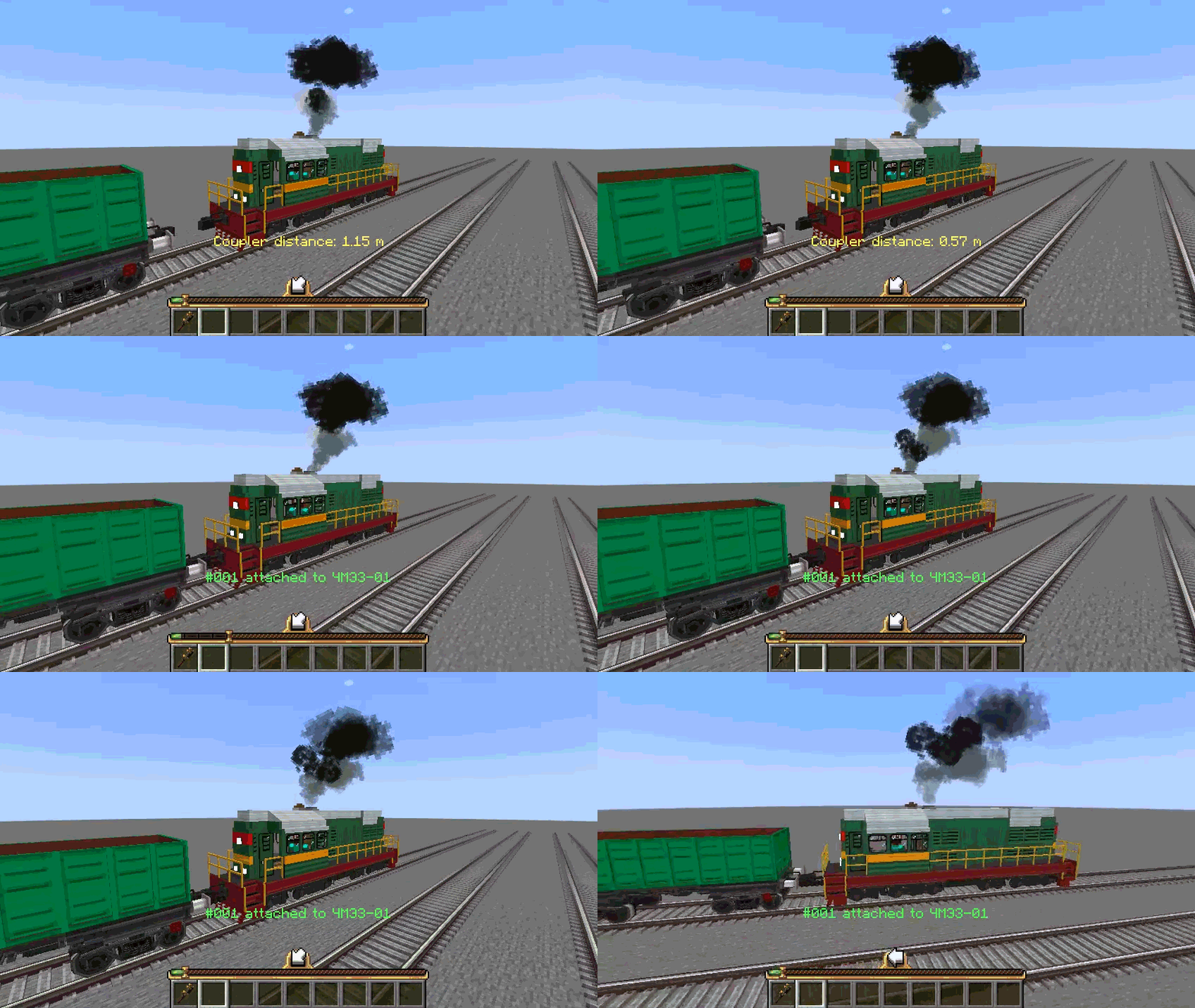
Automatic train coupling
Shunt rolling stock into place and couple trains by slowly approaching a
stationary train on straight, level track. Couplers also let you manually
join and split assembled trains.
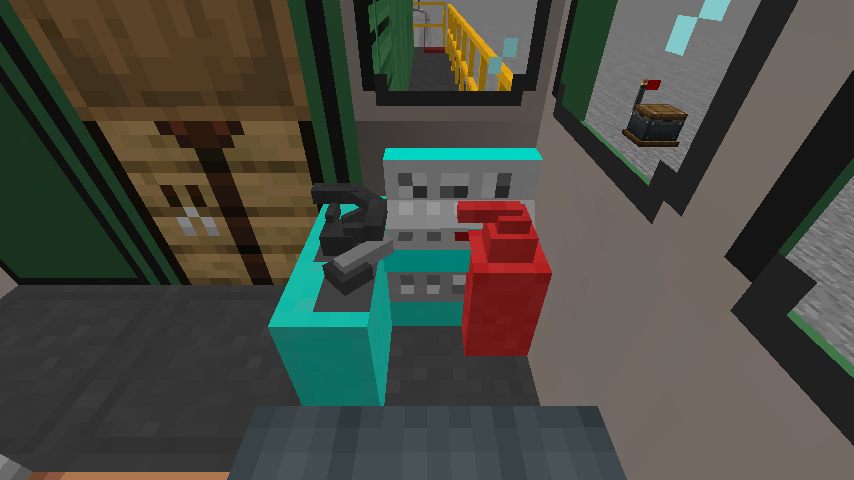
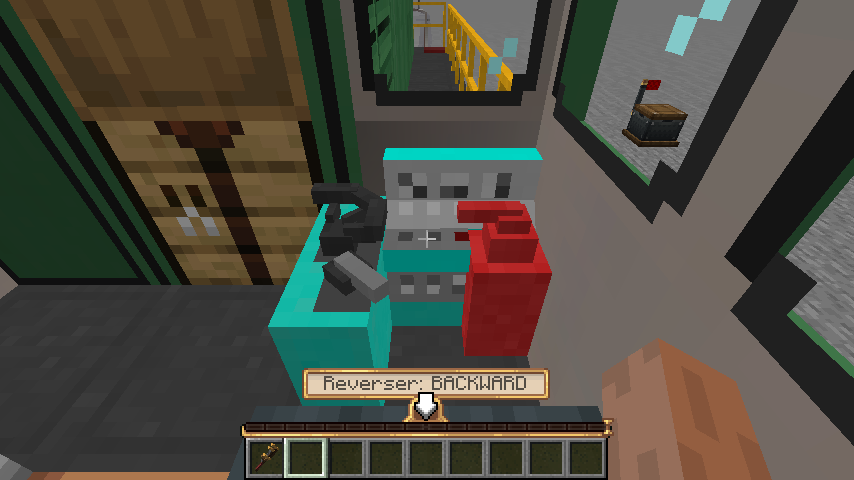
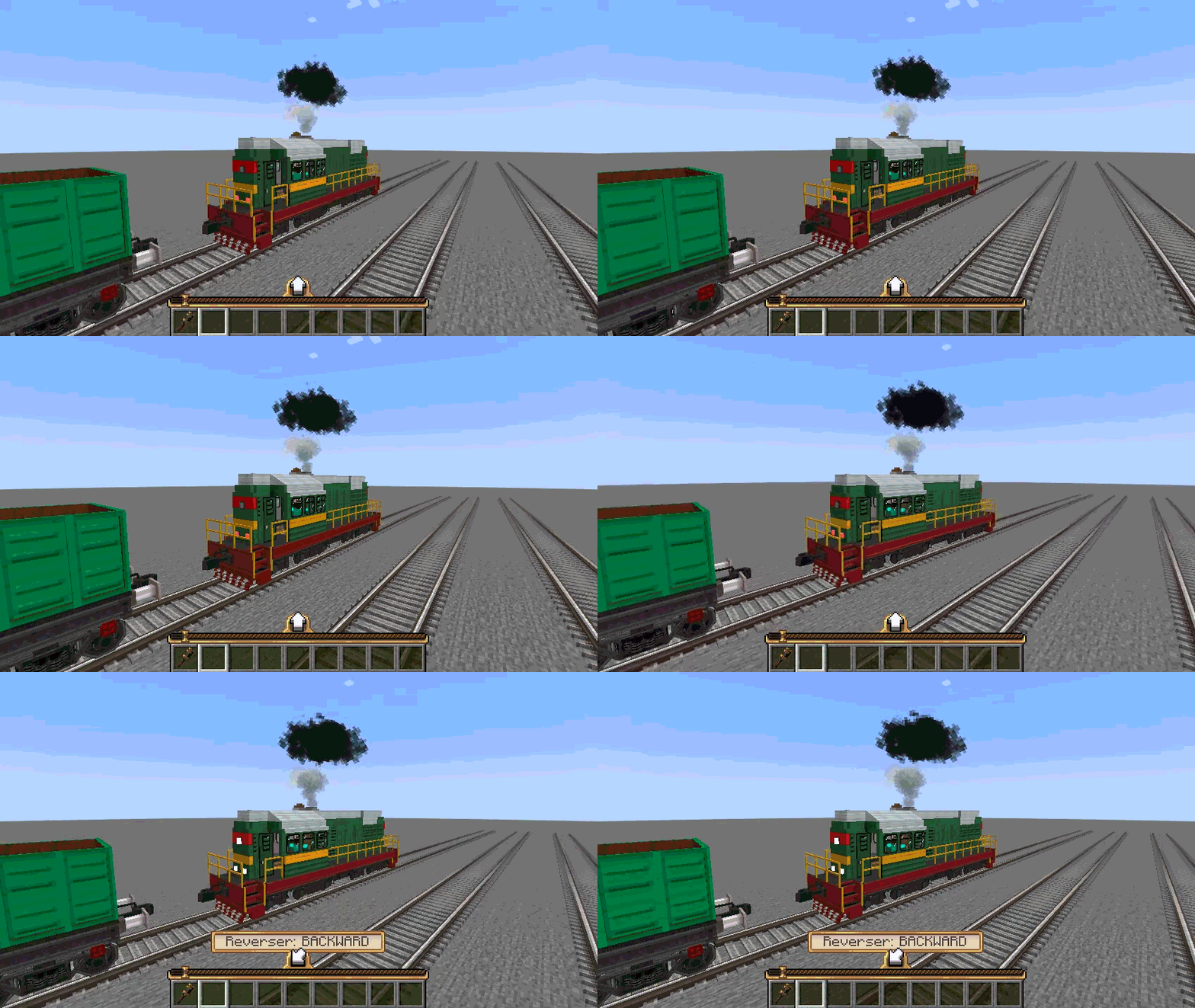
Bidirectional train controller
Drive forward and backward from a single controller using a dedicated
reverser. Animated levers reflect throttle, braking, and direction during
both manual and scheduled operation.
| Modern train controller | Reverser set to backward |
|---|---|
 |
 |
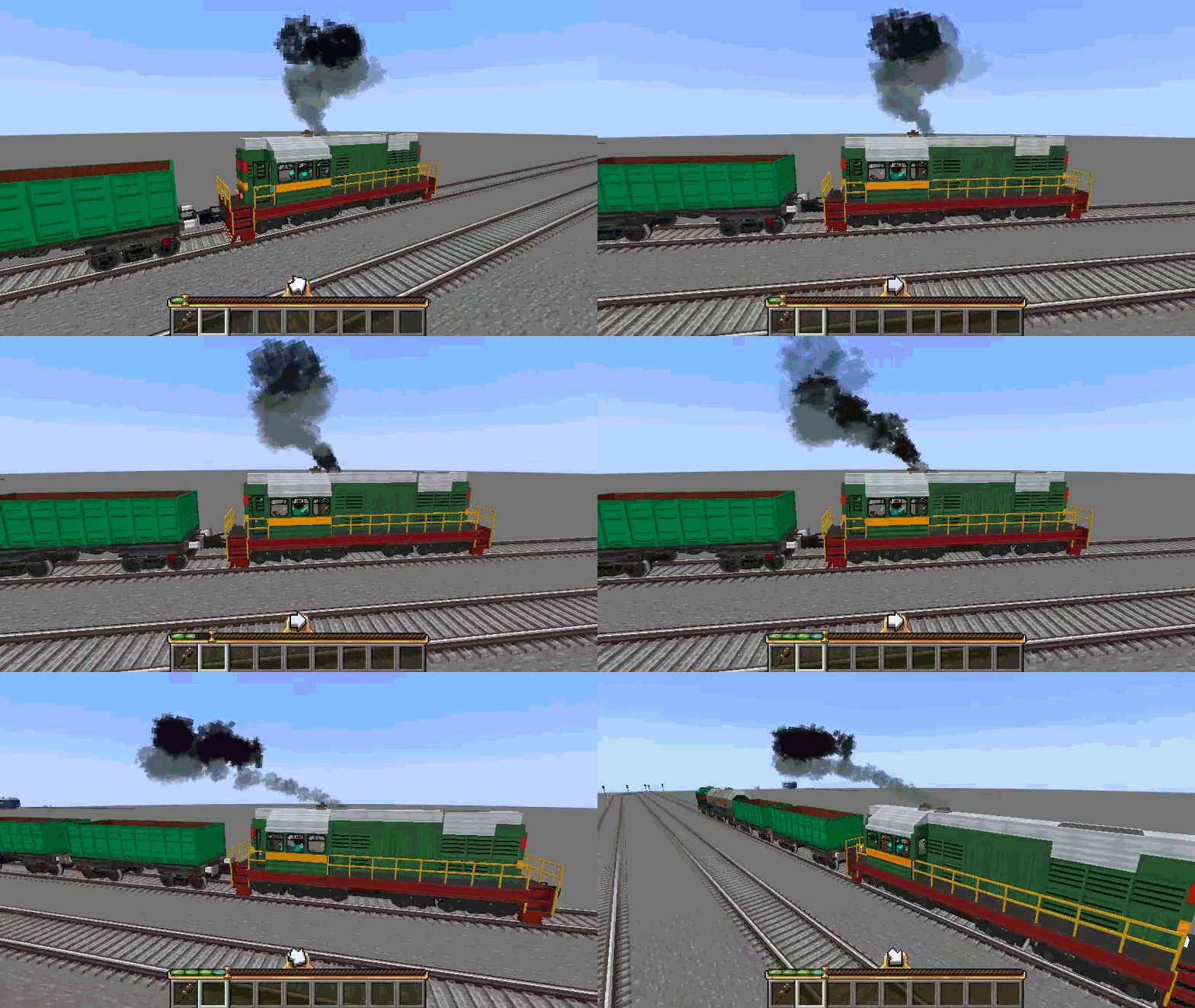
Responsive diesel exhaust
Give locomotives startup bursts, idle pulses, and heavier exhaust under
acceleration. Smoke behavior follows the train’s operating state, whether
you or a scheduled conductor is driving.
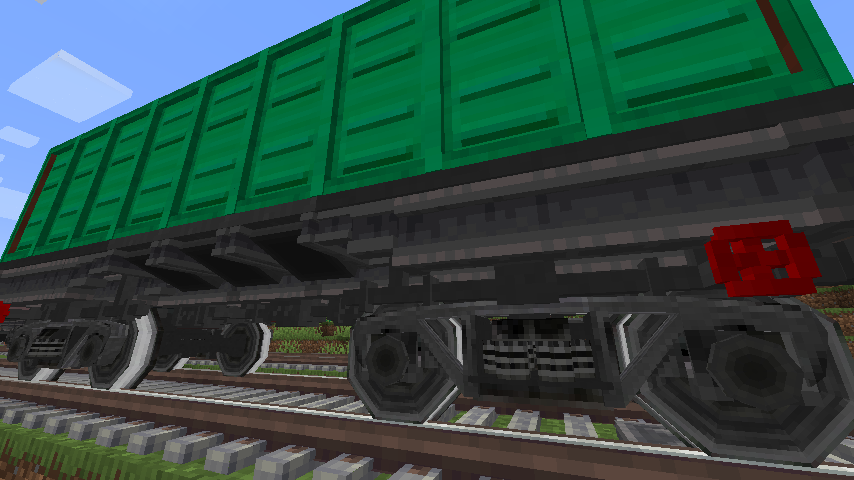
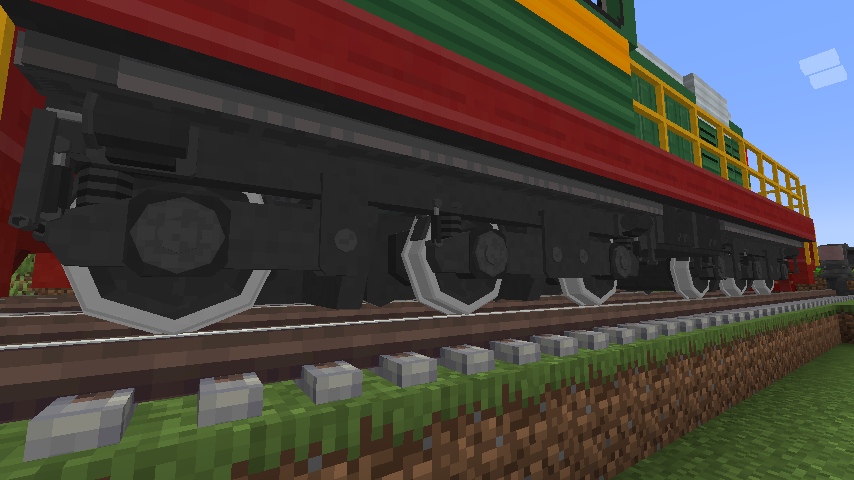
Custom railway bogeys
Build freight wagons with the 18-100 freight bogey and locomotives with the
triple-axle equalized bogey, complete with detailed frames, wheelsets, and
suspension components.
| 18-100 freight bogey | Triple-axle equalized locomotive bogey |
|---|---|
 |
 |
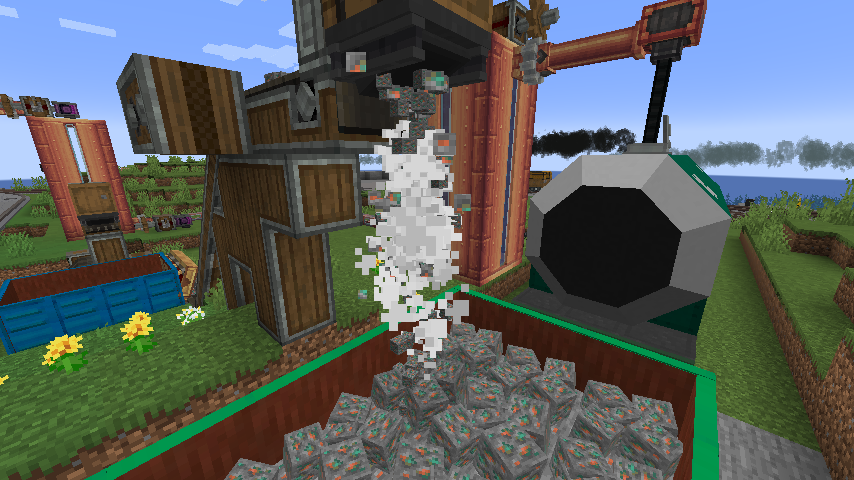
Bulk freight handling
Build multiblock cargo containers with visible fill levels. Unload through
wagon hatches into receiving inventories or unloading bunkers, with
falling-cargo effects and unloading sounds.
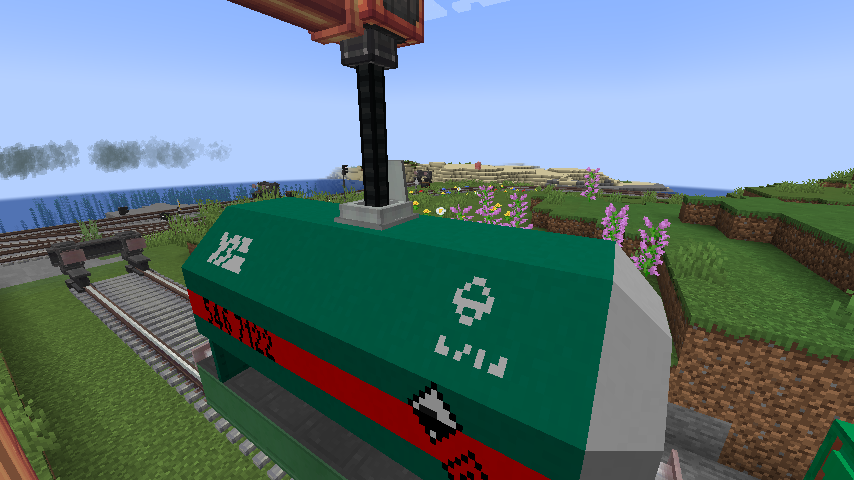
Multiblock cisterns
Build tank wagons in several sizes and colors. Transfer fluids between
assembled trains and station infrastructure using cistern hatches and
fluid terminals.
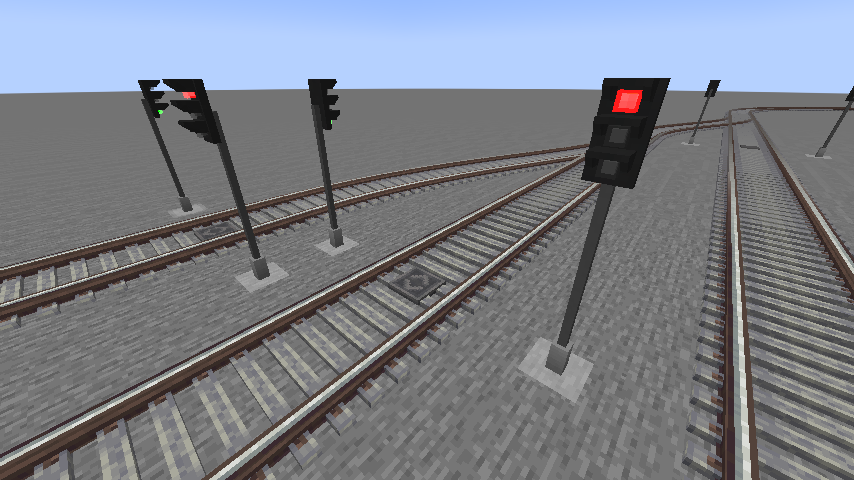
Railway signaling
Equip your network with modern upright and ground signals, bring signal
aspects into the cab, and use configurable speed signs and whistle signs
to control passing trains.
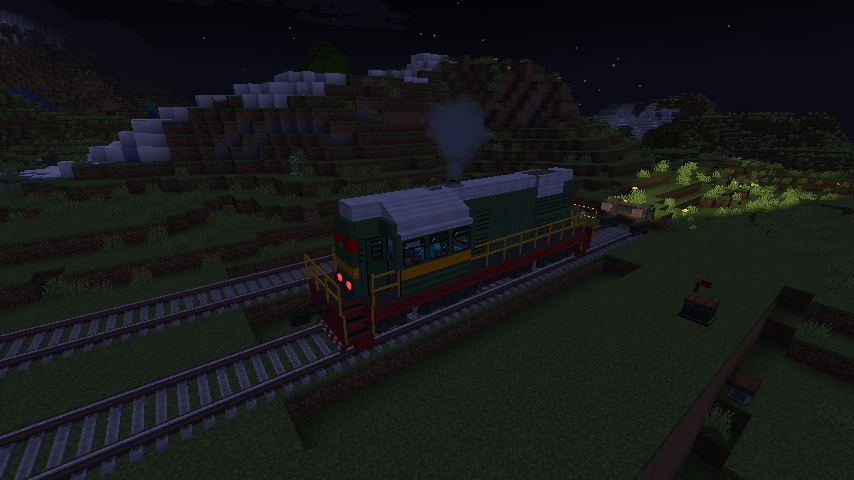
Locomotive lighting and sound
Illuminate the track with projected spotlight beams and fit marker lights
that change with travel direction. Configurable primary and secondary horn
sounds let you use both a whistle and an air horn on the same train, with
separate controls for each.
Modular rolling stock construction
Shape locomotives and carriages with matching walls, windows, roofs,
working doors, railings, and copycat parts. Combine multiple colors and
liveries across passenger and freight builds.
Schematics
Download example locomotive and wagon builds for your railway. Create and
Railward are required to use these schematics.
| Build | Download |
|---|---|
| ChME3 diesel locomotive | chme3.nbt |
| Cargo platform | cargo_platform.nbt |
| Dump-car platform | dumpcar_platform.nbt |
| Green gondola | gondola_green.nbt |
| Green open wagon | halfcar_green.nbt |
| Green tank wagon | tank_car_green.nbt |
| Light gray tank wagon | tank_car_lgray.nbt |
Place the downloaded .nbt files in your Minecraft instance’s schematics/
folder, then load them using Create’s Schematic Table.
Compatibility
The project targets the following Minecraft and Create versions on Forge:
| Minecraft | Create |
|---|---|
| 1.18.2 | 0.5.1.i |
| 1.19.2 | 0.5.1.i |
| 1.20.1 | 0.5.1.j |
| 1.20.1 | 6.0.8 |
Install Railward and its required dependencies, Forge and Create, on both the
client and server. The two Minecraft 1.20.1 builds target different Create
versions; choose the one that matches your installation.
Minecraft 1.18.2 is the primary development and runtime-verification target.
The newer Minecraft versions and Create 6 are maintained as additional ports.
Optional CC:Tweaked Integration
When CC:Tweaked is installed, Railward extends Create’s Create_Station
peripheral with arrival and departure forecasts, station identifiers, and live
schedule information. Connect a wired modem directly to the station to read
this data from Lua.
CC:Tweaked is optional and is not bundled with Railward. See the
station peripheral documentation for the
Lua API and examples.
Source and Development
The source code is available on GitHub.
See the multi-version development guide
for build instructions and testing information.
Music Credits
The mod includes a music disc featuring Shurgent – Echoes, written and
performed by Shurgent.
Railward’s custom sound effects are original recordings by Shurgent.
License
This project is distributed under the MIT License.
常见问题
Create: Railward 支持哪些 Minecraft 版本?
Create: Railward 支持 Minecraft Java 版 1.18.2–1.20.1,共 3 个版本,可用的加载器:Forge。下载时注意选择和你游戏版本一致的文件。
Create: Railward 怎么安装?
先用 PCL2 或 HMCL 启动器安装对应版本的 Forge,再把下载的 .jar 文件放进游戏目录的 mods 文件夹,重新启动游戏即可。开启了版本隔离的,mods 文件夹在 versions/版本名 下面。
评论
登录后评论和评分