截图
介绍
Create: Precise Controls
Type exact amounts into Create’s Factory Gauges.
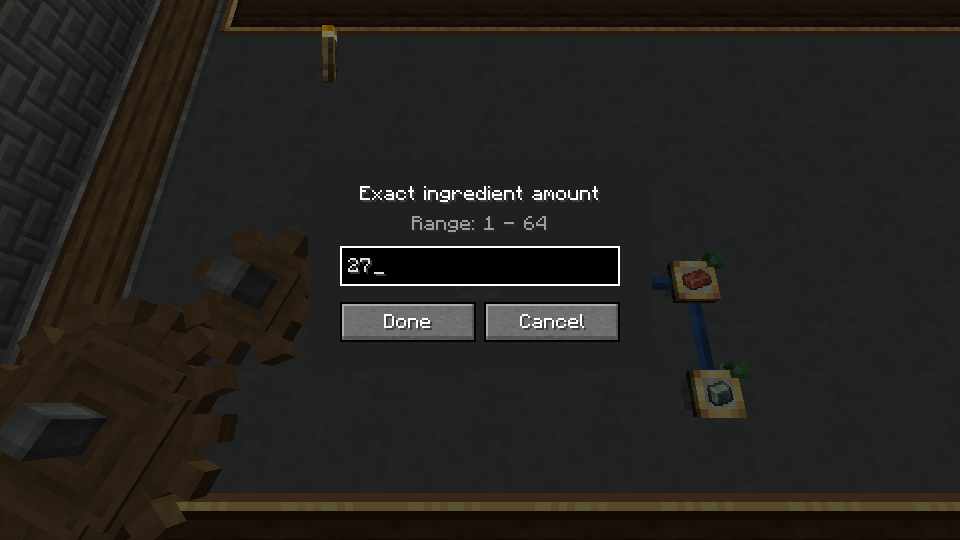
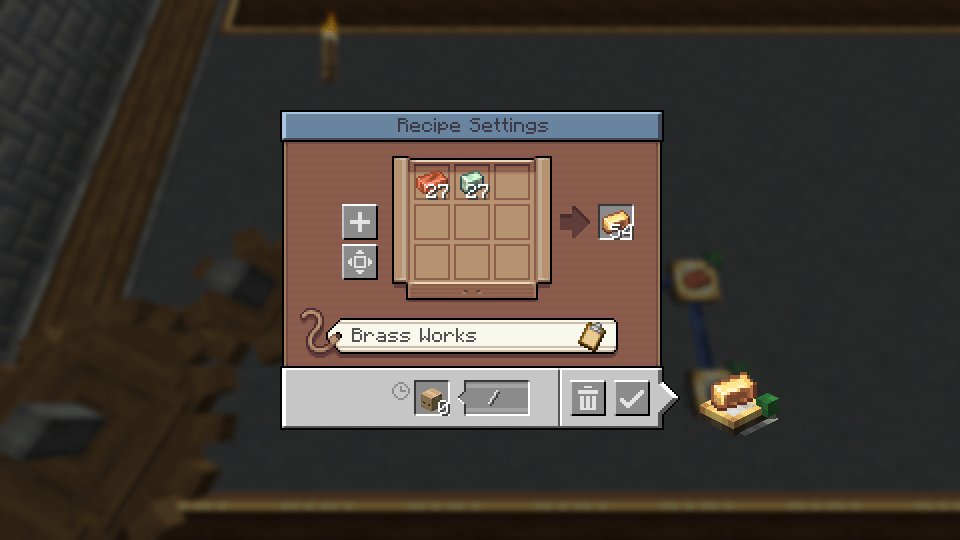
Set the stock target or recipe amount you want with your keyboard. Precise Controls adds exact number entry to Factory Gauges and supported Factory Controller and FluidLogistics settings.
Client-side only. Install it on your client; multiplayer servers do not need it.
Features
- Exact stock targets: type how many items or stacks your Factory Gauge should keep in stock.
- Exact recipe amounts: type ingredient and output counts directly.
- Larger stock targets: go beyond Create’s normal 0–100 picker range, within safe limits.
- FluidLogistics support: enter exact item and fluid recipe amounts, including values such as
1440 mB, plus supported stock and restock settings. - Factory Controller support: type recipe amounts, craft batch sizes, request multipliers, request intervals, and open-request limits.
Normal clicks and scrolling remain available.
How to use it
Factory Gauge stock target: hold Use to open the target-amount board, then hold Ctrl and release Use. Type your value and confirm. With default keybindings, Use is right-click.
Factory Gauge recipe amounts: Ctrl+right-click an ingredient or output to type its exact count.
Supported addon fields: Ctrl+right-click to open exact entry. Values follow the addon’s own limits.
Requirements
| Minecraft | Loader | Supported Create version |
|---|---|---|
| 1.20.1 | Forge | 6.0.8 |
| 1.21.1 | NeoForge | 6.0.11 |
Create is required. Factory Controller and FluidLogistics are optional.
Factory Controller 1.2.1 is supported on both targets. Its stock target/threshold field already supports typing; Precise Controls adds exact entry to the other supported settings.
FluidLogistics support covers 1.2.6 and 1.2.9+ screen layouts. Exact stock target entry depends on the screen: the 1.2.6 target-amount board keeps FluidLogistics’ original interaction.
See the compatibility guide for detailed addon support.
Source and support
Licensed under the MIT License.
常见问题
Create: Precise Controls 支持哪些 Minecraft 版本?
Create: Precise Controls 支持 Minecraft Java 版 1.20.1–1.21.1,共 2 个版本,可用的加载器:Forge / NeoForge。下载时注意选择和你游戏版本一致的文件。
Create: Precise Controls 怎么安装?
先用 PCL2 或 HMCL 启动器安装对应版本的 Forge / NeoForge,再把下载的 .jar 文件放进游戏目录的 mods 文件夹,重新启动游戏即可。开启了版本隔离的,mods 文件夹在 versions/版本名 下面。
NsTut 的其他作品
查看全部 →
Simply Screens
可通过简洁的界面显示本地文件或网页图片。

Simply Speakers
允许玩家在游戏中使用扬声器方块从本地URL播放自定义音频。

Industrial Contraptions Expansion: Core
所有 IC Expansion 模组的前置库

Industrial Contraptions Expansion: Generators
FTB Industrial Contraptions 的附属模组,添加更多发电机。
评论
登录后评论和评分