
Create Mod Tools
Adds 2 useful commands to help with the create mod. End Trains, and eazy seating to be specific.
截图

介绍
Welcome to Create Tools!
Create Tools is a datapack that adds a few trigger commands to add more things you can do with create. This datapack was made in minecraft 1.19.2, forge, and create mod version “create-1.19.2-0.5.0.f.jar”. If this datapack does not work for you, good luck. Not guaranteeing it will work in all versions.
End Trains!
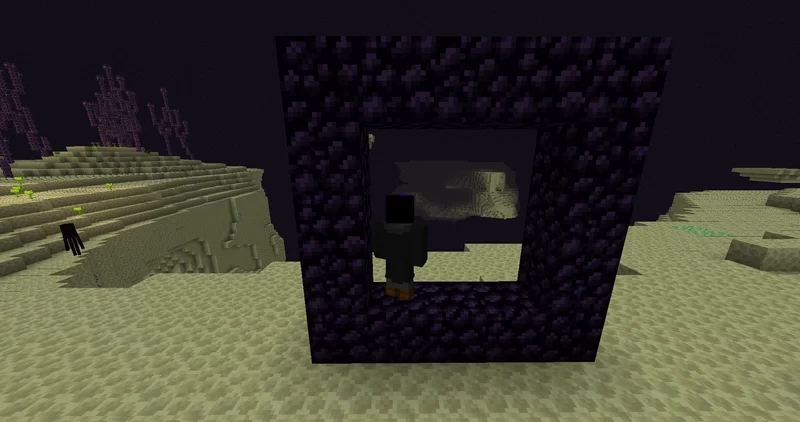
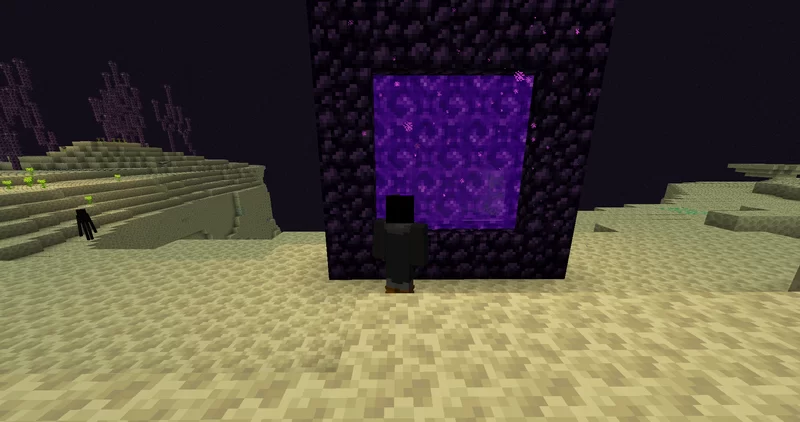
Ever want to have a train that goes from the overworld to the end, and back? Well now you can! Using the command “/trigger CreateTools.EndToNetherPortal”. You can make a nether portal in the end dimension. Trains can go back and forth thru the portal. A more detailed overview on how to use it is here. To open this portal, fist stand in the corner of a obsidian frame, then run the command.
Put Anything in a Seat
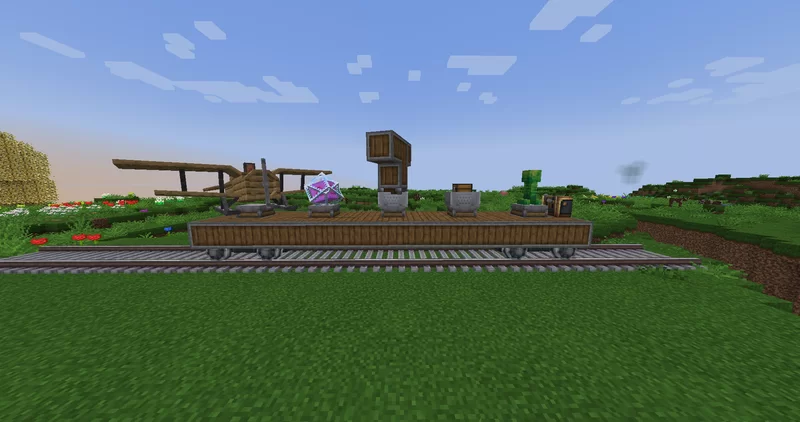
Ever wanted to put weird things onto a contraption, or train? Now you can! Admins can put a blacklist on things, but using the command “/trigger CreateTools.PutOnSeat”. You can select a entity, and put it onto a seat with ease! Simply type in the command, and follow its instructions. You can see a example of this in the images.
Admins?
If you are a admin, you can turn on/off both commands by using the creative mode only command “/trigger op_menu”. You will also see instructions to edit the blacklist for the PutOnSeat Command.
常见问题
Create Mod Tools 支持哪些 Minecraft 版本?
Create Mod Tools 支持 Minecraft Java 版 1.18.2–1.20.1,共 3 个版本,可用的加载器:Fabric / Forge / NeoForge / Quilt。下载时注意选择和你游戏版本一致的文件。
Create Mod Tools 怎么安装?
先用 PCL2 或 HMCL 启动器安装对应版本的 Fabric / Forge / NeoForge / Quilt,再把下载的 .jar 文件放进游戏目录的 mods 文件夹,重新启动游戏即可。开启了版本隔离的,mods 文件夹在 versions/版本名 下面。运行环境:客户端 / 服务端。
Vexxen1 的其他作品
查看全部 →
Vex’s Broken Script
The Broken Script in a casual, but somewhat intresting modpack. With create to enjoy before your world burns.

Timed Wither Storm
This datapack makes the wither storm spawn after an amount of time, instead of the normal house.
Timed Wither Storm
This datapack makes the wither storm spawn after an amount of time, instead of the normal house.
Create Mod Tools
Adds 2 useful commands to help with the create mod. End Trains, and eazy seating to be specific.
评论
登录后评论和评分