
Create: Mixed Casing
Adds new casings and allows to mix the metals and the planks that composes them simply by right-clicking with an ingot or casing plank in hand, also allow to do this on encased blocks/copycats/belts
截图
介绍


Create: Mixed Casing adds new decorative possibility for your create factory/build by allowing you to merge any existing casing metals with any existing casing planks (+ some brand new ones), it also adds new behaviors in base create and other addons to make your experience better, like making application recipe be able to be processed inside encased blocks/belts and copycat/copycat+ with casing in it.
🎞️ SHOWCASE
✨ FEATURES
New Blocks/Items
– (NEW in 1.1.0) Added gearbox for all casing variants
– Add casing variants for each combinaison of metal/plank of create casings (+ for the brand new casings added by this mod)
– Add 6 casing plank items : spruce/dark_oak/acacia/cherry/railway and mixed (made by mixing all the other planks) to change the plank type of a casing
– Add 2 brand new casings : Iron casing and Mixed casing (this one have a cool random texture feature for better pattern)
– Every casing added can encased anything (shaft, cogwheel, large cogwheel, pipe, belt), also any vanilla casing got their missing encased added :
– encased shaft/cogwheel for copper/railway casings
– encased pipe for andesite/brass/railway casings
– encased belt for copper/railway casings
New/Improved Behaviors
– Application recipe that have more than one output now send the additionnal output in player inventory if not full instead of spawn them in the world (fallback to default behavior if the player inventory is full)
– Application recipe can now be processed through encased block, meaning that encased shaft/cogwheel/pipe can be altered (change metal/plank) using the item application recipes of the regular casing.
– Application recipe can now be processed through copycat (and copycat+ if installed), meaning that casing in a copycat can be altered (change metal/plank) using the item application recipes of the regular casing.
– Application recipe can now be processed through belts, meaning that encased belt can have their casing skin altered (change metal/plank) using the item application recipes of the regular casing. (the item is not consumed here since the belt don’t hold any real casing in it)
– The create wrench now have a special Encasing Mode that activate when you have the wrench in main hand and pipes in offhand, this mode allow you to see the encased pipe connection of the wall you look at with a cool overlay, and edit them (or encased new ones) by right clicking on the side you want to connect/disconnect. (Next update will add shaft/cogwheel support for the encasing mode, and a ponder will also be added in the futur for better explanation)
📦 INSTALLATION
– Install Create V6+
– Install Create: Mixed Casing
– Enjoy !
⚙️ CONFIGURATION
– Any behavior added by this mod can be disable independently using the create config menu or forge/neoforge mod menu if you have a mod that centralized configs installed, it is very recommended to let them activated to have the best experience but if it cause any issue with other addons feel free to disable the one that in cause and report the issue in comment so I can fix it ^^
– The mecanic to switch the casing metal/plank just use normal application recipe so you can custom the recipes using datapacks as well.
常见问题
Create: Mixed Casing 支持哪些 Minecraft 版本?
Create: Mixed Casing 支持 Minecraft Java 版 1.20.1–1.21.1,共 2 个版本,可用的加载器:Forge / NeoForge。下载时注意选择和你游戏版本一致的文件。
Create: Mixed Casing 怎么安装?
先用 PCL2 或 HMCL 启动器安装对应版本的 Forge / NeoForge,再把下载的 .jar 文件放进游戏目录的 mods 文件夹,重新启动游戏即可。开启了版本隔离的,mods 文件夹在 versions/版本名 下面。运行环境:客户端和服务端都要装。
Dowar_ 的其他作品
查看全部 →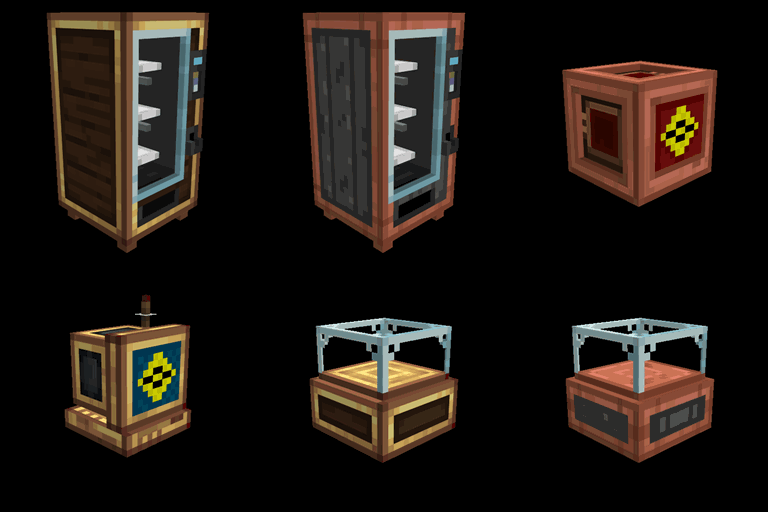
Create Style | Variant Pack for Lightman’s Currency
为 Lightman's Currency 的交易商添加 Create 风格的外观变体(皮肤)

Create: Mixed Casing
Adds new casings and allows to mix the metals and the planks that composes them simply by right-clicking with an ingot or casing plank in hand, also allow to do this on encased blocks/copycats/belts
评论
登录后评论和评分