Create:Filter Peek
作者:StellarVan
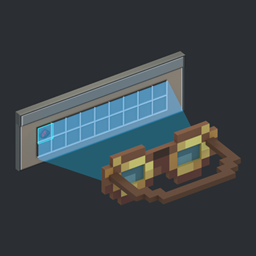
Shows the targeted Create machine's filter below its goggles information while wearing goggles.
介绍
中文介绍正在准备中,下面暂时显示原文。
Create Filter Peek adds filter previews to Create’s Engineer’s Goggles. Wear your goggles and look at a machine to see its filter settings below the existing goggles tooltip, without opening a menu or holding a wrench.
- Item filters: View item icons and names, including the contents of regular Filters.
- Attribute Filters: See the matching mode, attribute conditions, and inverted conditions.
- Package Filters: View the filter icon and address summary.
- See allow/deny list modes, data matching settings, and filter amounts. For machines with per-side filtering, the preview shows the settings for the side you are looking at.
常见问题
Create:Filter Peek 支持哪些 Minecraft 版本?
Create:Filter Peek 支持 Minecraft Java 版 1.20.1–1.21.1,共 2 个版本,可用的加载器:Forge / NeoForge。下载时注意选择和你游戏版本一致的文件。
Create:Filter Peek 怎么安装?
先用 PCL2 或 HMCL 启动器安装对应版本的 Forge / NeoForge,再把下载的 .jar 文件放进游戏目录的 mods 文件夹,重新启动游戏即可。开启了版本隔离的,mods 文件夹在 versions/版本名 下面。
StellarVan 的其他作品
查看全部 →
StellarCreateOptimization
by StellarVan
一款专注于性能优化的模组,适用于机械动力6.0.x,可提升大型工厂中的服务端tick性能、粒子效果、方块实体和光影渲染表现。
6.8万
今天
CurseForge

StellarRTP
by StellarVan
一款轻量、以服务端为主的传送模组,适用于 Fabric 和 NeoForge。添加可靠的 TPA、家、返回和随机传送指令,并支持安全地点检查、冷却时间、倒计时、跨维度传送及原版风格反馈。
6,812
4 个月前
CurseForge

ItemCleaner
by StellarVan
自定义掉落物清理工具,支持定时清理和范围设置
3,200
1 年前
Modrinth · CurseForge
评论
登录后评论和评分