
截图

介绍
Addon for Create’s List Filter on Minecraft 1.21.1 (NeoForge).
Vanilla Create with Respect Data treats items as different if any data component differs. That’s fine until one field you don’t care about — like baby vs adult axolotl in a bucket — blocks everything else from matching.
This mod adds Exclude components to the filter GUI. Turn on Respect Data,
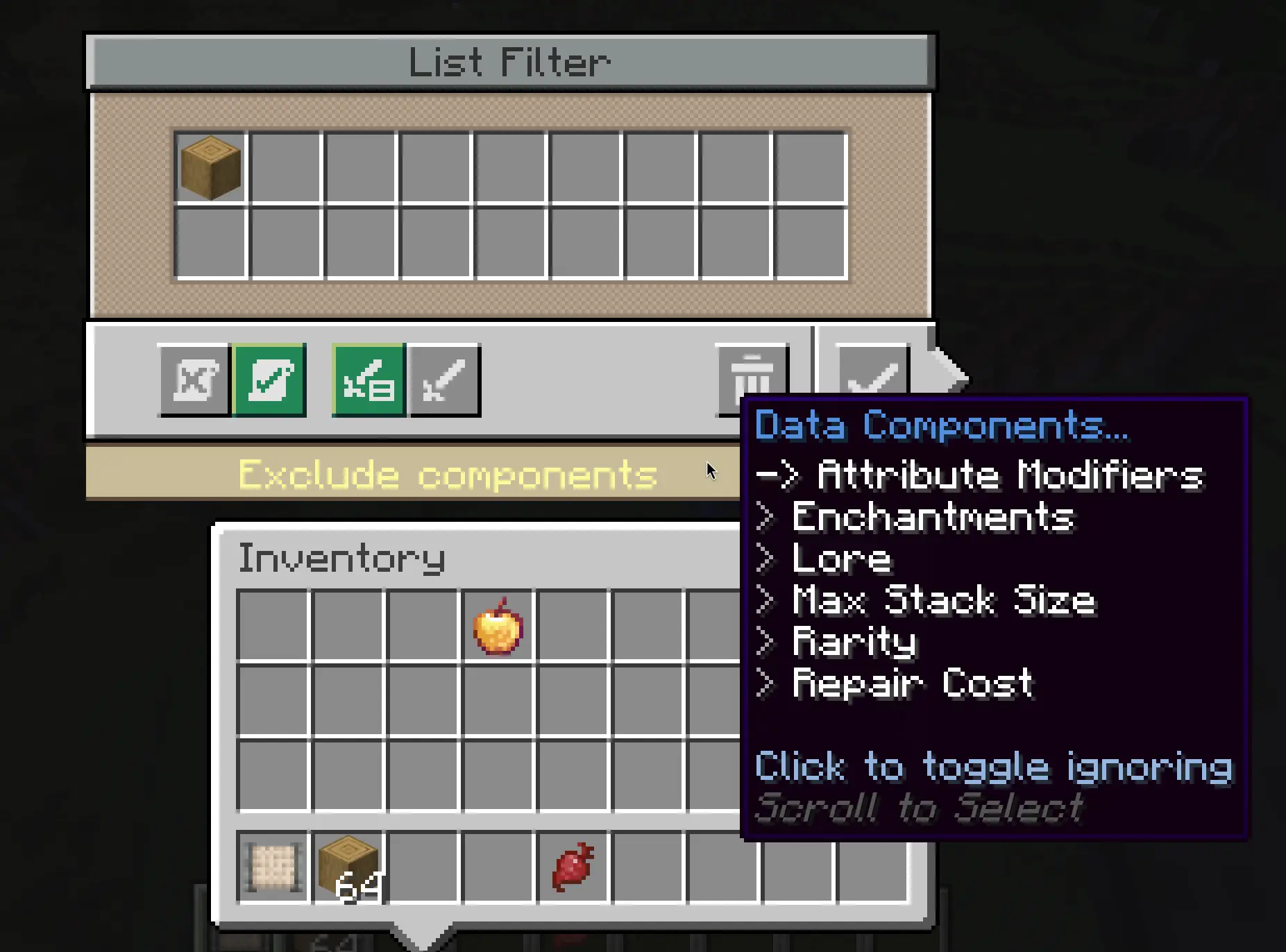
add your reference items, then choose which components (or nested fields inside them) to skip when matching. The rest still counts.
Example: whitelist adult axolotl bucket, exclude Age → baby buckets pass too.
Works in contraptions — funnels, deployers, the usual logistics stuff. Filtering runs on the server side.
Setup
- Minecraft 1.21.1
- NeoForge 21.1+
- Create 6.0.10+
- Multiplayer: install on client and server
How to use
- Open a List Filter, enable Respect Data
- Put reference items in the filter slots
- Click Exclude components at the bottom
- Hover the text, scroll the list, click to toggle exclusions (red strikethrough = ignored)
- Save with the checkmark
Polish UI included.
Source: GitHub
常见问题
Create: Extended Filters 支持哪些 Minecraft 版本?
Create: Extended Filters 支持 Minecraft Java 版 1.21.1,可用的加载器:NeoForge。下载时注意选择和你游戏版本一致的文件。
Create: Extended Filters 怎么安装?
先用 PCL2 或 HMCL 启动器安装对应版本的 NeoForge,再把下载的 .jar 文件放进游戏目录的 mods 文件夹,重新启动游戏即可。开启了版本隔离的,mods 文件夹在 versions/版本名 下面。运行环境:客户端和服务端都要装。
PLvip 的其他作品
查看全部 →
Create: Hearts factory
Automate your vitality! Extract extra hearts from players using Deployers and process them into permanent health upgrades using Create mechanics. Risk included!

Beacon Effect extractor
Adds a new craftable item to add your own effect to beacon
评论
登录后评论和评分