
Create: EasyFilling
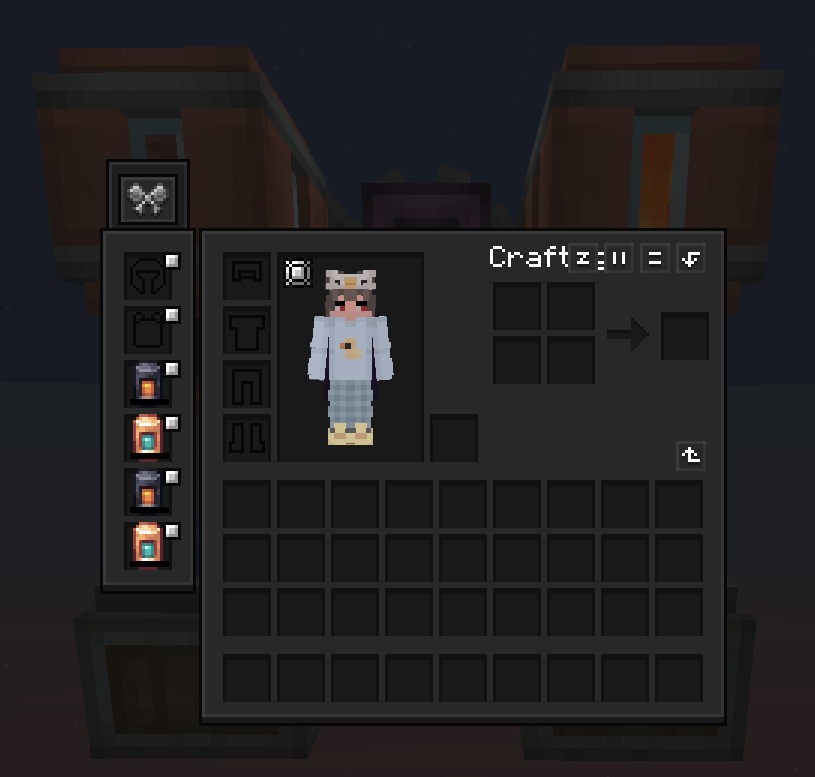
Create: EasyFilling lets you fill CS'NA (Create Stuff 'N Additions) filling tank items directly via the Create Spout. Supports small/medium/large tanks, tooltip friendly, lightweight, server-client compatible.
截图
介绍
🌟 Overview
Ever been building a Create factory and thought: “Why can’t the Create Spout just fill my Create Stuff ’N Additions tanks?” Now it can.
EasyFilling is a tiny, focused add-on that bridges the two mods so your fluid automation stays simple and clean—no weird workarounds.
Place a Spout, feed it the right fluid, hold your CS’NA tank underneath… and watch it fill. That’s it.
✨ Features
- Spout → CS’NA tanks: Full support for
- Small Fueling/Filling Tank
- Medium Fueling/Filling Tank
- Large Fueling/Filling Tank
- Fluids: Water & Lava (more are handled by CS’NA as applicable)
- Tooltips: Titles always visible; extra details when you hold Shift
- Lightweight: No new blocks, no config—just proper fluid capability
- Works great in packs: Client + server friendly, performance-friendly
⚙️ Requirements
- NeoForge 21.1.176
- Create 6.0.6
- Flywheel 1.0.x
- Create Stuff ’N Additions 2.1.0.e
Tested on Minecraft 1.21.1 with the versions above.
🧪 How to Use
-
Craft a CS’NA Fueling/Filling tank (small/medium/large).
-
Put the right fluid in a Create Spout.
-
Hold the tank under the Spout (or pass it through your line). Done.
📦 Modpack Permissions
Go for it. You’re welcome to include EasyFilling in any modpack. A link back is appreciated but not required.
🙌 Credits
Huge thanks to the teams behind Create, Flywheel, and Create Stuff ’N Additions.
常见问题
Create: EasyFilling 支持哪些 Minecraft 版本?
Create: EasyFilling 支持 Minecraft Java 版 1.20.1–1.21.1,共 2 个版本,可用的加载器:Forge / NeoForge。下载时注意选择和你游戏版本一致的文件。
Create: EasyFilling 怎么安装?
先用 PCL2 或 HMCL 启动器安装对应版本的 Forge / NeoForge,再把下载的 .jar 文件放进游戏目录的 mods 文件夹,重新启动游戏即可。开启了版本隔离的,mods 文件夹在 versions/版本名 下面。
dypiduo 的其他作品
查看全部 →
Create: EasyFilling
Create: EasyFilling lets you fill CS'NA (Create Stuff 'N Additions) filling tank items directly via the Create Spout. Supports small/medium/large tanks, tooltip friendly, lightweight, server-client compatible.

Easy Slice Portal
1-block-tall, farm-friendly Nether portals (1–21 wide). Sneak + Flint & Steel. Pure vanilla teleport. 1.21

Bulk Crafting
Skip intermediate crafting steps, like crafting Chests directly from Logs! Check the Gallery tab for more details and recipes.
评论
登录后评论和评分