
Create Cursor Anchor Fix
Fixes cursor positioning in Create mod's settings screen on Linux Wayland/X11 via mixins with anchor-offset model.
截图
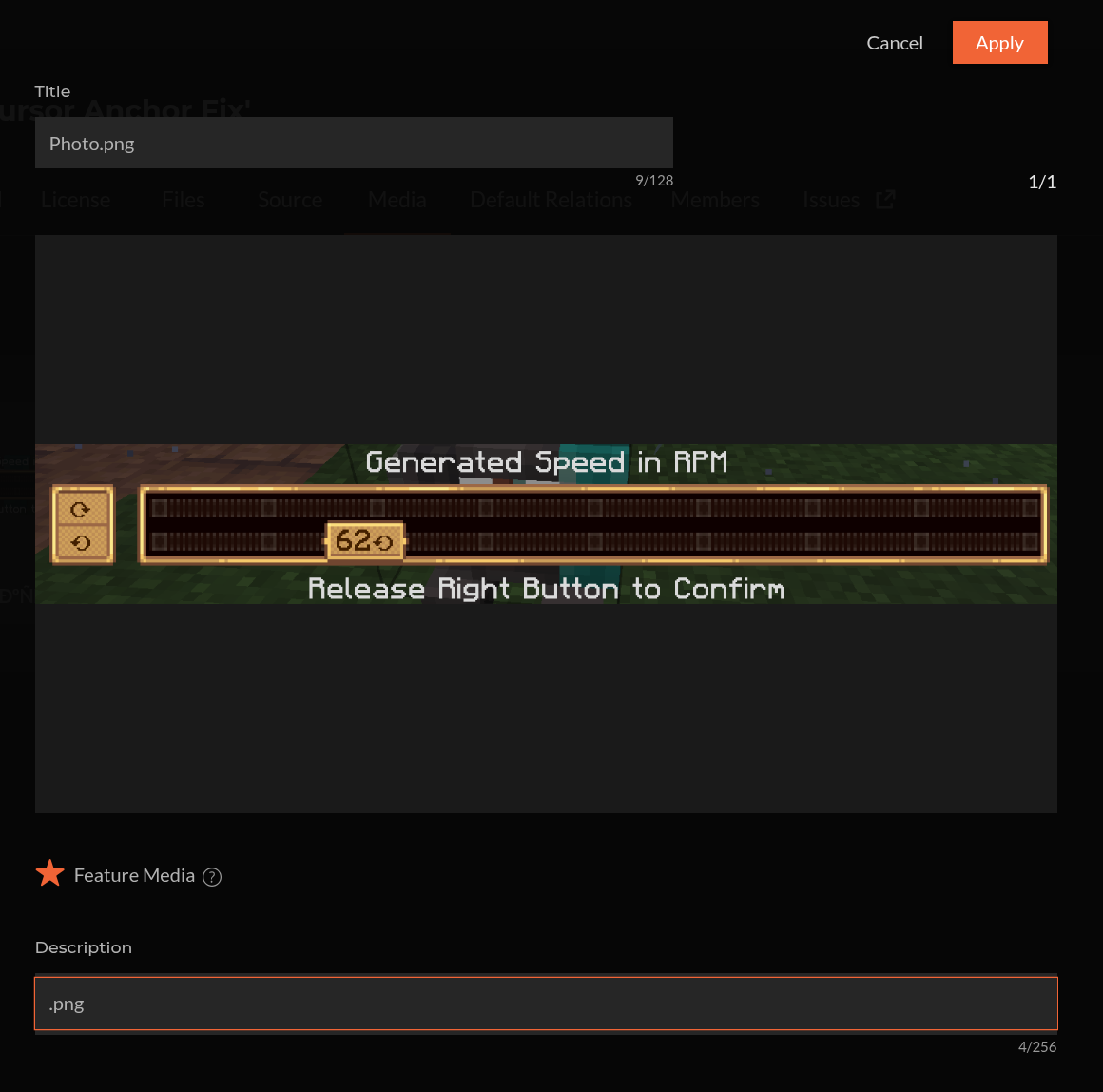
介绍
Create Cursor Anchor Fix
Fixes the cursor in Create’s value settings screens on Linux — including native Wayland.
When you open a Create value settings window (Rotation Speed Controller, creative motors, anything
using ValueSettingsScreen), Create warps the OS cursor onto the current value and reads it back
to decide which value you picked. On Linux that breaks:
- X11 / XWayland — Minecraft sometimes hands Create stale cursor coordinates, so the wrong value gets saved.
- Native Wayland — the compositor forbids moving a visible cursor, so the warp does nothing and the value snaps to zero / a wrong number.
This client-side mod fixes both.
What it does
- X11 / XWayland — feeds Create the live cursor position, so the saved value always matches where your cursor is.
- Native Wayland — uses an anchor/offset model instead of relying on the (forbidden) cursor warp. The value highlight lands on the current setting when the screen opens and follows your mouse relatively, with no cursor teleporting. While the screen is open the system cursor is hidden and the highlight itself acts as the pointer — so there is no mismatch between an un-movable arrow and the highlight (this also fixes setups using cursor-pinning GLFW patches like
glfw-wayland-minecraft-cursor).
Power Grid compatibility
Power Grid’s settings screens subclass Create’s screen and override the save logic to read the
slider/cursor on their own, so the base fix doesn’t reach them and they’d still save the raw
cursor position. This mod includes a compatibility layer that applies the same correction to Power
Grid’s screens, so values save correctly there too. Power Grid is not required — the compat
layer is skipped automatically when it isn’t installed.
Requirements
- Minecraft 1.21.1
- NeoForge 21.1.219+
- Create 6.0.9+ (tested on 6.0.10)
Client-side only — not needed on the server.
Open source
Clean-room implementation, MIT licensed. Source, issues and builds:
https://github.com/LowaSC/create-cursor-anchor-fix
常见问题
Create Cursor Anchor Fix 支持哪些 Minecraft 版本?
Create Cursor Anchor Fix 支持 Minecraft Java 版 1.21.1,可用的加载器:NeoForge。下载时注意选择和你游戏版本一致的文件。
Create Cursor Anchor Fix 怎么安装?
先用 PCL2 或 HMCL 启动器安装对应版本的 NeoForge,再把下载的 .jar 文件放进游戏目录的 mods 文件夹,重新启动游戏即可。开启了版本隔离的,mods 文件夹在 versions/版本名 下面。运行环境:仅客户端。
评论
登录后评论和评分