Create: Brew n’ Bolts
Create: Brew n' Bolt is a compatibility mod between Create and the Farmer's Delight addon Brewin' & Chewin'.
截图
介绍

About:
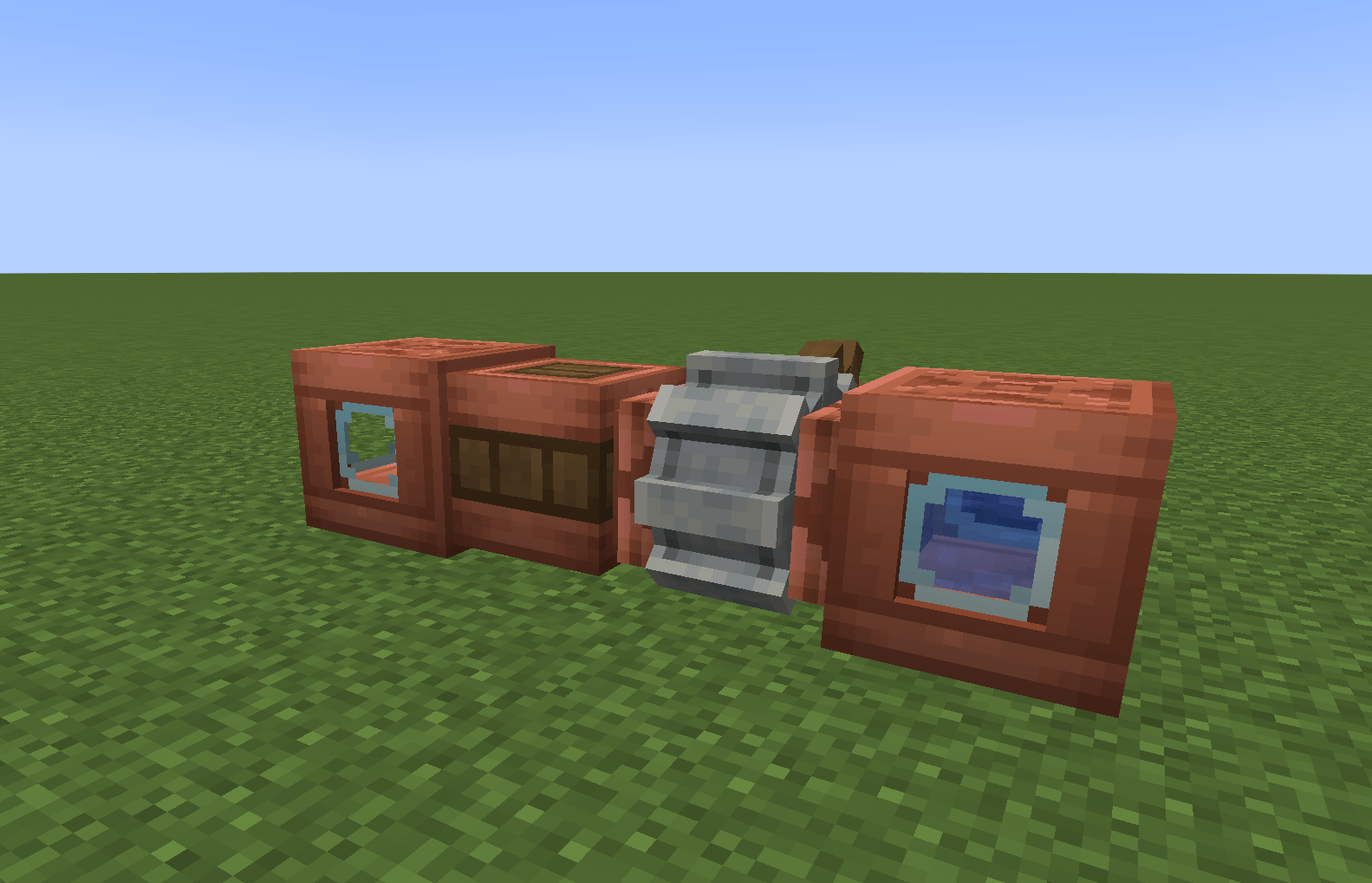
Create: Brew n’ Bolts is an addon for Brewin’ And Chewin’ and Create that brings Create’s automation to brewing. Fill and empty Tankards with spouts and drains, pipe drinks around, and run a whole brewery with the AutoKeg.
Current Content:
- Tankards can be filled by a Spout and emptied by an Item Drain, for every drink.
- Every drink, plus Flaxen and Scarlet Cheese, can be placed in the world and carried in a bucket. Buckets also work in dispensers.
- Swimming in a drink makes you Tipsy, and the longer you stay in, the stronger it gets. Drowning in one goes straight to Tipsy X.
- Two new drinks:
 Chorus Cosmo, a purple vodka cocktail.
 Cogbrew Pint, which grants Engineer’s Insight, so you can see Create’s goggle info without wearing goggles.
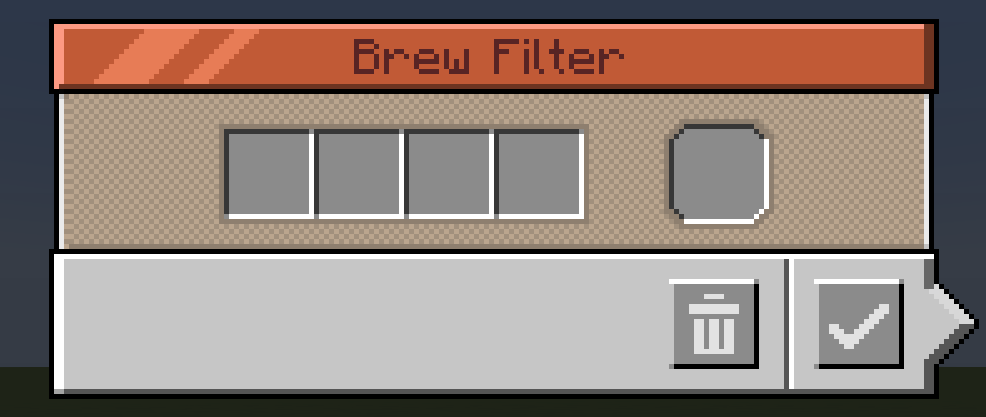
- Brew Filter: a filter that sets a Keg recipe, with four ingredients and a base fluid.
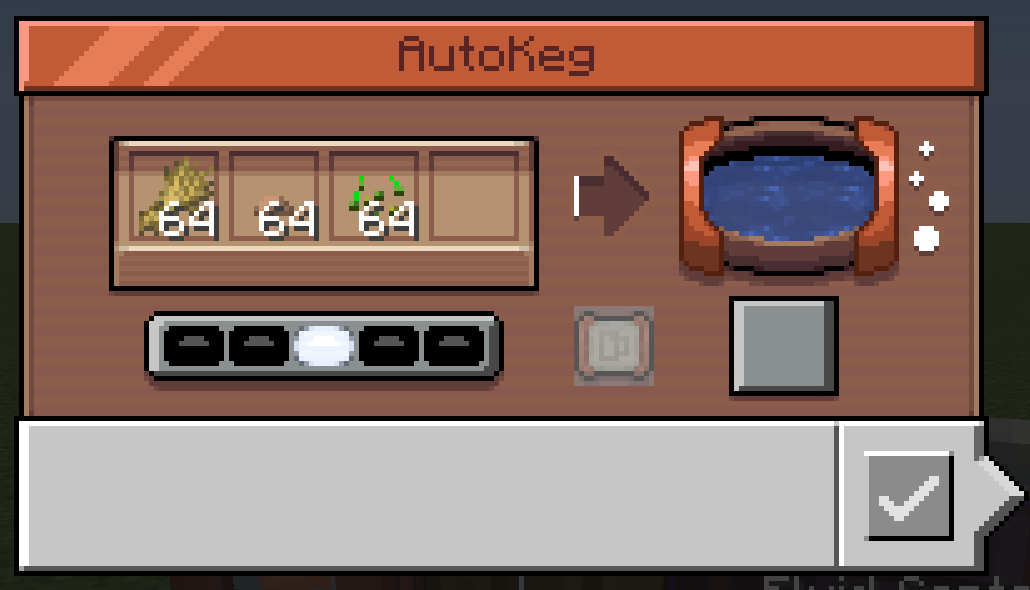
- AutoKeg: a Keg built for automation. It’s made from a Keg and two copper sheets.
- It mounts onto a fluid tank and drains each finished drink straight into it. Without a tank, the drink waits to be pumped out.
- With a Brew Filter in its screen, it only accepts that recipe’s ingredients and fluid, so funnels, hoppers and pipes can feed it from any side.
- A temperature regulator slot holds 1 to 3 Ice Crates or Heating Casks, so you don’t have to surround the keg with them.
- Drinks only leave through pipes, pumps or the attached tank, never by hand.
- JEI shows the AutoKeg as a Keg workstation.
Requirements:
- NeoForge 1.21.1
- Create
- Brewin’ And Chewin’
- Farmer’s Delight
Credits:
- Development: thegalaxydev
- Design: DuncanImperium
常见问题
Create: Brew n’ Bolts 支持哪些 Minecraft 版本?
Create: Brew n’ Bolts 支持 Minecraft Java 版 1.21.1,可用的加载器:NeoForge。下载时注意选择和你游戏版本一致的文件。
Create: Brew n’ Bolts 怎么安装?
先用 PCL2 或 HMCL 启动器安装对应版本的 NeoForge,再把下载的 .jar 文件放进游戏目录的 mods 文件夹,重新启动游戏即可。开启了版本隔离的,mods 文件夹在 versions/版本名 下面。
thegalaxydev 的其他作品
查看全部 →
BCG SMP Core
BigChadGuys SMP 的核心模组

Createcraft RPG
Createcraft is a medium MMORPG tech-based modpack that utilizes the Mine and Slash mod and similar mods to create a unique RPG experience.

Ultimate Evolved
Ultimate Evolved is a fork of FTB's Ultimate Reloaded, created with the purpose of extending the playtime (and difficulty) of the modpack.

Galaxy’s Beehive
This is a compilation of voted mods for a server that I run. It includes a slew of tech, magic, and adventure mods.
评论
登录后评论和评分