
Create: Autonavigation
Autonavigation allows you to steer your ships with greater mobility, without being tethered to magnetite. Compatibility with Create: Radar!
截图
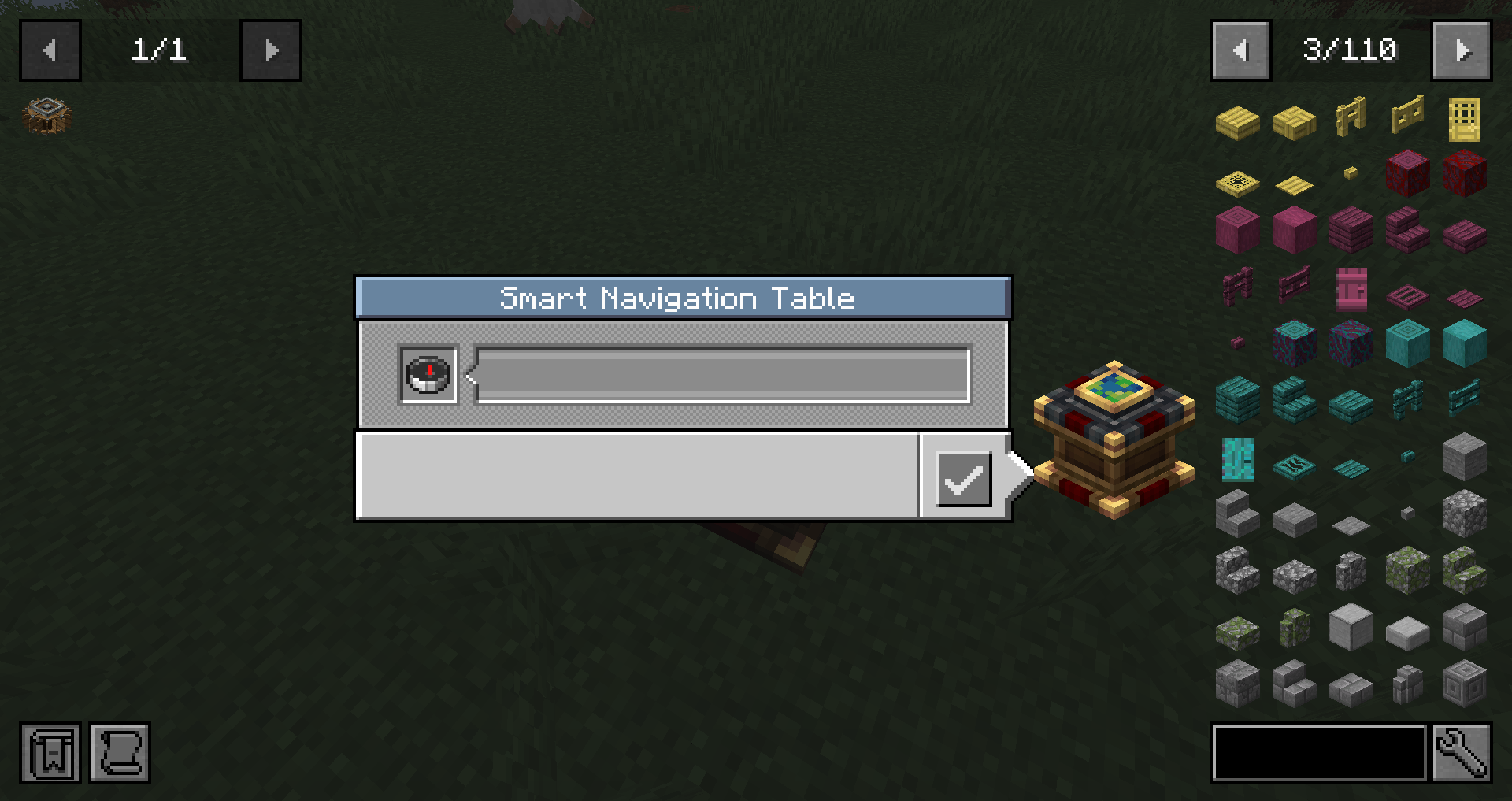
介绍
Overview:
Create: Autonavigation Radar!
Create: Autonavigation + Create: Radar
In the new update, you can aim Sable contraptions directly at radar targets. To do this, connect the Smart Navigation Table to a radar network.
Create: Radar is required for this feature.
Create: Autonavigation is a lightweight addon for Create and Create: Aeronautics.
It introduces the Smart Navigation Table, an upgraded version of the navigation table designed for easier and more flexible autopilot control. Instead of manually preparing a compass and relying on magnetite, you can enter target coordinates directly in the table’s built-in GUI and guide your craft more comfortably.
This makes navigation much smoother for flying, driving, and sailing machines built around Create: Aeronautics. The mod keeps the familiar idea of the original navigation table while extending it with direct coordinate input for faster route setup and better mobility.
Current features: Smart Navigation Table with built-in coordinate input, no magnetite requirement, no manual compass setup, and more convenient autopilot targeting for Aeronautics vehicles.
Examples of Using the Smart Navigation Table
You can build military auto-guiding contraptions, equip your airships and airplanes with more reliable navigation systems, and prepare coordinate-based control for flying, driving, or sailing vehicles.
It can be used for combat craft, scouting machines, transport vehicles, and large moving builds that need fast and repeatable route control. Whether you are setting up an airship patrol route, guiding a strike craft, or building autonomous redstone-assisted navigation systems.
Gameplay Note
This add-on does not use a visible pointer arrow.
Navigation is handled solely via Redstone signals and coordinate-based orientation. This will be fixed in future versions.
CC: Tweaked Compatibility
The Smart Navigation Table can be used as a CC: Tweaked peripheral. Connect a computer directly to the table or through a wired modem, then find it as smart_navigation_table. You can set manual coordinates, read the current target, and check the table’s status from a Lua program.
| Method |Description |
| —————————– |———————————————————————————– |
| setTargetCoordinates(x, y, z) |Sets a manual target using integer coordinates |
| clearTarget() |Clears the manual target |
| getTargetCoordinates() |Returns the current target as {x, y, z}, or nil if there is no target |
| getManualTarget() |Returns the saved manual target, even when connected to a radar network |
| getStatus() |Returns the current mode (idle, manual, or radar) and whether a target is available |
| getPosition() |Returns the table’s position in the world |
| getPointerAngle() |Returns the pointer angle |
| getRedstoneOutputs() |Returns the calculated signals for each direction |
\\\`lua local nav = peripheral.find(“smart\_navigation\_table”) nav.setTargetCoordinates(120, 80, -45) print(textutils.serialize(nav.getTargetCoordinates()))
Requirements: Create and Create: Aeronautics.
Disclaimer
Part of the mod was created using artificial intelligence.
常见问题
Create: Autonavigation 支持哪些 Minecraft 版本?
Create: Autonavigation 支持 Minecraft Java 版 1.21.1,可用的加载器:NeoForge。下载时注意选择和你游戏版本一致的文件。
Create: Autonavigation 怎么安装?
先用 PCL2 或 HMCL 启动器安装对应版本的 NeoForge,再把下载的 .jar 文件放进游戏目录的 mods 文件夹,重新启动游戏即可。开启了版本隔离的,mods 文件夹在 versions/版本名 下面。运行环境:客户端和服务端都要装。
评论
登录后评论和评分