介绍
# Ambush Safe Zone
**An unofficial addon for Create Aeronautics: AMBUSH** (linked under Relations).
Not affiliated with or endorsed by the AMBUSH author.
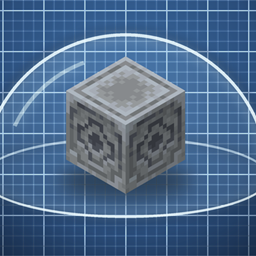
Tired of getting shelled in your own living room? Place a **lodestone** in your base, and AMBUSH ship cannons will not target you anywhere within **32 blocks** of it. Standing in an active **beacon’s** range works too.
## How it works
– **Place a lodestone.** You’ll get a chat message confirming the safe zone is active.
– **Break it** and the safe zone is gone.
– Stand anywhere within the radius and no AMBUSH ship cannon will pick you as a target — big cannons, autocannons, swivel turrets, all of them.
– **Beacons count too:** anywhere an active beacon gives you its effects, you’re safe (turn this off in the config if you like).
– **No shots from ships you can’t see:** a ship cannon only targets you if nothing solid is between the ship and your eyes. Hills, walls, roofs and **leaves** hide you; glass and water don’t.
– **Ships lose track of you:** within 64 blocks, a ship that hasn’t seen you for 10 seconds stops following you and holds where it is – go underground and it won’t park above you. Further out, ships still head for your general area.
– **TNT that can’t reach you fizzles:** TNT dropped by an AMBUSH ship only explodes if a player is within 10 blocks of its height, so ships can’t crater the surface above your tunnels. Your own TNT is never touched.
– **Goat horn = come and get me:** blow any vanilla goat horn and every hostile ship is alerted to your position for 2 minutes. Safe zones and line of sight still protect you.
– Ships still fly, fight each other, and shoot at you the moment you step outside. This protects *you in your base*, not the whole world.
## Commands
| Command | What it does |
|---|---|
| `/safezone` | Tells you whether you’re protected right now, and whether the mod hooked into AMBUSH correctly |
| `/safezone debug` | Toggles an on-screen notice whenever line of sight stops a ship from targeting you (shows the blocking block) |
| `/safezone scan` | Registers lodestones that were placed **before** you installed the mod (within 16 blocks of you) |
## Configuration
Edit it in game (**Mods → Ambush Safe Zone → Config**, with Catalogue or any config-menu mod; changes apply instantly) or in `config/ambush_safezone-common.toml`.
| Setting | Default | |
|---|---|---|
| `radius` | `32` | Protected radius around each marker, **1–50 blocks**. The zone is a **sphere** — it reaches the same distance up, down and sideways |
| `markerBlock` | `minecraft:lodestone` | Any block ID can be the marker |
| `beaconsAreSafeZones` | `true` | An active beacon’s effect range also counts as a safe zone |
| `requireLineOfSight` | `true` | Ship cannons only target you with a clear line of sight (terrain, solid blocks and leaves block it; glass and airship hulls don’t) |
| `trackSightRange` | `64` | Within this many blocks, a ship stops following you if it hasn’t seen you for 10 seconds. `0` = off |
| `tntHeightWindow` | `10` | Ship TNT only explodes within this many blocks of a player’s height (64 blocks sideways). `0` = off |
| `hornAlertSeconds` | `120` | How long a goat horn alerts every hostile ship to you. `0` = off |
## Requirements
– Minecraft **1.21.1**, **NeoForge**
– **Create Aeronautics: AMBUSH 1.1.6 or newer**
**Server-side only.** On a multiplayer server, only the server needs it; players can join without installing it (install it on the client too if you want the in-game config screen). In singleplayer, just drop it in your mods folder.
## Good to know
– Covers AMBUSH **ship cannons and TNT ships**. Crossbow and musket crew aboard the ships use normal mob AI, so close the windows.
– If a future AMBUSH update changes the code this hooks into, the game **won’t crash** — `/safezone` will simply report `Hook: NOT APPLIED` until the addon is updated.
—
MIT licensed. Contains no AMBUSH code.
常见问题
Create: Ambush Safezones 支持哪些 Minecraft 版本?
Create: Ambush Safezones 支持 Minecraft Java 版 1.21.10,可用的加载器:NeoForge。下载时注意选择和你游戏版本一致的文件。
Create: Ambush Safezones 怎么安装?
先用 PCL2 或 HMCL 启动器安装对应版本的 NeoForge,再把下载的 .jar 文件放进游戏目录的 mods 文件夹,重新启动游戏即可。开启了版本隔离的,mods 文件夹在 versions/版本名 下面。
评论
登录后评论和评分