
Create: Aeroworks
A collection of addons for Create Aeronautics with blocks such as the gyroscope, joystick, and more!
介绍
Create: Aeroworks

An addon for Create: Aeronautics that adds a suite of various blocks for your airships.
Available blocks:
- Gyroscope
- Joystick
Planned blocks:
- Advanced Gyroscope (allows arbitrary target orientation)
- Mini Gyroscope
- Joystick + Keyboard Input
- Handheld Joystick
- Modular Controller
Keep Your Ship Level
The Gyroscope is a spinning flywheel that stabilizes your ship upwards. Mount one anywhere on your contraption and supply it with rotational energy. The gyroscope stabilization scales with input RPM. Multiple gyroscopes can be used to stabilize larger ships!
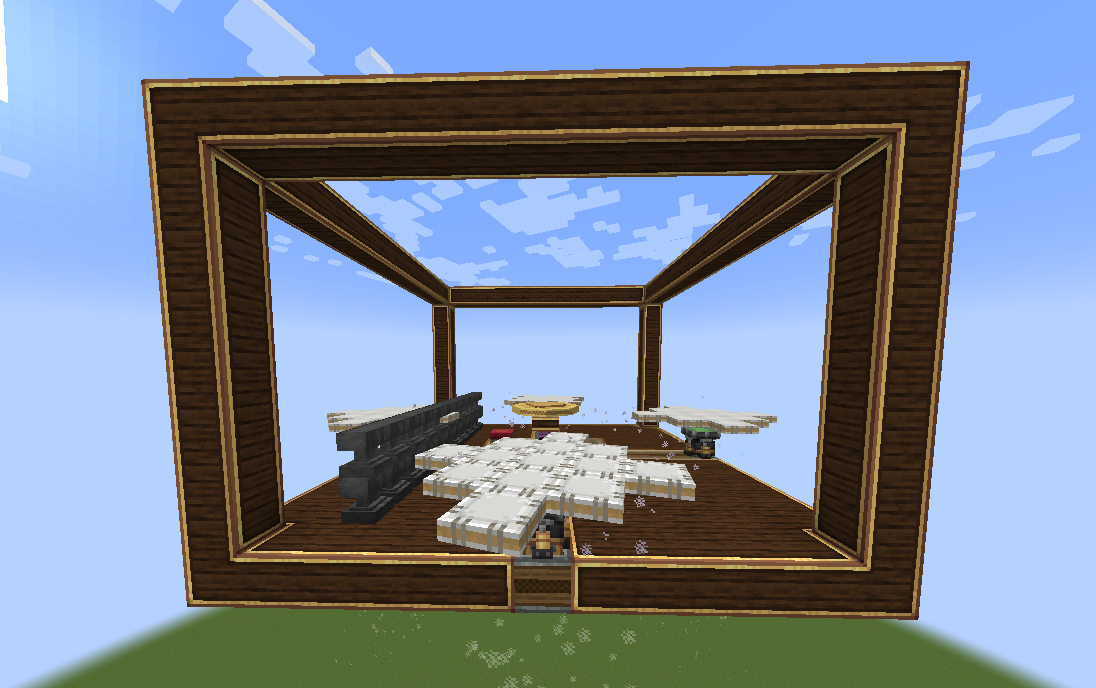
A tooltip is provided to provide insight to the gyroscopic stabilization.
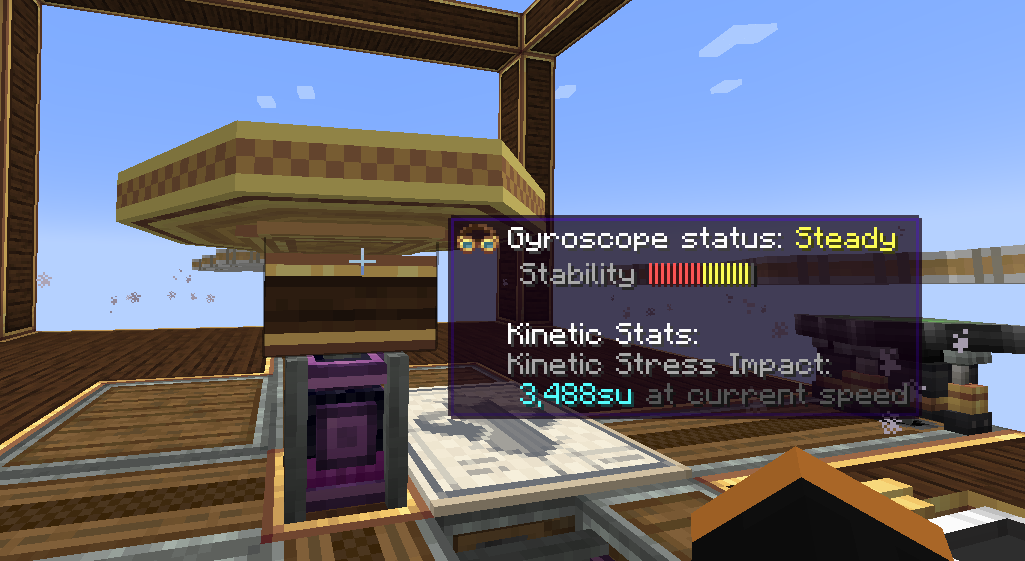
Explanation of Gyroscope status:
- Off -> Self explanatory. The gyroscope is off.
- Unstable -> The gyroscope is unable to stabilize your ship with the input RPM or number of gyroscope
- Steady -> Your ship can be stabilized with the current gyroscope(s) configuration. However, more power or gyroscopes is necessary to make your ship perfectly level.
- Level -> Your ship is level (< 2°) with respect to the world with the current gyroscope(s) configuration.
Configurable axis “stiffness”:
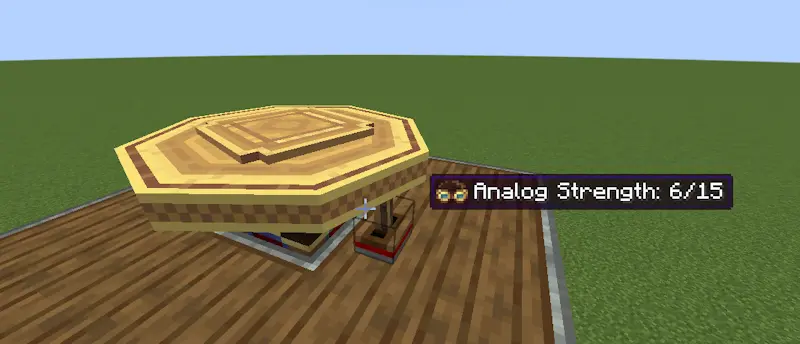
Applying an analog redstone signal to the side of a gyroscope reduces the corrective forces applied by the gyroscope along that axis. The axis is fully unlocked at max redstone strength:
The tooltip is updated to reflect the current corrective force as “stiffness”:
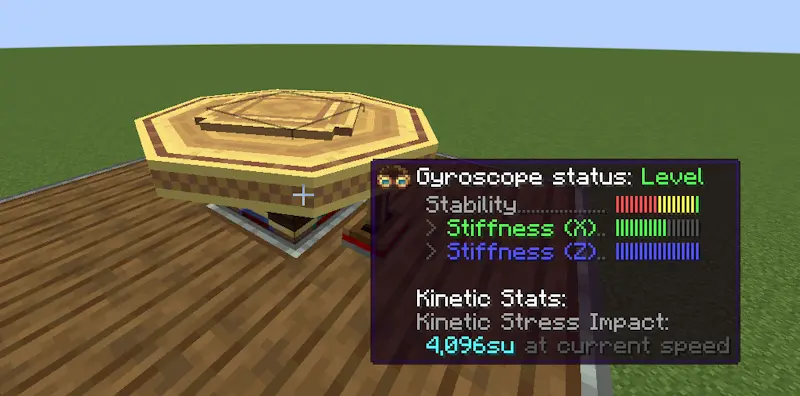
This allows you to roll and pitch your ship but then bring the ship back to level when you’re done maneuvering.
Joystick
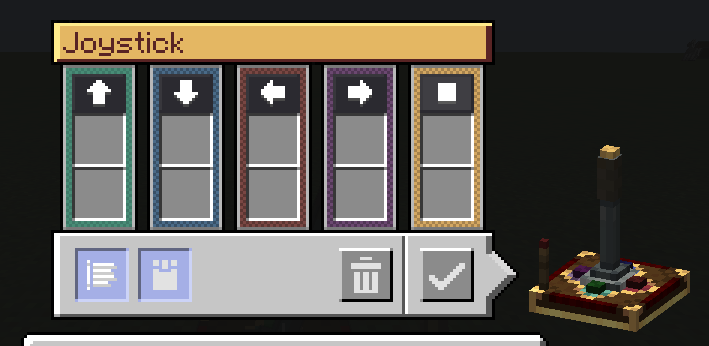
The Joystick allows you to control your ship along 2 axes. A redstone signal (0-15) is output per direction the stick is tilted towards. For simplicity, the joystick outputs the redstone signal on configurable redstone link frequencies. An extra button is provided for extra controllability.
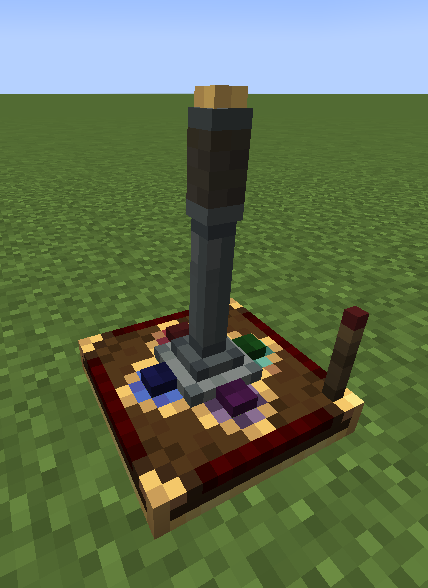
A redstone input can be provided to lock the orientation of the joystick:
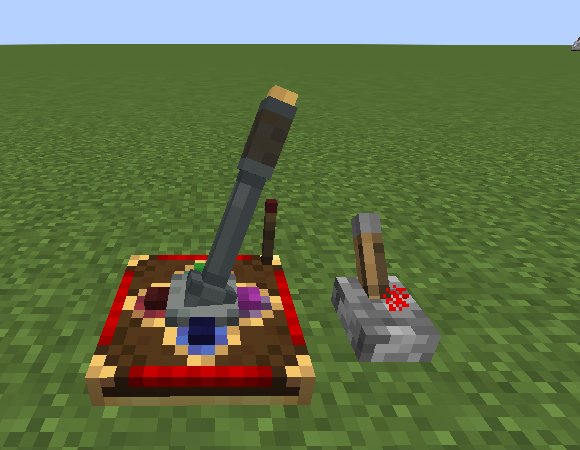
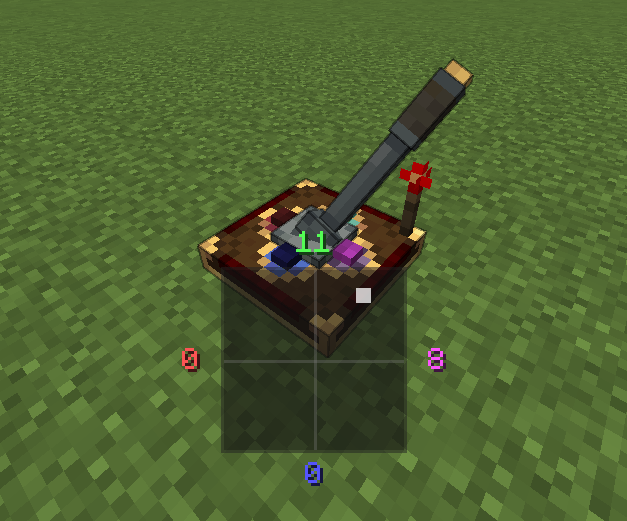
An on-screen HUD displays the current Joystick output when being controlled:
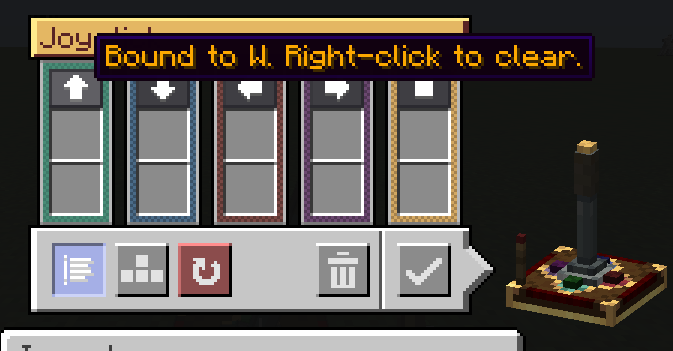
A configurable UI is provided for configuring the redstone link frequencies:
Keyboard mode is also available with a toggleable snapback mode:
Modular Controls
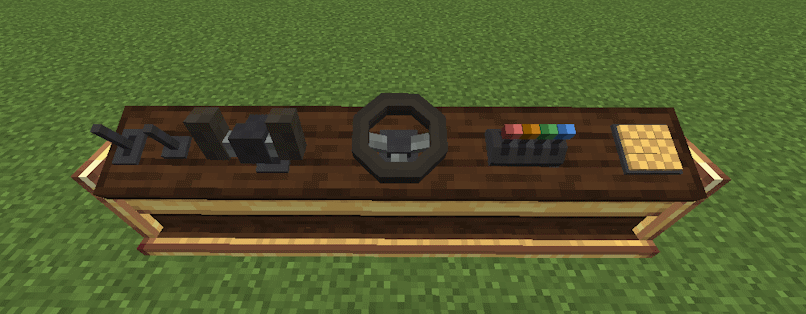
The console desk allows you to mix and match control modules to create the perfect cockpit or helm for your ship.
Current supported control modules:
- Lever
- Joystick
- Button
- Steering Wheel
- Yoke
- Throttle Quadrant
Dependencies
- NeoForge 21.1.225+
- Create 6.0.0+
- Create: Aeronautics 1.0.3+
常见问题
Create: Aeroworks 支持哪些 Minecraft 版本?
Create: Aeroworks 支持 Minecraft Java 版 1.21.1,可用的加载器:NeoForge。下载时注意选择和你游戏版本一致的文件。
Create: Aeroworks 怎么安装?
先用 PCL2 或 HMCL 启动器安装对应版本的 NeoForge,再把下载的 .jar 文件放进游戏目录的 mods 文件夹,重新启动游戏即可。开启了版本隔离的,mods 文件夹在 versions/版本名 下面。运行环境:客户端和服务端都要装。
mred231 的其他作品
查看全部 →
Create: Aeroworks
A collection of addons for Create Aeronautics with blocks such as the gyroscope, joystick, and more!
CraftToMuck: Aeronautics
This is a testing modpack for the CraftToMuck network. This modpack is built around Create Aeronautics, designed to explore and stress-test multiplayer performance in a modded environment.
评论
登录后评论和评分