
Create: Addon Organizer
Create Addon organiser (Or CAO for short) makes create addons get sorted into the main "Create" tab in a style similar to create aeronautics, with tons of customisability.
介绍
Why isnt there artworks for everything?
banner artwork dosent span to every addon / mod available as all banners are community made.
- if you want to contribute banner art, create a PR or join the Discord and make a post.
- if you want to request banner art, make a Feature request titled with (banner request(s)) and explain what banner you want made and a contributor might pick it up and make it. you can also ask in the Discord.

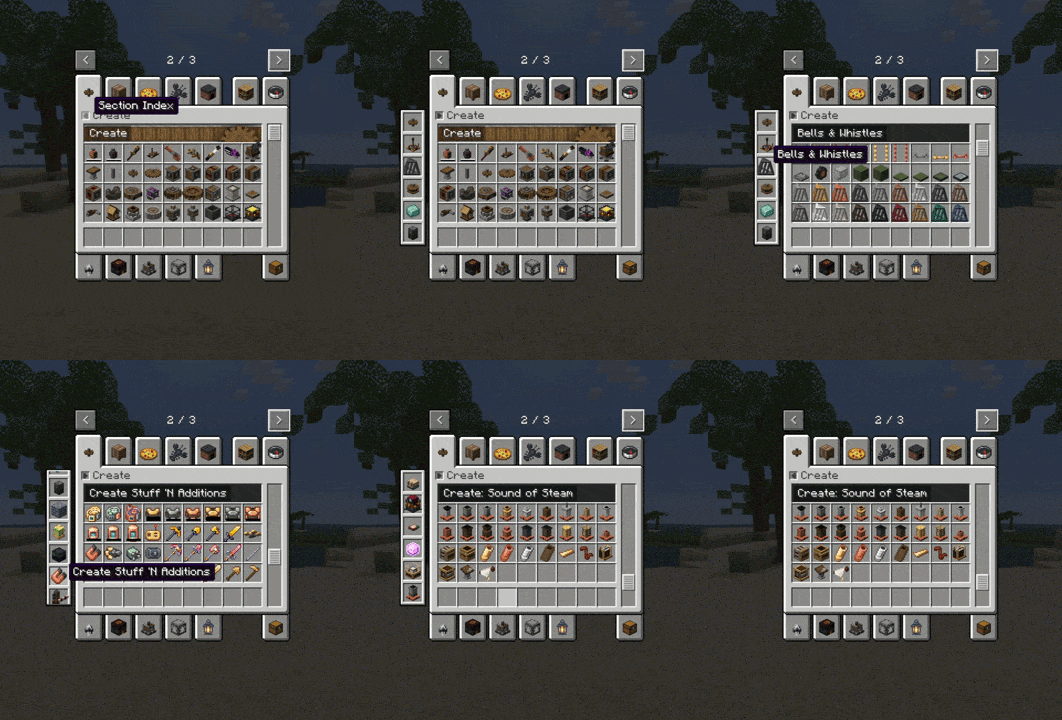
Have you ever been in creative mode with a ton of create mod addons and found it annoying that EVERY SINGLE ONE has its own tab? well, Worry no more! CAO sorts every create addon into sections contained within the base “Create” tab, and the “Create’s Building Blocks” tab. it also leaves create aeronautics untouched.
<details>
<summary>Before vs after</summary>
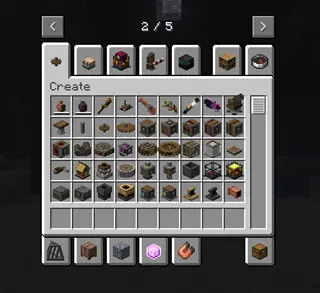
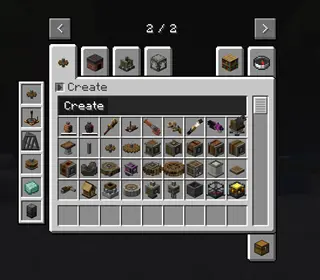
</details>
As you can see, it reduces the clutter a ton.
But not only does it look good naitively, it supports a TON of customization via the mod’s config screen!
You can change
- The banner’s color
- The contrast box’s color & transparency
- The text color
- a 2-tone option that looks like the create aero tab
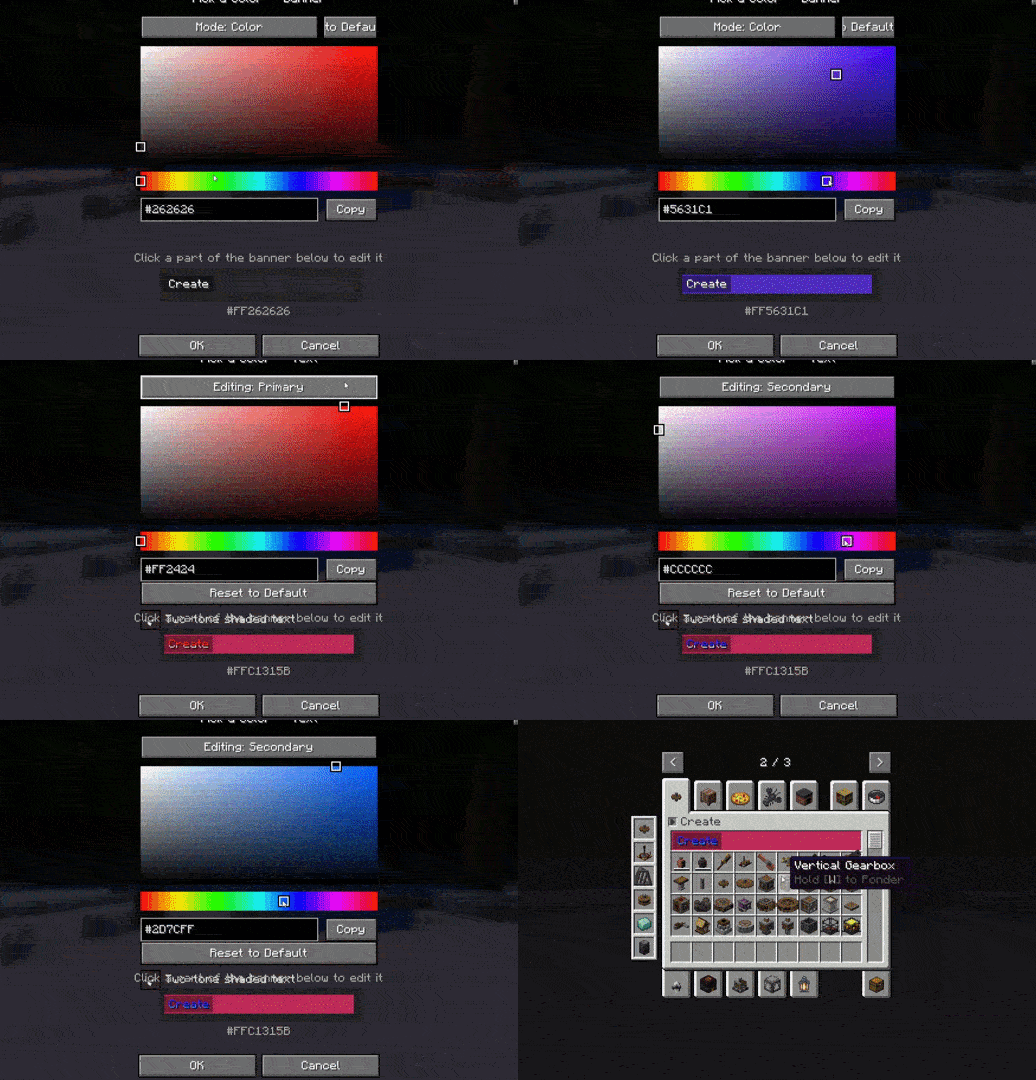
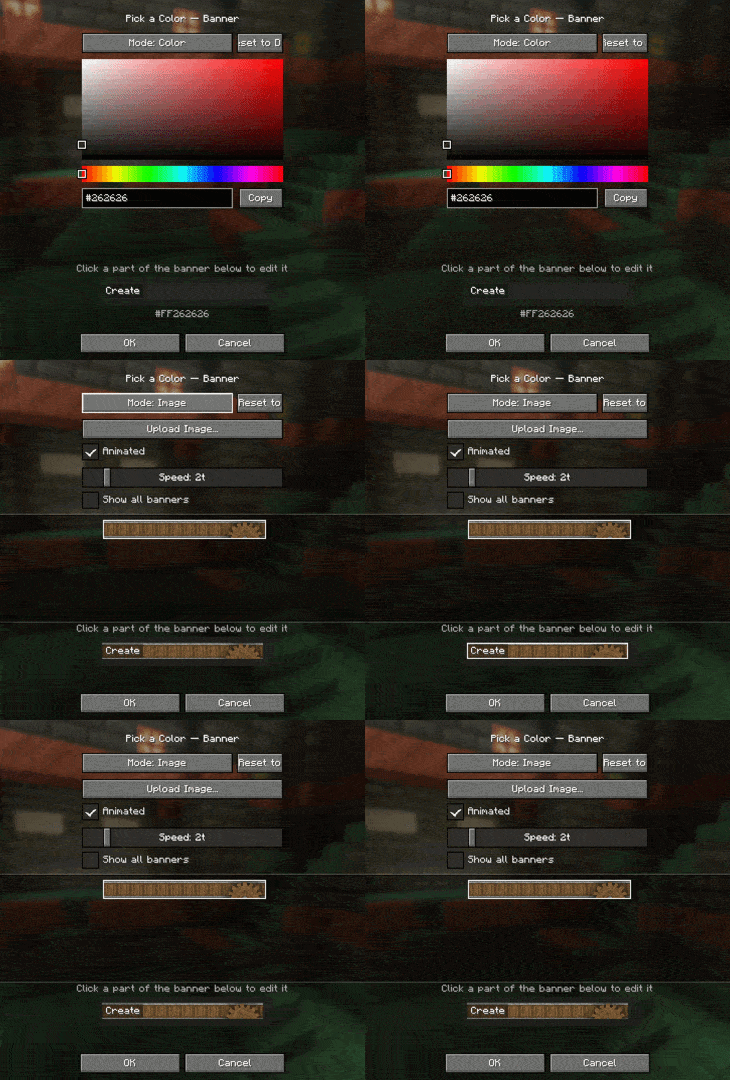
And if you dont want a color for the tab section, you can upload your own image! it has to be 160×17, and the mod also has full vanilla texture animation support (just like create aero!)
If you have a lot of addons, there is a built in sidebar that allows you to quickly jump to them!
Links
- Issue Tracker — found a bug or have a feature request? Report it here.
- Discord — join the community for support, update notifications, or if you want to share banner art!
- ☕ Ko-fi — support development.
常见问题
Create: Addon Organizer 支持哪些 Minecraft 版本?
Create: Addon Organizer 支持 Minecraft Java 版 1.21.1,可用的加载器:NeoForge。下载时注意选择和你游戏版本一致的文件。
Create: Addon Organizer 怎么安装?
先用 PCL2 或 HMCL 启动器安装对应版本的 NeoForge,再把下载的 .jar 文件放进游戏目录的 mods 文件夹,重新启动游戏即可。开启了版本隔离的,mods 文件夹在 versions/版本名 下面。
评论
登录后评论和评分