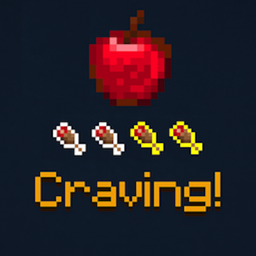
Crave & Feast
Reworks hunger to reward food diversity. Crave one food for double nutrition; overeating reduces gains.
截图
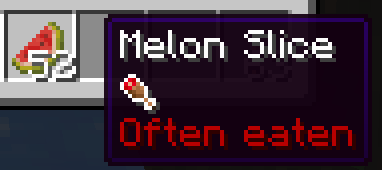
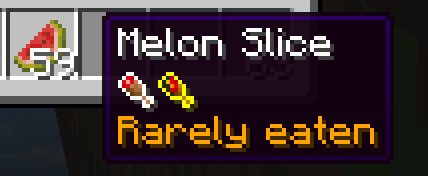
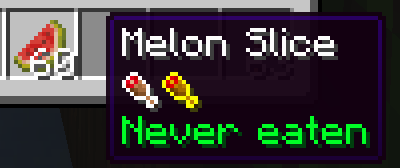

介绍
🥐 Crave & Feast
Make food diversity finally matter.
Crave & Feast redesigns Minecraft’s hunger system to reward variety and discourage repetition.
Modrinth link: https://modrinth.com/mod/crave-and-feast

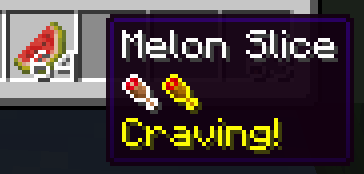
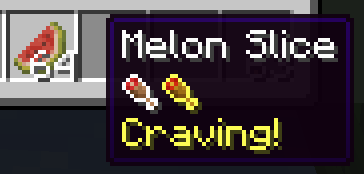
Each player has one food they crave. Eating that food gives 2× hunger and saturation, while eating the same thing repeatedly provides reduced benefits. This makes survival gameplay more balanced and flavorful — no more living on steak forever.
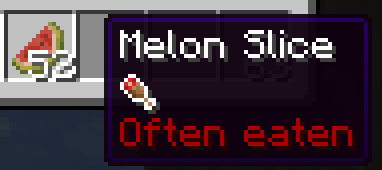
⚙️ Default Gameplay Rules
All values are configurable in config/crave_and_feast.json. Here’s how the defaults work:
| Rule | Condition | Multiplier | Meaning |
|---|---|---|---|
| 🍗 Craving food | Current craving item | × 2.0 | Always gives double nourishment and saturation |
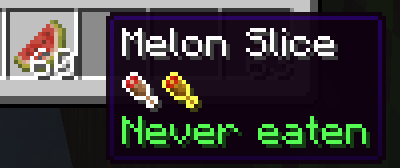
| 🥩 First time eating a food | Eaten ≤ 0 times | × 2.0 | “Never eaten” — strongest bonus for new foods |
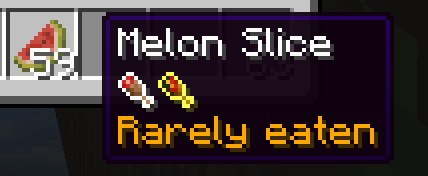
| 🍞 Rarely eaten food | Eaten ≤ 7 times | × 1.4 | Still somewhat rewarding |
| 🍖 Often eaten food | Eaten > 7 times | × 0.8 | Small penalty — you’re getting used to it |
| ⏳ Craving change interval | Every 24 000 ticks (≈ 20 min real-time) | — | Your craving rotates automatically |
| 🍴 Craving limit per round | After 8 times eating the same craving | — | A new craving will be chosen early |
| 📜 Food history length | 32 entries | — | Only the most recent 32 foods are remembered |
HUD defaults:
- Position = (hudX: 10, hudY: 10)
- Shows your current craving icon and name
🧩 Features
- Dynamic craving system that changes automatically
- Diminishing returns for repetitive foods
- Simple HUD indicator showing your craving
- Fully configurable multipliers, timing, and history length
- Works in both singleplayer and multiplayer
✅ Compatibility
- Minecraft 1.21.10
- Requires Fabric API
- Lightweight, safe to add or remove mid-save
常见问题
Crave & Feast 支持哪些 Minecraft 版本?
Crave & Feast 支持 Minecraft Java 版 1.21.10,可用的加载器:Fabric。下载时注意选择和你游戏版本一致的文件。
Crave & Feast 怎么安装?
先用 PCL2 或 HMCL 启动器安装对应版本的 Fabric,再把下载的 .jar 文件放进游戏目录的 mods 文件夹,重新启动游戏即可。开启了版本隔离的,mods 文件夹在 versions/版本名 下面。

评论
登录后评论和评分