截图
介绍
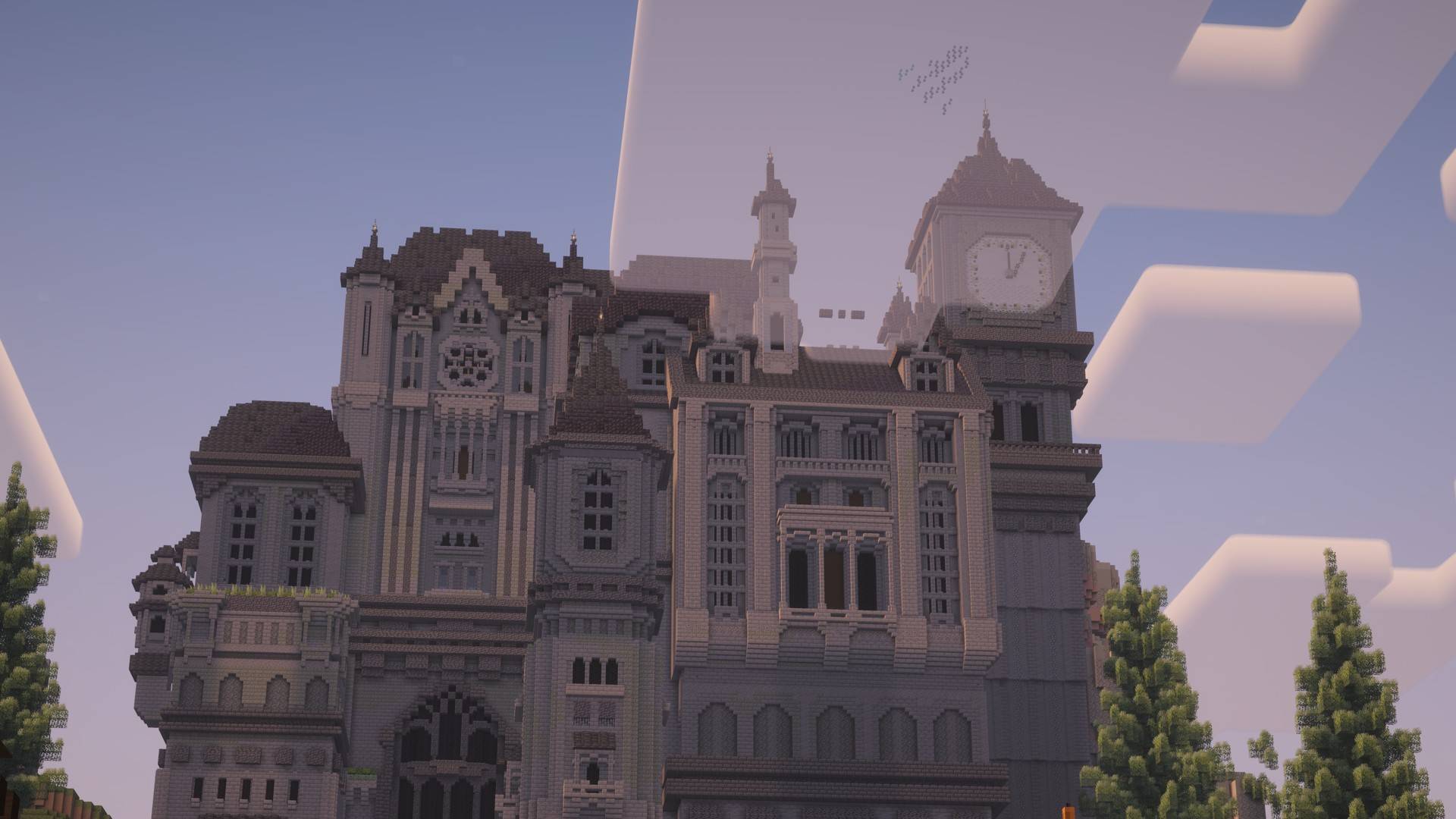
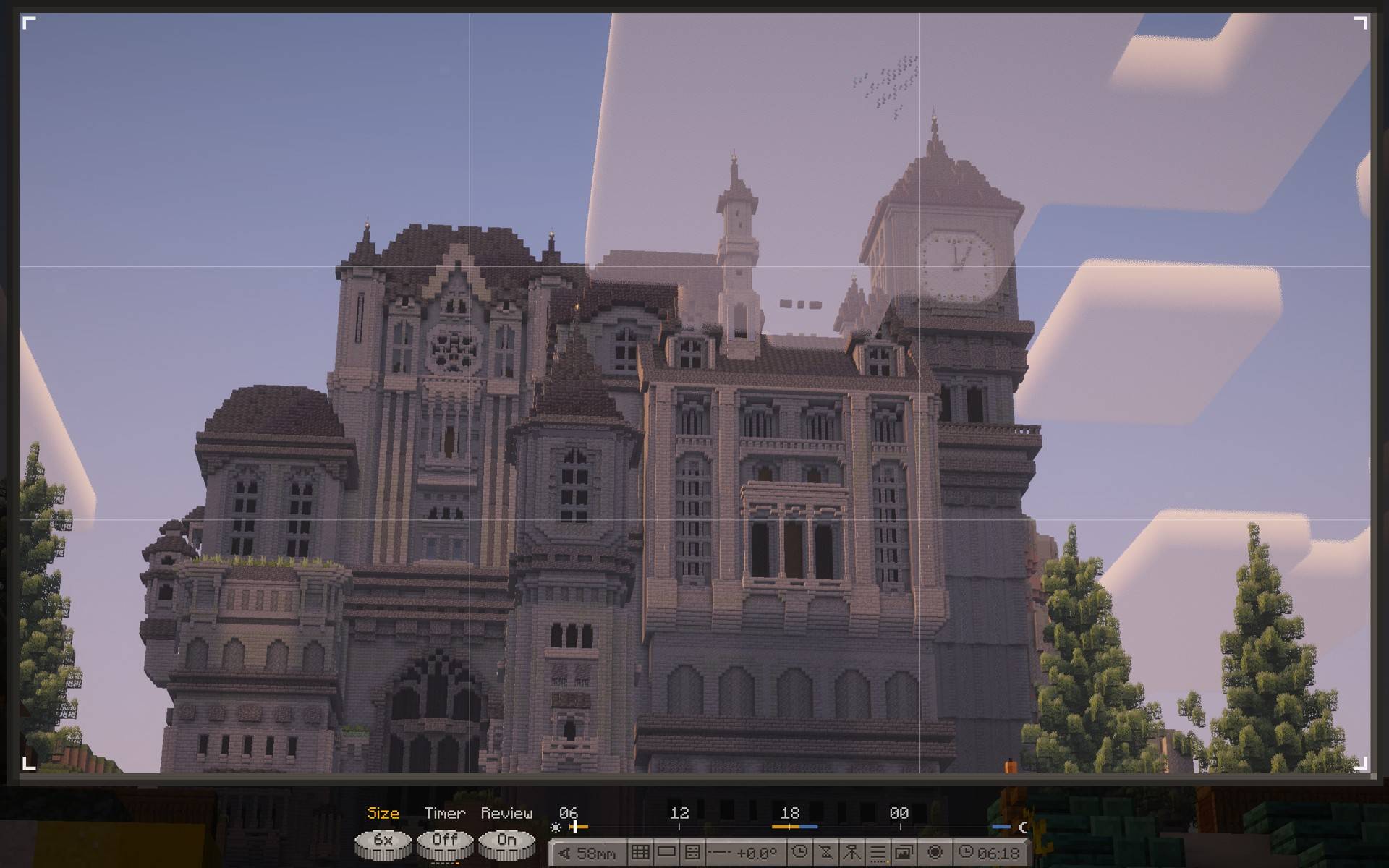
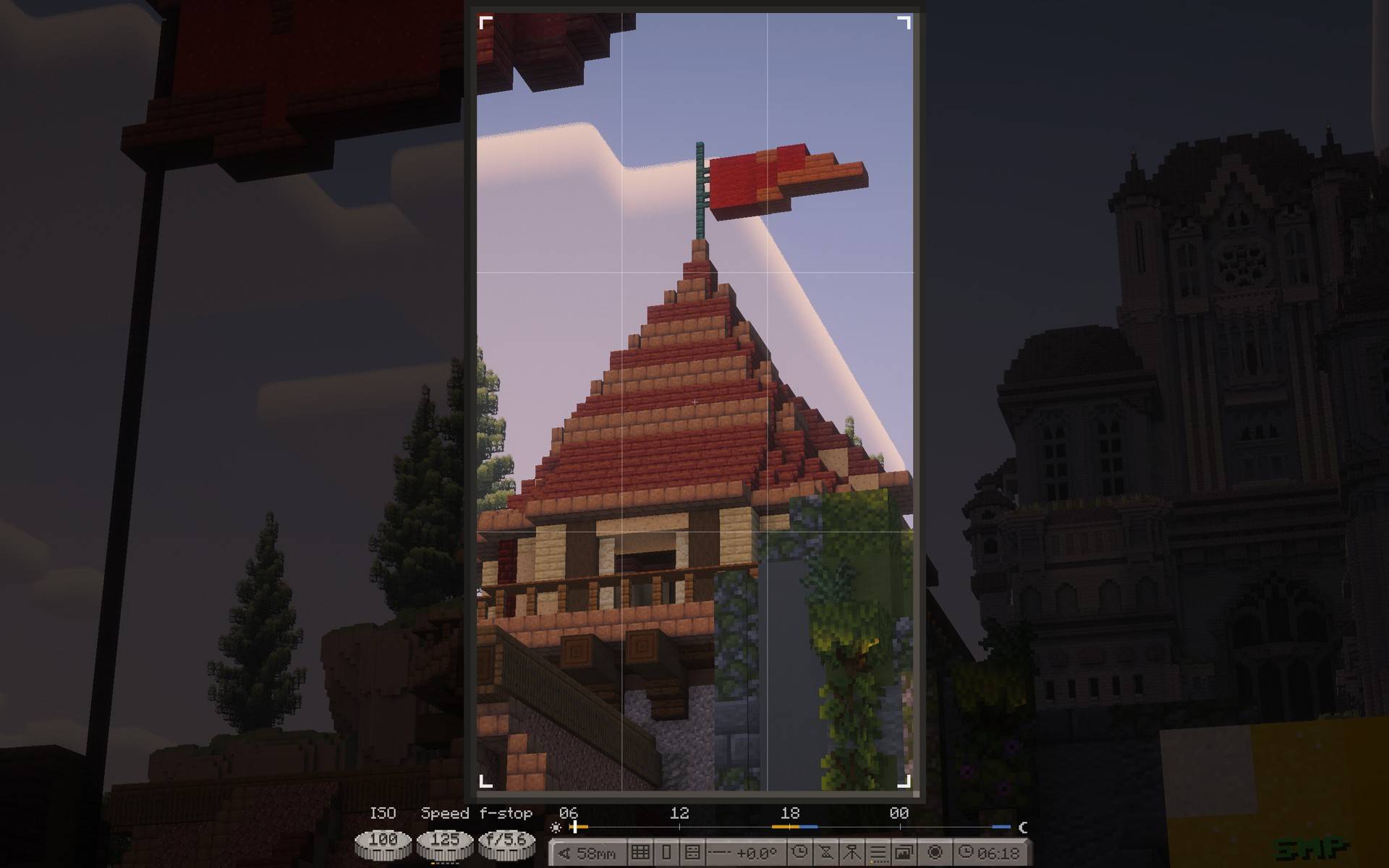
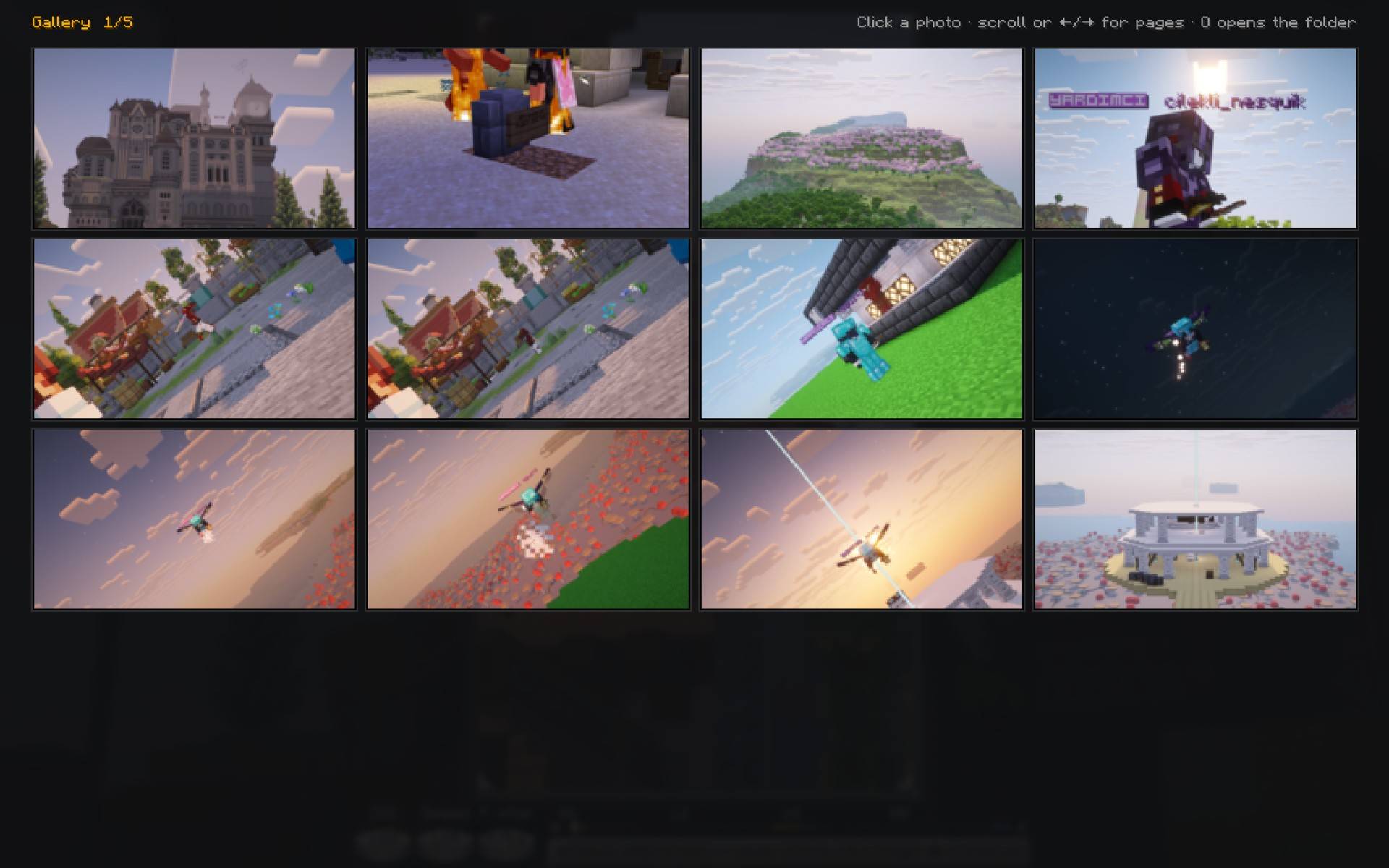
Craftography turns your screen into a camera. Frame a shot, pick a lens, set the exposure and take a clean photo, with no HUD in it.
Client-side only. Nothing is sent to the server: time, weather and moon phase you pick are visual only.
Press F7 for camera mode. F8 frees the cursor to turn the dials. F9 sets the camera on a tripod.
Features
- Aspect ratios: 16:9, 3:2, 4:3, 1:1, 4:5, 9:16, 2.39:1 and free.
- Composition guides: rule of thirds, phi grid, centre, diagonals, quarters.
- Lens from 10 to 200 mm, with mouse sensitivity that follows the zoom.
- ISO, shutter speed, aperture, white balance, tint, grain, focus with depth of field, focus peaking and a histogram.
- Camera roll with a level.
- Time of day, weather and moon phase, on your screen only.
- Tripod: walk into your own shot. Self-timer: 3 or 10 seconds.
- Photos up to 8K (7680 px), saved to
screenshots/craftography/. - Gallery with the date, lens, aspect ratio and size of each photo.
- Works with Sodium and Iris, shaders on or off.
Requires
Fabric API. Minecraft 26.2.
常见问题
Craftography 支持哪些 Minecraft 版本?
Craftography 支持 Minecraft Java 版 26.2–26.3,共 2 个版本,可用的加载器:Fabric。下载时注意选择和你游戏版本一致的文件。
Craftography 怎么安装?
先用 PCL2 或 HMCL 启动器安装对应版本的 Fabric,再把下载的 .jar 文件放进游戏目录的 mods 文件夹,重新启动游戏即可。开启了版本隔离的,mods 文件夹在 versions/版本名 下面。
mahirsn 的其他作品
查看全部 →
smthsModeration
A moderation panel for Fabric. You set the commands, the mod gives you buttons for them.

Beypack
This modpack specially designed for beylands server players
Drmfrp(dont reload my resource packs)
Skips the resource reload when a server sends resource packs you already have.
评论
登录后评论和评分