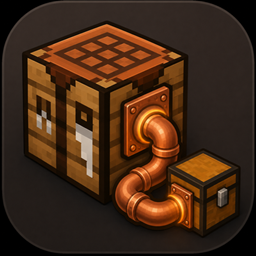
craftlink pipes
Connect your storage to the crafting table — CraftLink lets you pipe materials from nearby chests, barrels, shulkers, and hoppers straight into your crafting grid.
截图


介绍
CraftLink
A Fabric mod for Minecraft 26.3 that connects your chests to your crafting stations. Pipe your storage together, and crafting tables, furnaces and modded recipe-book stations can use the items in those chests as if they were in your inventory. A Network Terminal lets you browse, search and grab anything in the network from one place, even from far away.
Features
Pipes
- Pipes connect to each other and to any storage block they touch (chests, barrels, shulker boxes, modded containers). A connected group of pipes and chests forms one network.
- Hoppers also count as part of a network: they carry the connection and their contents are available too.
- Double chests are handled as one 54-slot container, even if a pipe only touches one half.
- Any block with a recipe book (crafting table, furnace, blast furnace, smoker, or a modded station) that touches a pipe is linked to that network:
- The recipe book shows recipes as craftable using items in the chests, not just your inventory.
- Clicking a recipe fills the grid from your inventory first, then from the chests.
- Ingredients taken from the chests go back to the network when you switch recipes or close the screen.
Network Terminal
The terminal gives you access to the whole network from one block.
Opening it: right-click the terminal. The screen has:
- a searchable, scrollable list of every item in the network, sorted by amount (hover an item to see how many are stored)
- a 3×3 crafting grid with the recipe book, which pulls ingredients straight from the chests
- your inventory
Grabbing and storing items:
| Action | What it does |
|---|---|
| Left-click an item | Pick up a full stack |
| Right-click an item | Pick up half a stack |
| Shift-click an item | Move a stack straight into your inventory |
| Left-click the list while holding items | Put the whole held stack into the network |
| Right-click the list while holding items | Put one held item into the network |
| Shift-click an item in your inventory | Send that stack into the network |
The list updates live, so it keeps up with hoppers and other players.
Items go back where they came from: the network remembers which chest each item was taken from. When you put items back (or unused ingredients are returned from a crafting grid), they go into that chest first. If it’s full, they go to another chest already holding that item, then to any chest with space. This memory is cleared when the world or server restarts.
Wireless link:
- Hold the Network Terminal item, sneak and right-click any pipe. The item’s tooltip shows the pipe it’s linked to.
- Place the terminal anywhere in the same dimension. It reaches that pipe’s network from any distance.
The link stays on the item when you break and pick up the terminal. A terminal placed directly against a pipe works without a link.
Relay to other stations: any recipe-book block placed against a terminal (crafting table, furnace, modded station) gets the terminal’s network, as if a pipe were touching it. This also works with a wirelessly linked terminal.
Crafting
Pipe (makes 8):
copper  copper  copper
iron    (empty) iron
copper  copper  copper
Network Terminal:
copper       glass pane      copper
ender pearl  crafting table  ender pearl
copper       pipe            copper
Both are also in the Functional Blocks creative tab.
Notes
- Wireless links only work within the same dimension.
- If the linked chests are in unloaded chunks, opening the terminal loads them briefly. Very distant storage may cause a small lag spike.
- Taking and storing items keeps enchantments, custom names and other item data.
常见问题
craftlink pipes 支持哪些 Minecraft 版本?
craftlink pipes 支持 Minecraft Java 版 26.2–26.3,共 2 个版本,可用的加载器:Fabric。下载时注意选择和你游戏版本一致的文件。
craftlink pipes 怎么安装?
先用 PCL2 或 HMCL 启动器安装对应版本的 Fabric,再把下载的 .jar 文件放进游戏目录的 mods 文件夹,重新启动游戏即可。开启了版本隔离的,mods 文件夹在 versions/版本名 下面。
sleepy_hodgkin220495 的其他作品
查看全部 →
Cropville
Cropville 添加了 40 多种新作物、特色种子、新鲜食材、沙拉、三明治、馅饼、果汁等内容。用精美的马卡龙色像素画风种植、收获和烹饪。农夫、厨师和建筑玩家都适合!

An Upgradable Chest
A Fabric mod that adds a progression of upgradeable storage chests: Copper → Iron → Gold → Diamond → Netherite.

Salvagers Table
a block that reverses vanilla crafting. Place a crafted item in its input slot, and if the stack count exactly matches a known recipe's output, the table breaks it back down into the original ingredients.

PrintCraft
adds a furnace like block that instead of smithing copies items and blocks.
评论
登录后评论和评分