截图
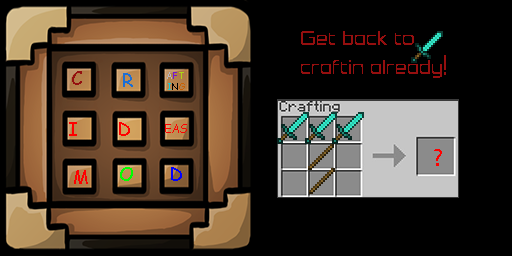
介绍
Crafting Ideas Mod
Ever watch those crafting ideas videos, and wish they were actually in the game?
If yes, continue reading.

They are now, just download this mod, and load it with Minecraft Forge, and get crafting!
Installation Instructions
The installation procedure is the same for most forge mods. If you don’t know how to install a forge mod, follow the instructions below.
Windows:
1. Download Minecraft Forge. Select 1.6.4 Recommended (9.11.1.965) installer.
2. Download my mod.
3. Install Minecraft Forge, by opening the double click the installer, and selecting Install client.
4. Run Minecraft, making sure to select “Forge” as the profile. Followed by closing minecraft after it loads.
5. Open Windows Explorer and goto %appdata%/.minecraft/mods by pasting it into the top of the window.
6. Paste my mod into the folder
7. Run Minecraft, making sure to select “Forge” as the profile. When Minecraft loads check if it is install by going to the Mods
Crafting Ideas taken from
http://www.youtube.com/watch?v=Qw3PpXJdmzY
http://www.youtube.com/watch?v=QUUh3rlsz5A
My brain
My friends
Delongated Torch has buggy lighting
Well, it’s as bit big, so…
CLICK ME!
Recipes
Recipes can be found using NEI.
常见问题
Crafting Ideas Mod 支持哪些 Minecraft 版本?
Crafting Ideas Mod 支持 Minecraft Java 版 1.6.4,可用的加载器:Forge。下载时注意选择和你游戏版本一致的文件。
Crafting Ideas Mod 怎么安装?
先用 PCL2 或 HMCL 启动器安装对应版本的 Forge,再把下载的 .jar 文件放进游戏目录的 mods 文件夹,重新启动游戏即可。开启了版本隔离的,mods 文件夹在 versions/版本名 下面。
评论
登录后评论和评分