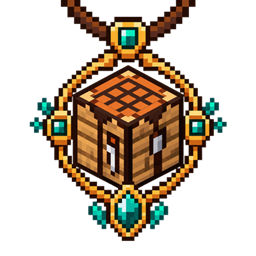
Crafting Curios
Equip a crafting table in a Curios slot to expand your standard inventory crafting grid from 2×2 to a fully functional 3×3.
介绍
Crafting Curios turns the crafting table into a wearable survival upgrade—without adding a separate screen.
Equip a crafting table in the dedicated Crafting Curios slot, then press E as usual. Your standard player inventory crafting grid will expand from 2×2 to 3×3, allowing you to craft full crafting-table recipes directly from your inventory.
Features:
- Expands the standard inventory crafting grid from 2×2 to 3×3
- Works directly inside the normal player inventory
- Adds 3×3 crafting to the Curios inventory screen
- Supports manual crafting and the recipe book
- Maintains clean layouts in Survival and Creative
- Automatically returns items from the five additional cells when the crafting table is removed
- Uses an ordinary crafting table—no special item is required
How to use:
-
Craft or obtain a crafting table.
-
Open the Curios inventory.
-
Equip the crafting table in the Crafting slot.
-
Press E and use the expanded 3×3 crafting grid.
Requirements:
- Minecraft 1.21.1
- NeoForge
- Curios API
Crafting Curios must be installed on both the client and server when playing multiplayer.
常见问题
Crafting Curios 支持哪些 Minecraft 版本?
Crafting Curios 支持 Minecraft Java 版 1.21.1,可用的加载器:NeoForge。下载时注意选择和你游戏版本一致的文件。
Crafting Curios 怎么安装?
先用 PCL2 或 HMCL 启动器安装对应版本的 NeoForge,再把下载的 .jar 文件放进游戏目录的 mods 文件夹,重新启动游戏即可。开启了版本隔离的,mods 文件夹在 versions/版本名 下面。
Scyvix 的其他作品
查看全部 →
Tensura Horizons
一个《Tensura: Reincarnated》附属模组,拓展种族进化路线,新增技能和自定义种族。

Shinobi-Craft
一个以火影忍者为主题的整合包

Universal Quest Icons
A Lightweight Icon Library that adds a Wide Variety of Custom Icons for use in Quest Mods.

Tensura Horizons Modpack
Tensura Horizons is a Tensura-inspired Minecraft modpack where you gain powerful skills, evolve, defeat bosses, and build your own monster nation.
评论
登录后评论和评分