
截图

介绍
中文介绍正在准备中,下面暂时显示原文。
Set a Crafter once. Never set it again.
You built the farm. 400 crafters, one recipe and now the fun part:
clicking the same 3×3 pattern into every single one. Slot by slot.
Crafter by crafter.
Crafter Presets turns all of that into: open the Crafter. That’s it.
Your saved layout snaps in, the GUI closes itself, and you’re already
walking to the next block.
Why you’ll keep it installed
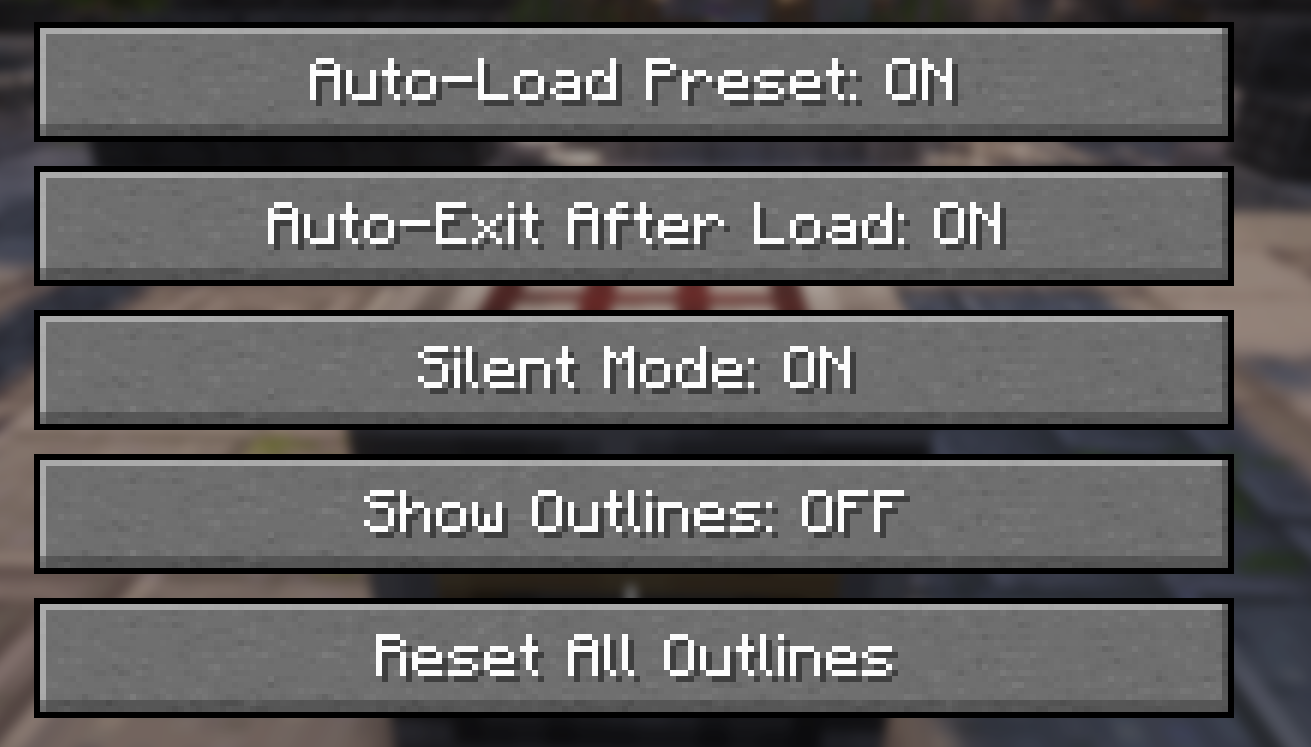
- Auto-Load & Auto-Exit. Open a Crafter and your preset is applied and the screen is gone before you can blink. Toggle it with F9 whenever you want manual control back.
- See your progress at a glance. Every Crafter you’ve loaded gets a colored outline — walk past your farm and instantly spot the one you missed. Any color you like.
- Design recipes anywhere. The visual 3×3 grid editor lets you build and edit presets without standing at a Crafter — plan your layouts from the settings screen.
- A preset for every recipe. Save, rename, and manage as many as you need — or flip on Single Preset Mode and turn the whole mod into one save button and one load button.
- Load on your terms. Prefer it manual? Press J or hit the Load button, and the layout fills in exactly.
- Quiet by choice. Silent Mode suppresses the slot-clicking sounds, so loading forty crafters doesn’t sound like a hailstorm.
- Everything in one place. Press ~ for the tabbed settings screen — behavior, presets, and appearance.
Presets persist across sessions and old v2 presets migrate automatically.
Client-side only — no server mod required.
One recipe, one click, every Crafter. Go build something bigger.
常见问题
Crafter Presets 支持哪些 Minecraft 版本?
Crafter Presets 支持 Minecraft Java 版 1.21.4–26.3,共 13 个版本,可用的加载器:Fabric。下载时注意选择和你游戏版本一致的文件。
Crafter Presets 怎么安装?
先用 PCL2 或 HMCL 启动器安装对应版本的 Fabric,再把下载的 .jar 文件放进游戏目录的 mods 文件夹,重新启动游戏即可。开启了版本隔离的,mods 文件夹在 versions/版本名 下面。运行环境:仅客户端。

评论
登录后评论和评分