介绍
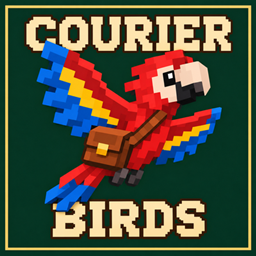
Courier Birds turns wild parrots into item couriers. Capture a parrot, assign it to a perch, and send a one-stack satchel to another linked perch.
Each bird keeps its original color and has its own route. Name your couriers with vanilla name tags, rename routes in the Courier Ledger, and choose whether a bird stays at its destination or returns after its delivery is collected.
Getting started
- Craft a Bird Cage and use it on a wild parrot.
- Place two Courier Perches in the same dimension. Use the filled cage on the first perch to assign the bird.
- Use a Courier Linker on the occupied perch, then on the unclaimed second perch.
- Right-click the bird or its occupied perch while holding the item stack you want to send.
- Right-click with an empty hand to check the satchel. Right-click again within five seconds to confirm departure.
- Sneak-right-click with empty hands at the receiving perch to collect the cargo.
The cage is reusable after you assign its bird. All three crafting recipes appear in the vanilla recipe book when you have their ingredient types.
Your courier network
Keep multiple birds, each with an independent route and satchel. Press L to open the Courier Ledger, see where your birds are, inspect perch coordinates, and rename routes.
The key is rebindable under Options → Controls → Key Binds → Courier Birds → Open Courier Ledger. If it shares a binding with Advancements, the Ledger takes priority.
Use a renamed vanilla name tag directly on your perched courier to name the bird.
Delivery modes
As the route owner, right-click either linked perch with the Courier Linker to switch modes.
- Stay leaves the bird at the receiving perch.
- Return waits for the entire satchel to be emptied, then flies back to the sending perch.
To call an idle bird to your empty perch, sneak-right-click it with empty hands. The bird can be called once its satchel is empty.
Long-distance deliveries
Trips and cargo are saved with the world. A delivery survives a normal server restart and can wait for an unloaded destination. Couriers animate their takeoff and landing with banking turns and a wing flare before touchdown. Nearby perches in the same chunk can have a continuous visible flight.
Both perches must be in the same dimension. If a perch is destroyed, the courier uses the surviving perch. If both are lost, the owner can recover a displaced courier at an unclaimed perch.
Optional integrations
JourneyMap and Xaero’s World Map show your linked perches on the fullscreen map. Click a perch marker to display its route. The selected route also appears on the supported minimap.
JEI and REI can show the standard crafting recipes and add usage information for the cage, perch, and linker. Install compatible versions of the optional mods for your Minecraft version.
Installation
Requires NeoForge on Minecraft Java Edition. Choose the file matching your Minecraft version.
- Minecraft 1.21.1 uses Java 21 and NeoForge 21.1.234 or later in the 21.1 series.
- Minecraft 26.2 uses Java 25 and NeoForge 26.2.0.88 or later in the 26.2 series.
Install Courier Birds on both the client and server for multiplayer. Install it on the client for singleplayer.
License and credits
Courier Birds is released under the MIT License. Modpack use, redistribution, and modification are permitted under that license.
The Xaero overlay hooks draw on XaeroNav by Prason, used under MIT. Its copyright and license notice are included in the jars.
常见问题
Courier Birds 支持哪些 Minecraft 版本?
Courier Birds 支持 Minecraft Java 版 1.21.1–26.2,共 2 个版本,可用的加载器:NeoForge。下载时注意选择和你游戏版本一致的文件。
Courier Birds 怎么安装?
先用 PCL2 或 HMCL 启动器安装对应版本的 NeoForge,再把下载的 .jar 文件放进游戏目录的 mods 文件夹,重新启动游戏即可。开启了版本隔离的,mods 文件夹在 versions/版本名 下面。
K4iiD3v 的其他作品
查看全部 →
RandRolls
Destiny-inspired randomized swords and bows with perks, loot drops, and a reroll station.

Winged Mounts
Elytra saddles let horses glide, boost with fireworks, and dive-bomb mobs. Craft the classic saddle or find 18 other styles in End ships.
评论
登录后评论和评分