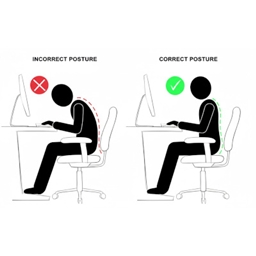
Correct Gaming Posture
Flat screen pseudo-VR with webcam headtracking. - Look around corners by moving your head IRL.
介绍
Correct Gaming Posture
Flat screen pseudo-VR with webcam headtracking. – Look around corners by moving your head IRL.
- Main feature: Become mindful of your gaming posture!
Version 1.0.0
First polished release. Reworked namespace to not interfere with Simple Camera Tweaks, and removed its functionality from this mod. They are compatible!
Requirements
Just a regular webcam, better hardware also supported. Developed with a PS3 Eye.
On Linux Opentrack requires ONNX as a dependency to build NeuralNet Tracker!
New low-latency filter for Opentrack in the works! Watch this space!
Opentrack now compiles with filter-alpha-spectrum! – A new math-heavy and ultra-low latency smoothing filter. Technical description here: https://github.com/ganzuul/ancg_spectrum
New filter pre-release for Windows! – https://github.com/ganzuul/opentrack/releases/tag/Tested_OK
Use
- Get Opentrack, may have to compile it yourself with ONNX to get NeuralNet Tracker input on Linux
- Start Opentrack on output UDP, 1270.0.0.1 port 4242 (default)
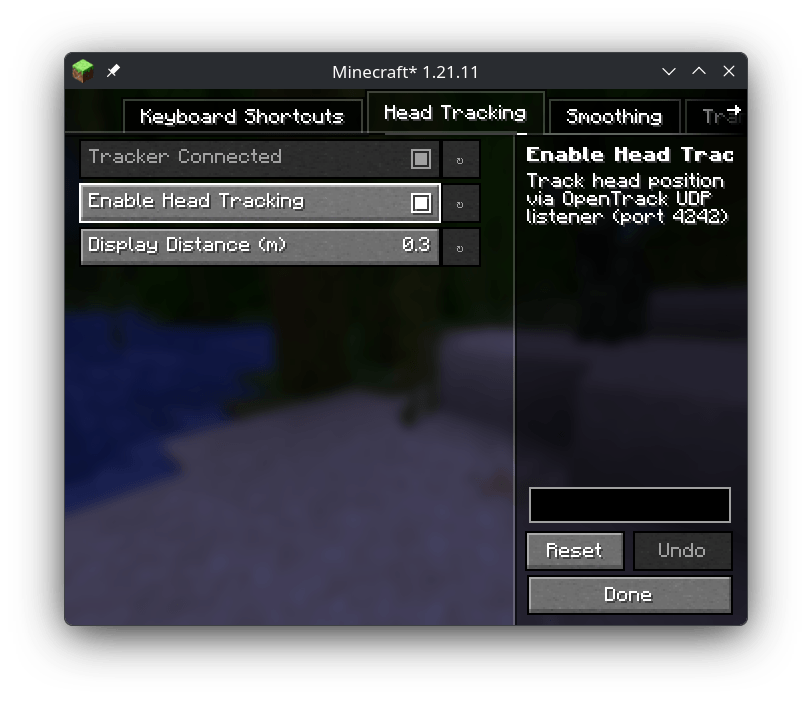
- Load mod with Minecraft, use Mod Menu to enable Headtracking in its tab and make sure the tracker is connecting, adjust the settings if needed. 1€ filter is the same as Opentrack’s Accela
- Correct Gaming Posture!
常见问题
Correct Gaming Posture 支持哪些 Minecraft 版本?
Correct Gaming Posture 支持 Minecraft Java 版 1.21.11,可用的加载器:Fabric / NeoForge。下载时注意选择和你游戏版本一致的文件。
Correct Gaming Posture 怎么安装?
先用 PCL2 或 HMCL 启动器安装对应版本的 Fabric / NeoForge,再把下载的 .jar 文件放进游戏目录的 mods 文件夹,重新启动游戏即可。开启了版本隔离的,mods 文件夹在 versions/版本名 下面。
评论
登录后评论和评分